- 10 -
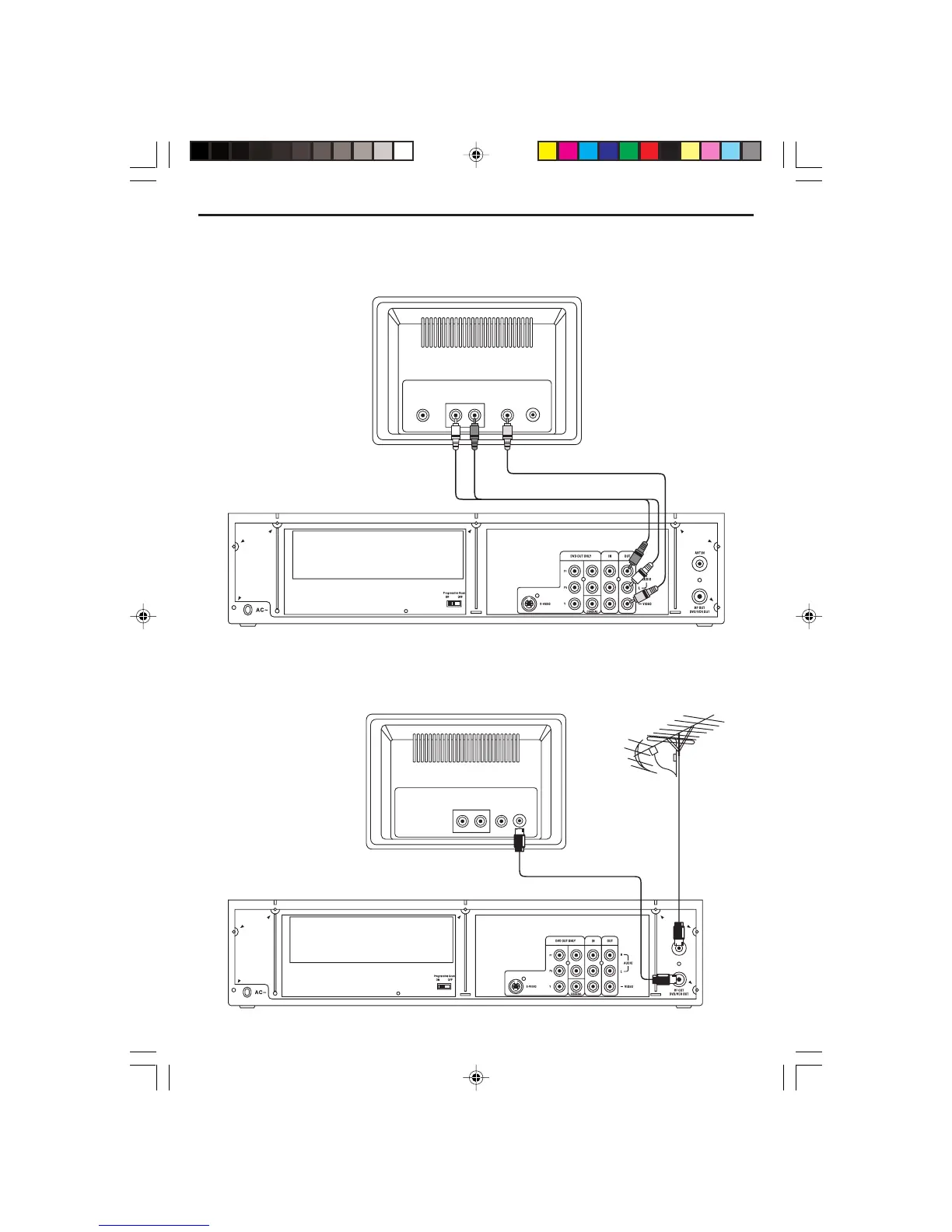
Connect the player to AUX Equipment from AV Jacks (Input)
If your auxiliary equipment has AV output jacks, connect the left audio (white) cable and Video cable to
the input jacks of the player and output the auxiliary signals to the TV set as illustrated below diagram.
Connect the TV Antenna and RF Out to TV set if you do not have AV Jacks
If your TV set is old style and do not have AV jacks, use the below connections to record and display
your desired TV program on your old TV set.
Aerial or Cable TV
TV
VIDEO IN
AUDIO IN
RL
ANTENNA
IN
TV
AUDIO IN
VIDEO IN
RL
S-VIDEO IN
Video Cable
Audio L & R Cables
ANTENNA
IN
ELECTROHOME DVC510E_EngP01-10.p65 5/3/2007, 9:45 AM10


 To Next Page