- 6 -
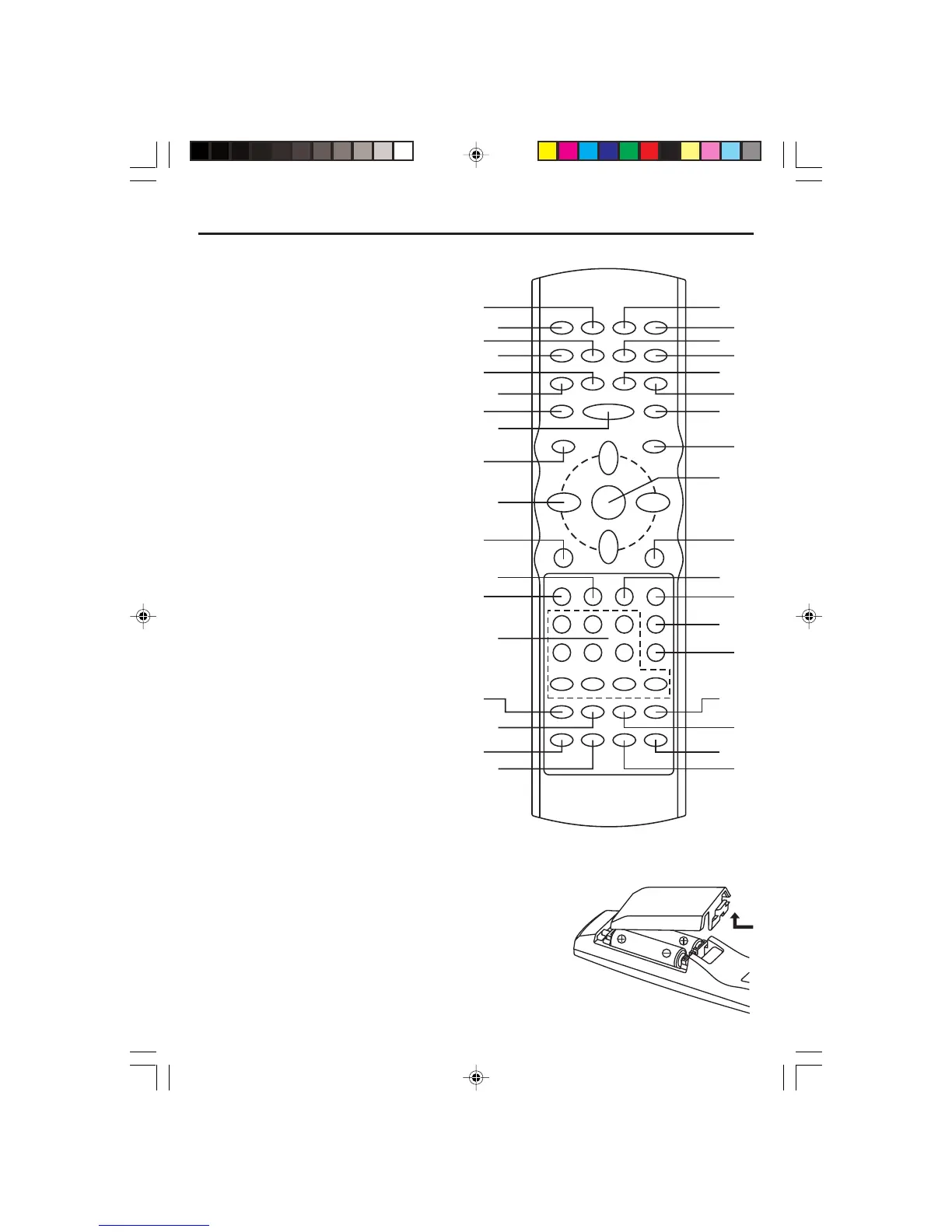
Remote Control Unit
1. CLEAR Button
2. POWER Button
3. TITLE Button
4. SUBTITLE Button
5. ZOOM Button
6. STEP Button
7. REC Button (VCR)
8. PLAY/PAUSE Button
9. VCR Button
10.NAVIGATION Buttons (///)
11. SETUP Button
12. NEXT Button
13. PREVIOUS Button
14. NUMBER Button (DVD, VCR)
15.SP/SLP Button (VCR)
16.AV1/AV2 Button
17. ANGLE Button
18. REPEAT Button
19. REREAT A-B Button
20. DISPLAY Button
21.TV/VCR Button
22. COUNTER RESET Button
23.100 Button
24. VCR PROGRAM Button
25.F.F Button
26.F.R Button
27. DVD MENU Button
28.OK Button
29.DVD Button
30. STOP Button
31.SLOW/F Button
32. MTS/AUDIO Button
33.PBC Button (DVD)
34. RETURN Button (DVD)
35. OPEN/CLOSE Button (DVD,VCR)
36. SEARCH Button
Note: The Navigation (/) buttons are also used as CHANNEL UP/DOWN buttons when in VCR or TV
mode.
Batteries Installation
1. Remove the battery cover.
2. Insert two battery (AA, R6, UM-3 types) making sure
the polarity (+/–) matches the marks inside the unit.
3. Replace the cover.
• Do not attempt to recharge, short-circuit, disassemble,
heat or throw the batteries into the fire.
• Do not mix different types of batteries or old and new batteries.
Control Reference Guide
1
2
3
4
5
6
7
8
9
10
11
12
14
15
16
18
19
20
21
22
24
25
27
28
29
30
31
32
33
34
35
36
13
17
26
23
ELECTROHOME DVC510E_EngP01-10.p65 5/3/2007, 9:45 AM6


 To Next Page