EasyManua.ls Logo

Electrohome EAAC302 - User Manual

Electrohome EAAC302
43 pages
Print Icon
To Next Page IconTo Next Page
Loading...
electrohome.com
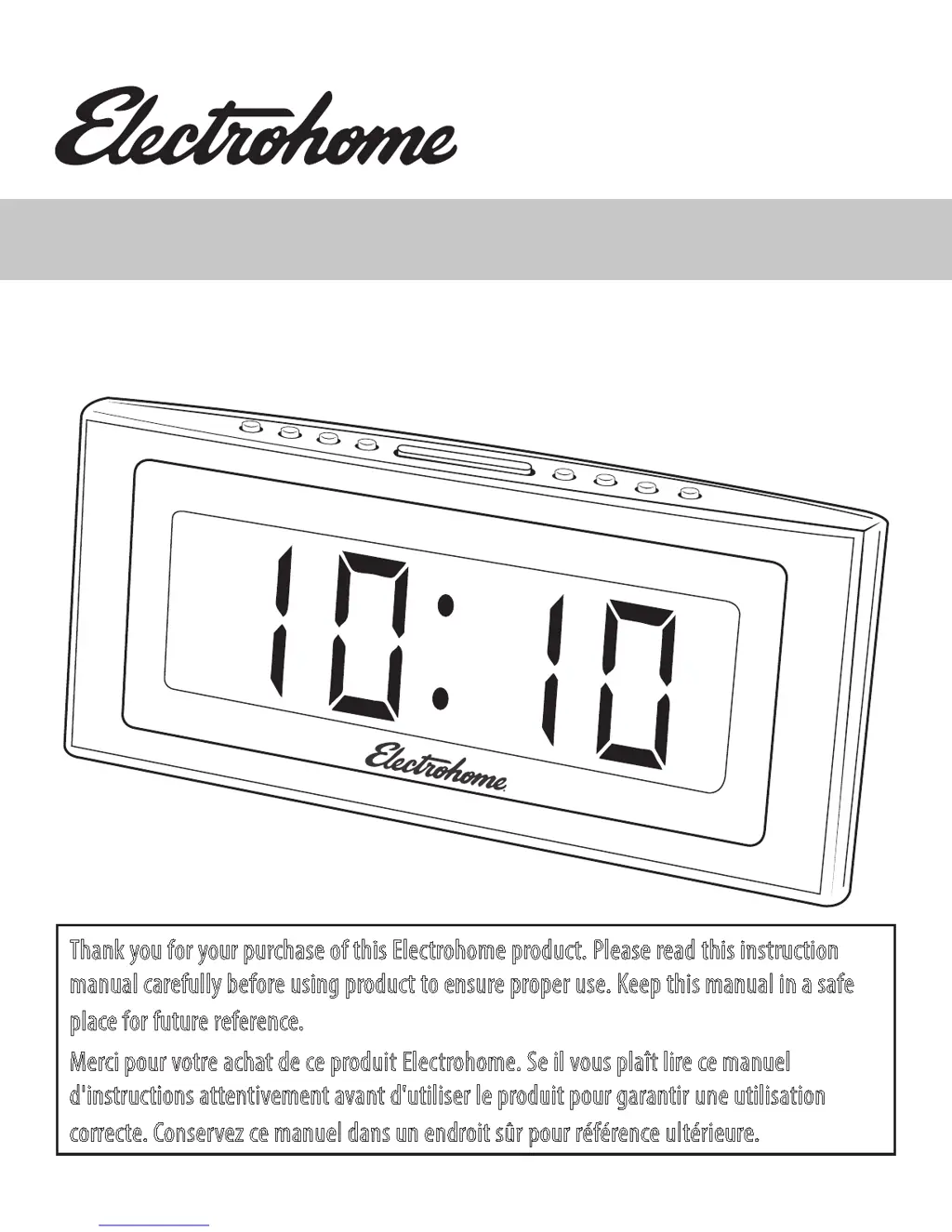
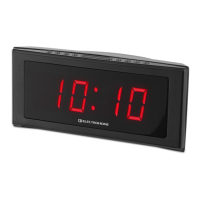
1.8" Jumbo Alarm Clock Radio
Radio-réveil à écran large 1,8po
USER MANUAL / MANUEL D'UTILISATION
Thank you for your purchase of this Electrohome product. Please read this instruction
manual carefully before using product to ensure proper use. Keep this manual in a safe
place for future reference.
Merci pour votre achat de ce produit Electrohome. Se il vous plaît lire ce manuel
d'instructions attentivement avant d'utiliser le produit pour garantir une utilisation
correcte. Conservez ce manuel dans un endroit sûr pour référence ultérieure.
EAAC302/EAAC302W
V1.03

Other manuals for Electrohome EAAC302

Questions and Answers

  • M
    mcdanieljohnAug 18, 2025
    What to do if my Electrohome EAAC302 alarm does not turn on?
    • L
      Lisa DayAug 18, 2025
      If the alarm on your Electrohome Clock Radio isn't working, there are several things to check: * Ensure that you have set the alarm to turn on by pressing the ALARM 1 or ALARM 2 button. * Verify that the clock is properly set. * Make sure the alarm time is correctly set.
  • A
    ajohnsonAug 20, 2025
    How to fix no sound on Electrohome Clock Radio?
    • R
      Ricardo EllisAug 20, 2025
      If you're not getting any sound from your Electrohome Clock Radio: * First, ensure the power is on by pressing the POWER ON/OFF button. * Then, check the VOLUME control and turn it up from the minimum position.
  • T
    Tanya CuevasAug 23, 2025
    Why Electrohome Clock Radio power does not come on?
    • B
      brettmillerAug 23, 2025
      If your Electrohome Clock Radio isn't powering on, make sure the AC cord is fully and correctly plugged into the AC outlet.
  • T
    tamara22Aug 26, 2025
    What to do if my Electrohome Clock Radio display is not working?
    • M
      Marvin BrownAug 26, 2025
      If there is no display on your Electrohome Clock Radio, the dimmer might be set to Standby Mode. Try pressing the Dimmer button.
  • K
    kiddmaryAug 28, 2025
    Why is my Electrohome EAAC302 showing the incorrect time?
    • D
      Destiny CoxAug 28, 2025
      If your Electrohome Clock Radio is displaying the incorrect time: * Ensure that the clock is properly set. * Check the battery. It may be inserted incorrectly or depleted; replace or re-insert it as needed.
  • C
    christy19Aug 30, 2025
    How to eliminate noise on Electrohome EAAC302?
    • M
      Michael RichardsonAug 30, 2025
      To improve the sound quality on your Electrohome Clock Radio: * For AM, try turning the radio to find a spot with better reception, as interference may be caused by traffic. * For FM, make sure the antenna wire is fully extended.
  • S
    stephanieperkinsSep 2, 2025
    How to fix Electrohome EAAC302 Clock Radio if power does not come on?
    • J
      Juan DaviesSep 2, 2025
      If your Electrohome Clock Radio isn't powering on, make sure the AC cord is firmly plugged into the AC outlet.
  • M
    Maria DavidSep 4, 2025
    What to do if my Electrohome EAAC302 has no sound?
    • S
      Sandra HayesSep 4, 2025
      If there is no sound coming from your Electrohome Clock Radio, ensure that the power is on by pressing the button. Also, check that the VOLUME control is not at the minimum position and turn it up.
  • B
    Bill HallSep 7, 2025
    Why alarm does not turn on Electrohome EAAC302 Clock Radio?
    • E
      ehutchinsonSep 7, 2025
      If the alarm on your Electrohome Clock Radio isn't working, check the following: * Ensure the alarm is set to turn on by pressing the button to set ALARM 1 or ALARM 2. * Make sure the clock is properly set. * Verify that the alarm time is set correctly.
  • A
    Adrienne JonesSep 9, 2025
    How to correct incorrect time on Electrohome EAAC302 Clock Radio?
    • D
      Debbie MartinezSep 9, 2025
      If your Electrohome Clock Radio displays the incorrect time, ensure that the clock is properly set. Also, check the battery to make sure it is inserted correctly and is not depleted. Replace the battery if necessary.

Summary

Warnings

Important Safety Information

Operating Instructions

Connecting Power

Instructions for connecting the alarm clock radio to a power source and setting time zones.

Setting the Date & Time

Procedure for setting the current date and time on the clock.

Setting Alarm 1 & Alarm 2

Detailed steps for configuring alarm times, modes, wake options, and volumes.

Troubleshooting

Care and Maintenance

Specifications

Electrohome Warranty

Electrohome EAAC302 Specifications

General IconGeneral
BrandElectrohome
ModelEAAC302
CategoryClock Radio
Display TypeLED
AlarmYes
Snooze FunctionYes
Radio TunerAM/FM
Radio TypeAnalog
AC PowerYes
Weight1.5 lbs
Power SourceAC Power
Backup BatteryYes (2 x AAA)

Related product manuals