14
Setting Surface Controls
USING THE TOUCH CONTROL
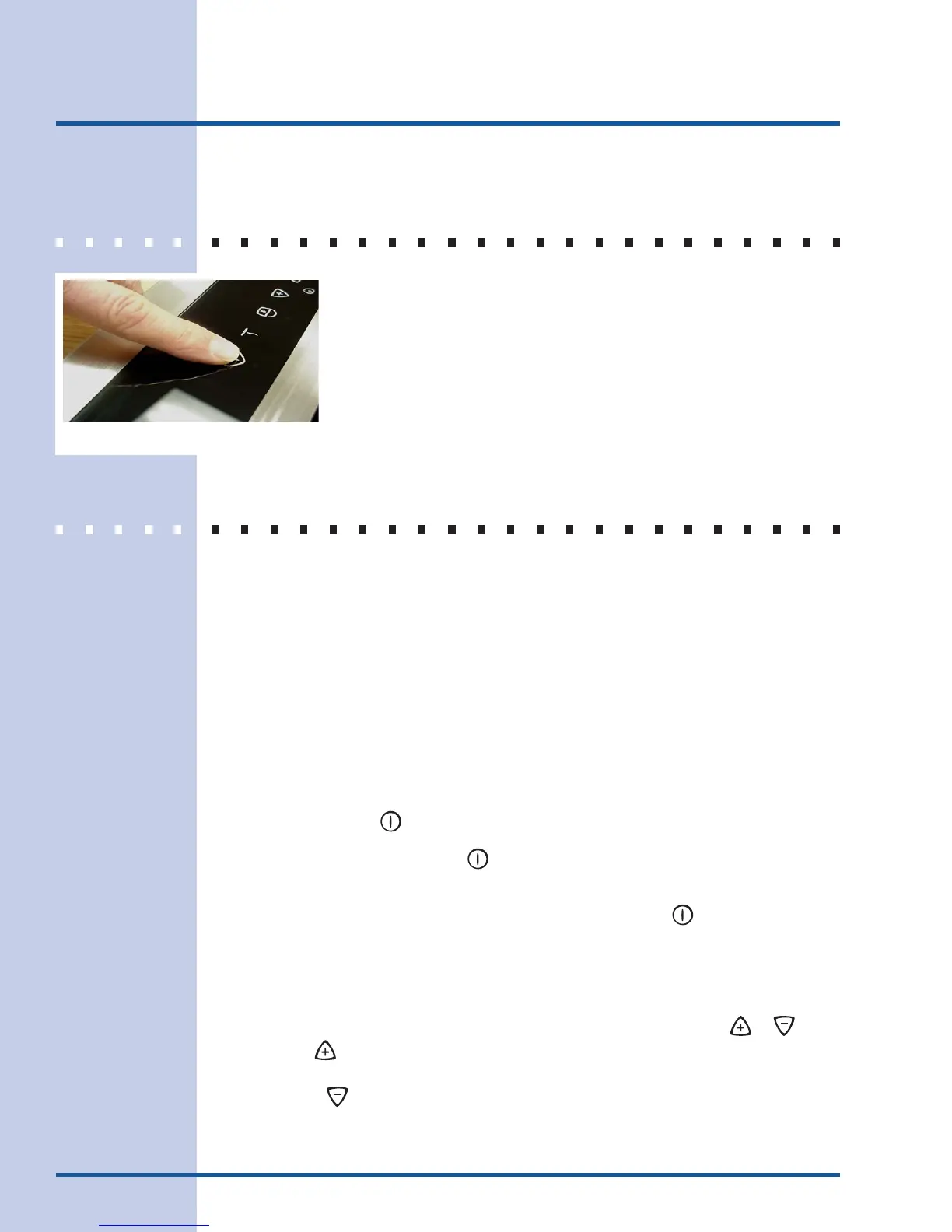
The recommended way to use the touch pads on the cooktop is shown in
Fig. 22. Be sure that your finger is placed in the center of the touch pad
as shown. If the finger is not placed on the center of a pad, the cooktop
may not respond to the selection made.
Lightly contact the pad with the flat part of your entire fingertip. Do not just
use the narrow end of your fingertip.
OPERATING THE COOKING ZONES
The Induction cooktop has five Cooking Zones designed for cookware of various sizes. Be
sure to place cookware that meets the minimum and maximum pan size requirements (Fig.
19) for the Cooking Zone desired and is best for the amount of food being prepared. Place
the cookware with the prepared food on the Cooking Zone BEFORE setting any of the
Cooktop controls.
To Turn ON one or more of the Cooking Zones:
1. Place the prepared food using the correct type and size cookware on the desired
Cooking Zone. Be sure to center the cookware on Cooking Zone completely covering
the minimum ring marked on the Zone surface. PLEASE NOTE: If the cookware
requirements for the Cooking Zone (See Fig. 20) are not met the sensors will detect a
problem and display the letter
FF
FF
F in the affected Cooking Zone LED. Any problems must
be corrected before proceeding.
2. Touch and hold the
POWER
key pad for 2 seconds (or until a beep sounds). The Power
Indicator light located above the
POWER
key pad will turn ON. NOTE: If no other key pad is
touched within 20 seconds the request to Power ON the cooktop will clear.
3. To start one or more of the five Cooking Zones lightly touch the
On/Off
key pad for the
Cooking Zones needed. A beep will sound and the chosen Cooking Zone power level
digital display will show
00
00
0 indicating no power level for the Zone has been set yet.
NOTE: If no other key pad is touched within 10 seconds the request to Power ON the
Cooktop Zone will clear.
4. Set the desired power level for the Cooking Zone by touching either the or key
pad. If the key pad is touched the Cooking Zone will start at a “Power Boost”
maximum power level (the Cooking Zone LED will display
PP
PP
P and the control will beep
once). If the key pad is touched once the Cooking Zone will start at 1 (the Cooking
Zone LED will display
11
11
1 and the control will beep once).
Fig. 22





 To Next Page