TO REMOVE COVER OF MAINS
TERMINAL
From the rear of the appliance, remove mains
input terminal cover to gain access to terminal
block.
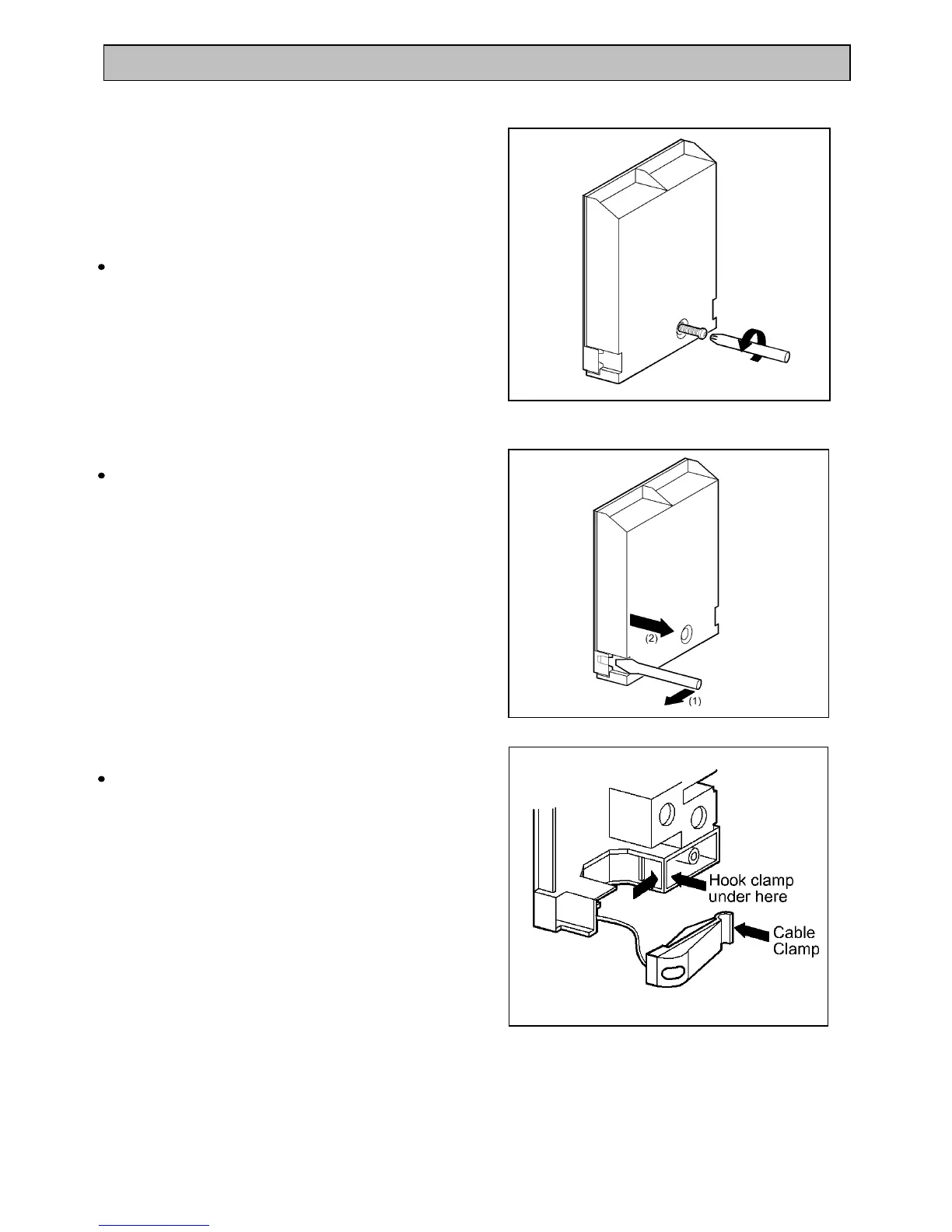
First remove retaining screw with pozidrive
screwdriver. See Fig. 9.
Prise cover loose using screwdriver in position
(1) then lever off with screwdriver in position (2)
at either side. See Fig. 10.
Lift cover and remove screw from cable clamp.
See Fig. 11.
41
INSTALLATION INSTRUCTIONS
Fig. 9
Fig. 10
Fig. 11



 To Next Page