EDW1600
Technical Support – A.R. Chapter
3.1
EDW 1600
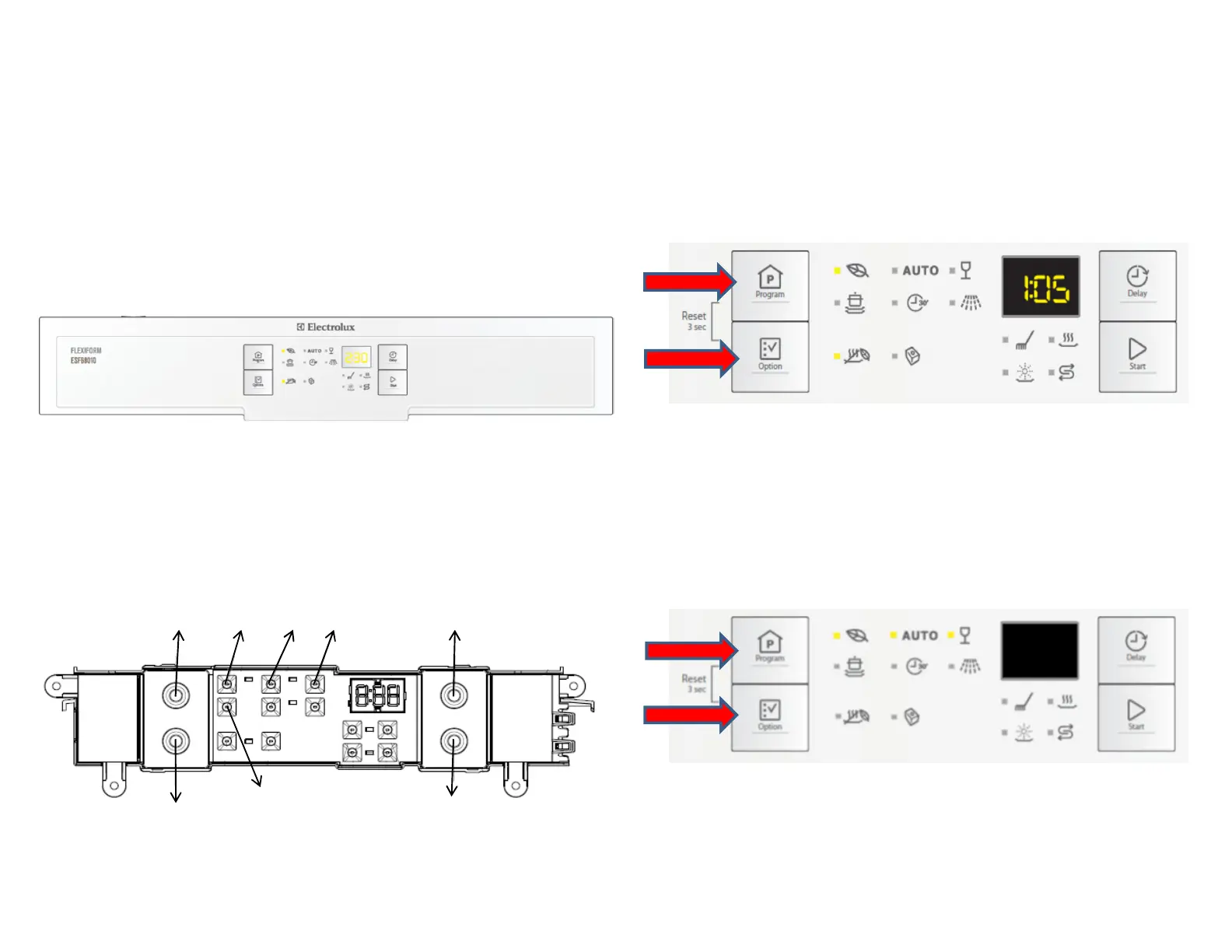
Styling Overview
Lo
cation of LEDs and Push Buttons
Reset
Press buttons S1+S2 simultaneously for at least 2 seconds to
perform Reset function.
Access Service Mode
The Service Mode can only be accessed after the Reset function
has been carried out and the appliance is switched off.
Press and hold button S1+S2 simultaneously while turn the
appliance on, keep holding the buttons for 4 seconds.
L1, L2 and L3 blink to indicate that Service mode is accessed.
S4
L1
L2
L3
L4



 To Next Page