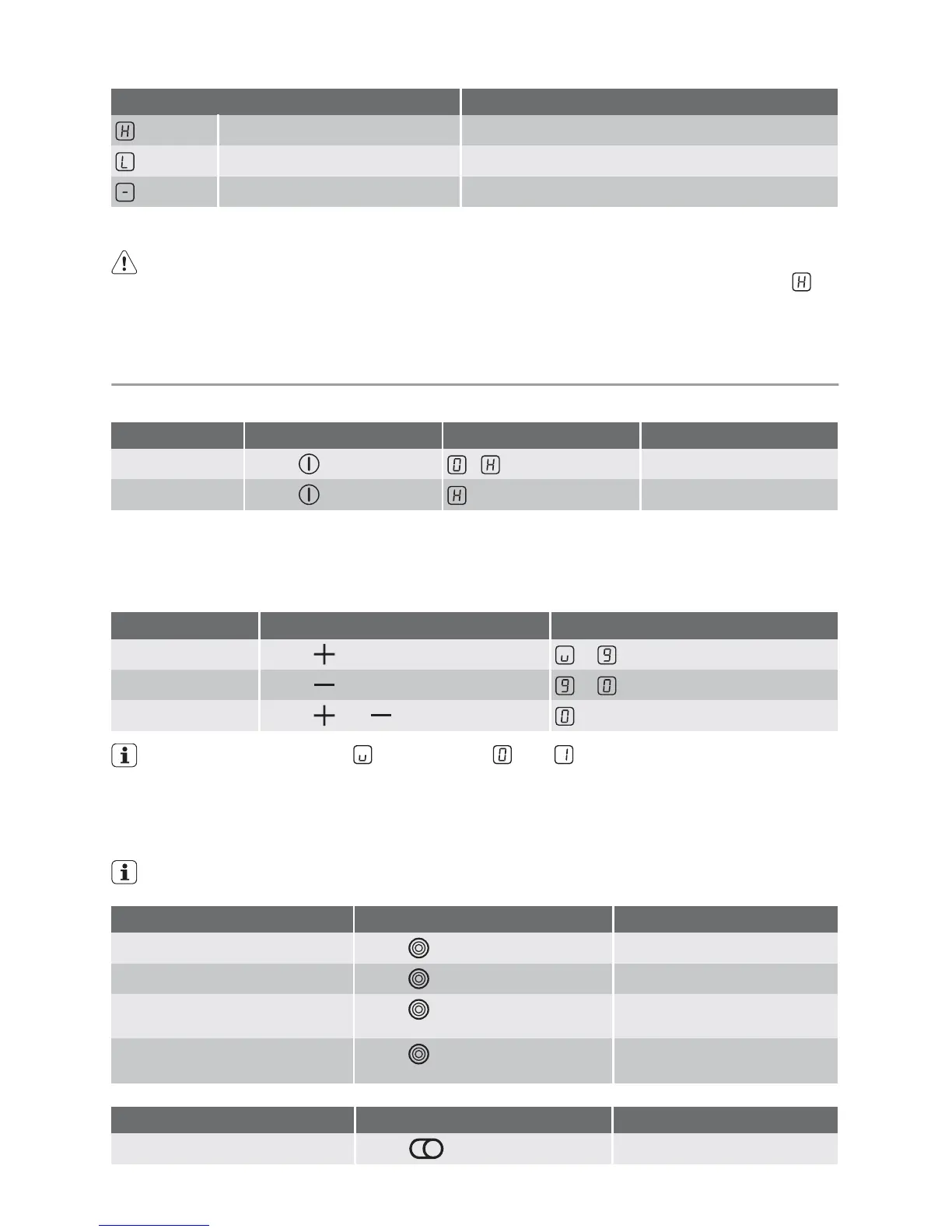
Display Description
Residual heat Cooking zone is still hot
Child safety device Lock/child safety device is activated
Automatic switch off Switch off is active
Residual heat indicator
Warning! Risk of burns from residual heat. After being switched off, the cooking
zones need some time to cool down. Look at the residual heat indicator.
Important! Residual heat can be used for melting and keeping food warm.
Operating the appliance
Switching the appliance on and off
Control panel Display Pilot light
Switch on
Touch for 2 seconds /
lights up
Switch off
Touch for 1 second / none
goes out
Important! After switching on, within approx. 10 seconds a heat setting or a function
must be set, otherwise the appliance automatically switches itself off.
Setting the heat setting
Control panel Indicator
To increase
Touch to
To decrease
Touch to
To switch off
Touch and at the same time
The keep warm setting lies between and . It is used to keep food warm.
Switching the outside ring on and off
By switching the outside rings on or off, the effective heating surface can be matched to the
size of the cookware.
Before an outside ring can be switched
on, the inside ring must be switched on
Triple cooking zone Sensor panel Power indicator
To switch on the middle ring
Touch for 1-2 seconds.
One power indicator is lit.
To switch on the outside ring
Touch for 1-2 seconds.
Two power indicators are lit.
To switch off the outside ring
Touch for 1-2 seconds.
Second power indicator goes
out.
To switch off the middle ring
Touch for 1-2 seconds.
First power indicator goes
out.
Multi-purpose zone Sensor field Pilot light
To switch on outside ring
Touch for 1-2 seconds
is lit
6 electrolux



 To Next Page