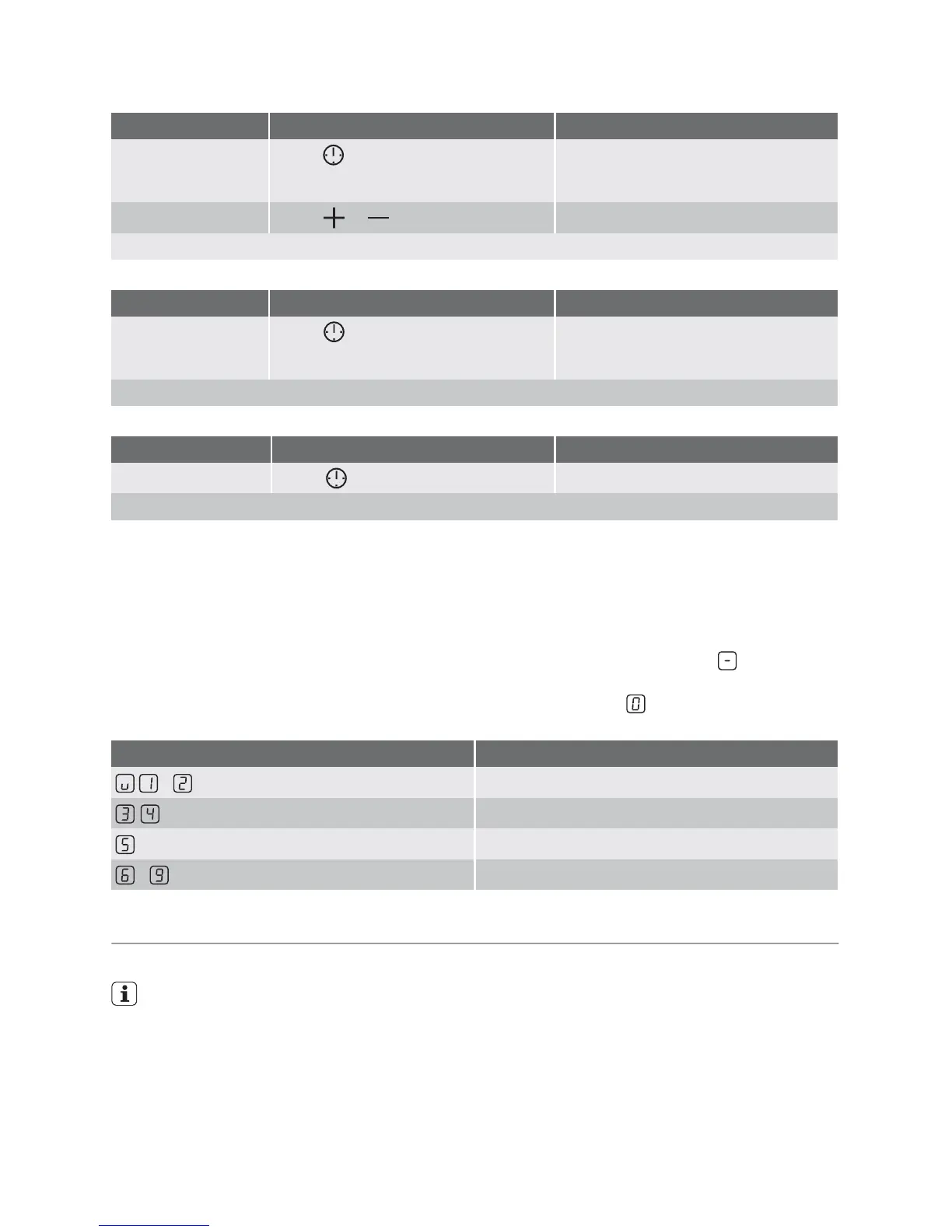
1
to
99
minutes
After a few seconds, the pilot light flashes more slowly. The time is set. The time counts down.
Displaying the time remaining for a cooking zone
Step Control panel Indicator
1.
Touch for the cooking zone
Pilot light of the cooking zone selected
flashes faster. The time remaining is
displayed
After a few seconds the pilot light flashes more slowly.
Switching off the acoustic signal
Step Control panel Indicator
1.
Touch
The acoustic signal to acknowledge
The acoustic signal stops
Automatic switch off
• If after switching on the cooking surface, a
heat setting is not set for a cooking zone
within approx. 10 seconds, the cooking
surface automatically switches itself off.
• If one or more sensor fields are covered by
objects (a pan, cloths, etc.) for longer than
approx. 10 seconds, a signal sounds and
the cooking surface switches off automat-
ically.
• If all cooking zones are switched off, the
cooking surface automatically switches it-
self off after approx. 10 seconds.
• If one of the cooking zones is not switched
off after a certain time, or if the heat setting
is not modified, the relevant cooking zone
switches off automatically.
is displayed.
Before being used again, the cooking zone
must be set to
.
Heat setting Switches off after
-
6 hours
-
5 hours
4 hours
-
1.5 hours
Tips on cooking and frying
Information on acrylamides
According to the latest scientific knowl-
edge, intensive browning of food, espe-
cially in products containing starch, can
constitute a health risk due to acryla-
mides. Therefore we recommend cook-
ing at the lowest possible temperatures
and not browning foods too much.
Cookware
• You can recognise good cookware from
the bottoms of the pans. The bottom
should be as thick and flat as possible.
• Cookware made of enamelled steel or with
aluminium or copper bottoms can leave
discolorations on the glass ceramic sur-
face which are difficult or impossible to re-
move.
10 electrolux



 To Next Page