13
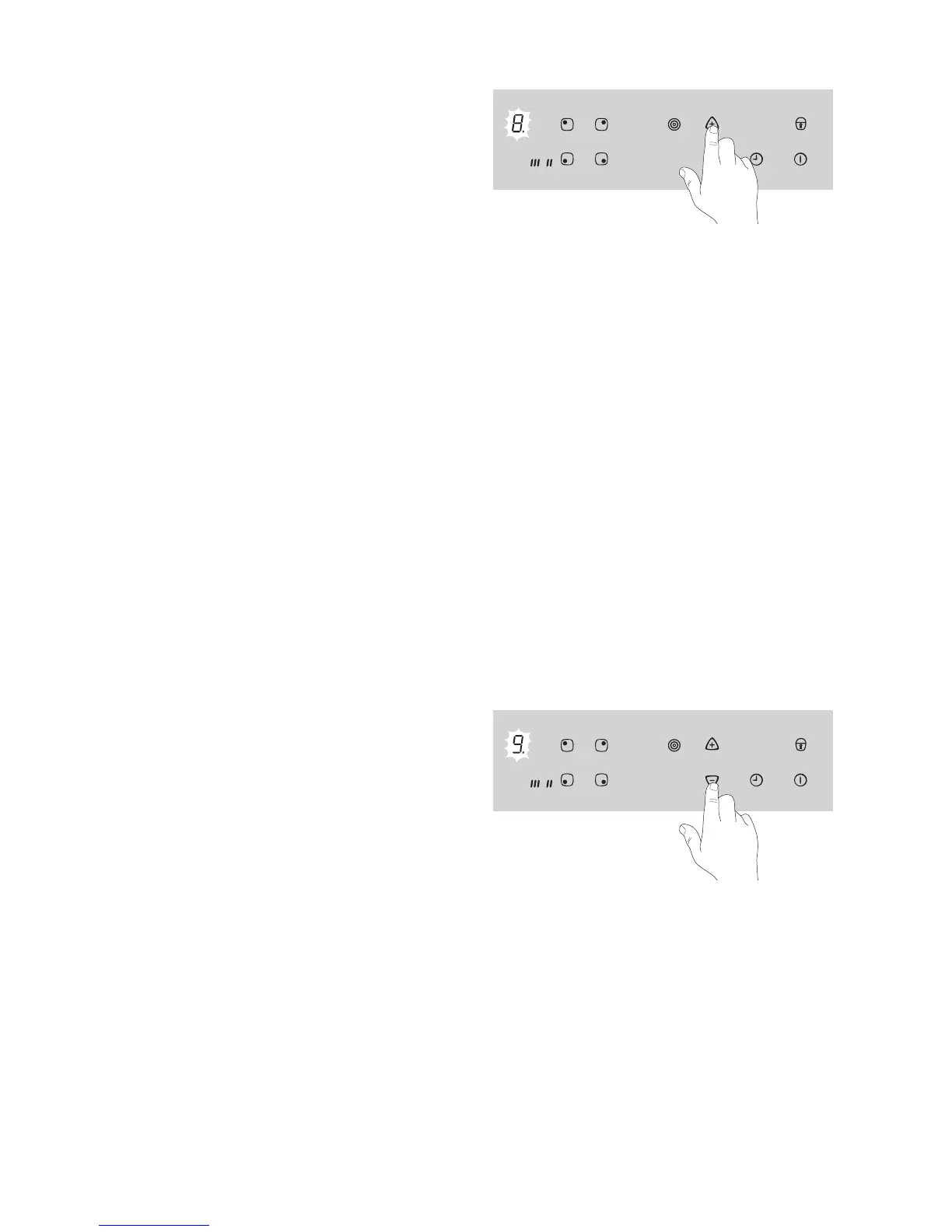
Touch sensor field + until it reaches the required
heat 1 to 8. The set heat setting will be displayed
first. After five seconds a (= automatic warm up
function) will replace the heat setting in the display.
At the end of the warm up time the heat setting will
be shown again.
3 If during the automatic warm up function you
select a higher setting, eg. from 3 to 5, the
warm up time is adjusted to match. If you se-
lect a lower setting, the warm up time ends at
once.
2 If you start cooking again on a cooking zone
that is still warm, the automatic warm up func-
tion uses the residual heat. This saves time
and energy.
3 If you again wish to switch on a cooking zone
on which hot items are already standing, you
should always select the required heat setting
with the - sensor field. In this way you can
avoid making the food boil over as a result of
the extra burst of heat from the automatic
warm up.
Cooking without the Automatic
Warm up Function
If you wish to use the cooking zone without automat-
ic warm up, select the required heat setting with the
- sensor field.
1. Switch on the appliance and select the desired
cooking zone using the cooking zone selection
buttons.
2. Touch sensor field - to select the required heat
setting from 9 to 1.
3 You can adjust the heat setting at any time us-
ing the + and - buttons, providing the cook-
ing zone has been selected.
Switching off a cooking zone
1. Select the desired cooking zone using the cooking
zone buttons.
2. Press the + and - buttons simultaneously to
switch off.
1 When the rings are still hot cooking should be
carried out without automatic warm up.



 To Next Page