READ THE INSTRUCTIONS CAREFULLY BEFORE USING THE OVEN.
For satisfactory use of your oven, become familiar with the various keypad functions of the oven as described below.
Please Note: The time of day must first be set in order to properly operate the oven.
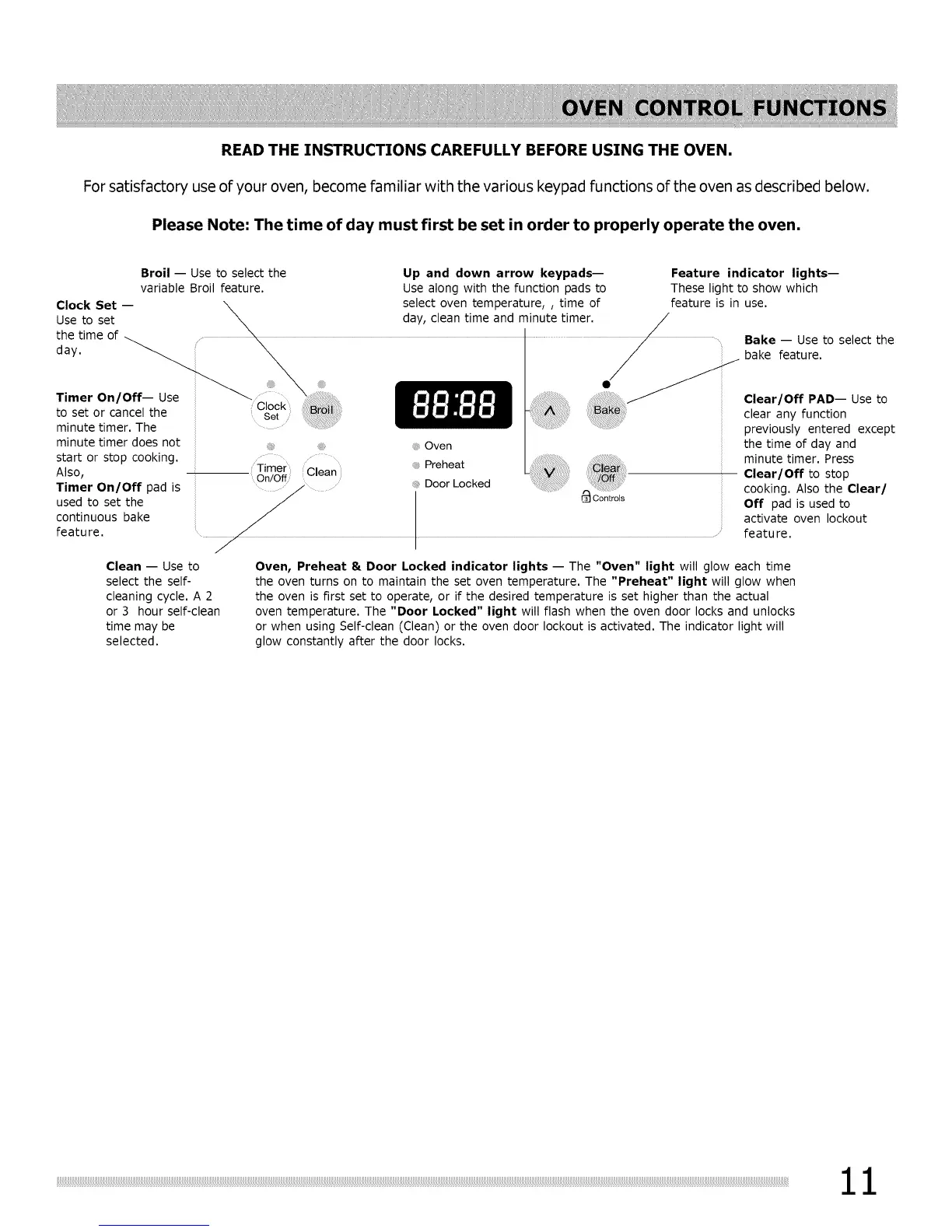
Broil -- Use to select the
variable Broil feature.
Clock Set --
Up and down arrow keypads--
Use along with the function pads to
select oven temperature,, time of
Feature indicator lights--
These light to show which
feature is in use.
minute timer. The
minute timer does not
start or stop cooking.
Also,
Timer On/Off pad is
used to set the
continuous bake
feature.
Oven
Bake -- Use to select the
bake feature.
Clear/Off PAD-- Use to
clear any function
previously entered except
the time of day and
minute timer, Press
Clear/Off to stop
cooking. Also the Clear/
Off pad is used to
activate oven lockout
feature.
Clean -- Use to
select the self-
cleaning cycle. A 2
or 3 hour self-clean
time may be
selected.
Oven, Preheat & Door Locked indicator lights -- The "Oven" light will glow each time
the oven turns on to maintain the set oven temperature. The "Preheat" light will glow when
the oven is first set to operate, or if the desired temperature is set higher than the actual
oven temperature. The "Door Locked" light will flash when the oven door locks and unlocks
or when using Self-clean (Clean) or the oven door lockout is activated. The indicator light will
glow constantly after the door locks.





 To Next Page