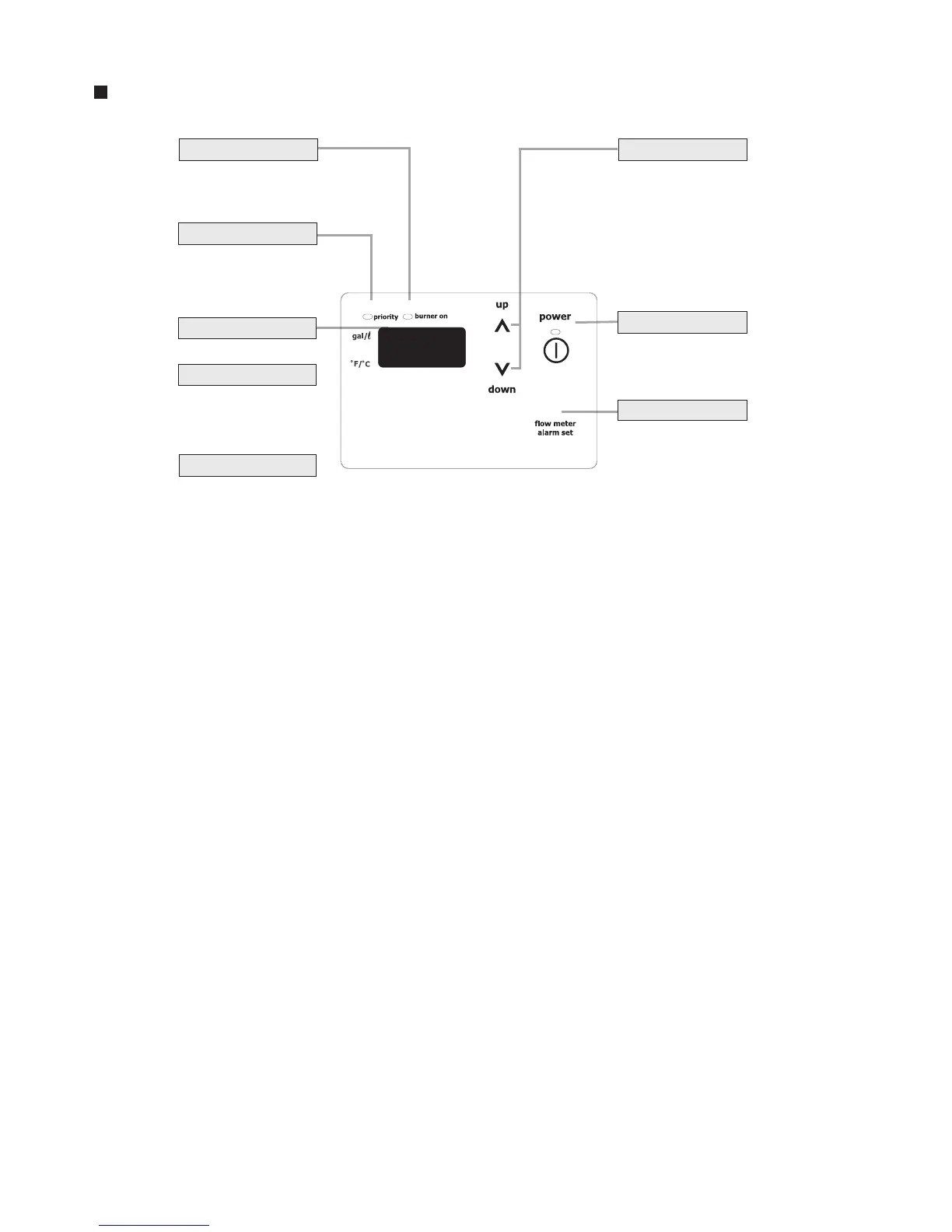
Remote controller
For setting the hot
water temperature,
the flow meter alarm,
and other settings.
Power On/Off Button
For turning the
heater on and off.
Flow Meter Alarm Set Button
For setting the flow
meter alarm.
Setting Buttons
* Before use, remove the protective sheet from the operation panel surface.
Temperature Setting
(Ex.:110°F)
Flow Meter Setting
The display will flash
after hitting the flow
meter alarm set button.
Error Code
When this indicator is lit,
the hot water temperature
can be set.
A number will flash if
a failure occurs.
Priority Indicator
Burner On Indicator
When burning, the
indicator is lit.
Note: As shipped from the factory, the remote controller is set to display in °F and gallons.
To adjust the display to °C and liters, refer to the "Remote Controller" section for details.



 To Next Page