8 electrolux
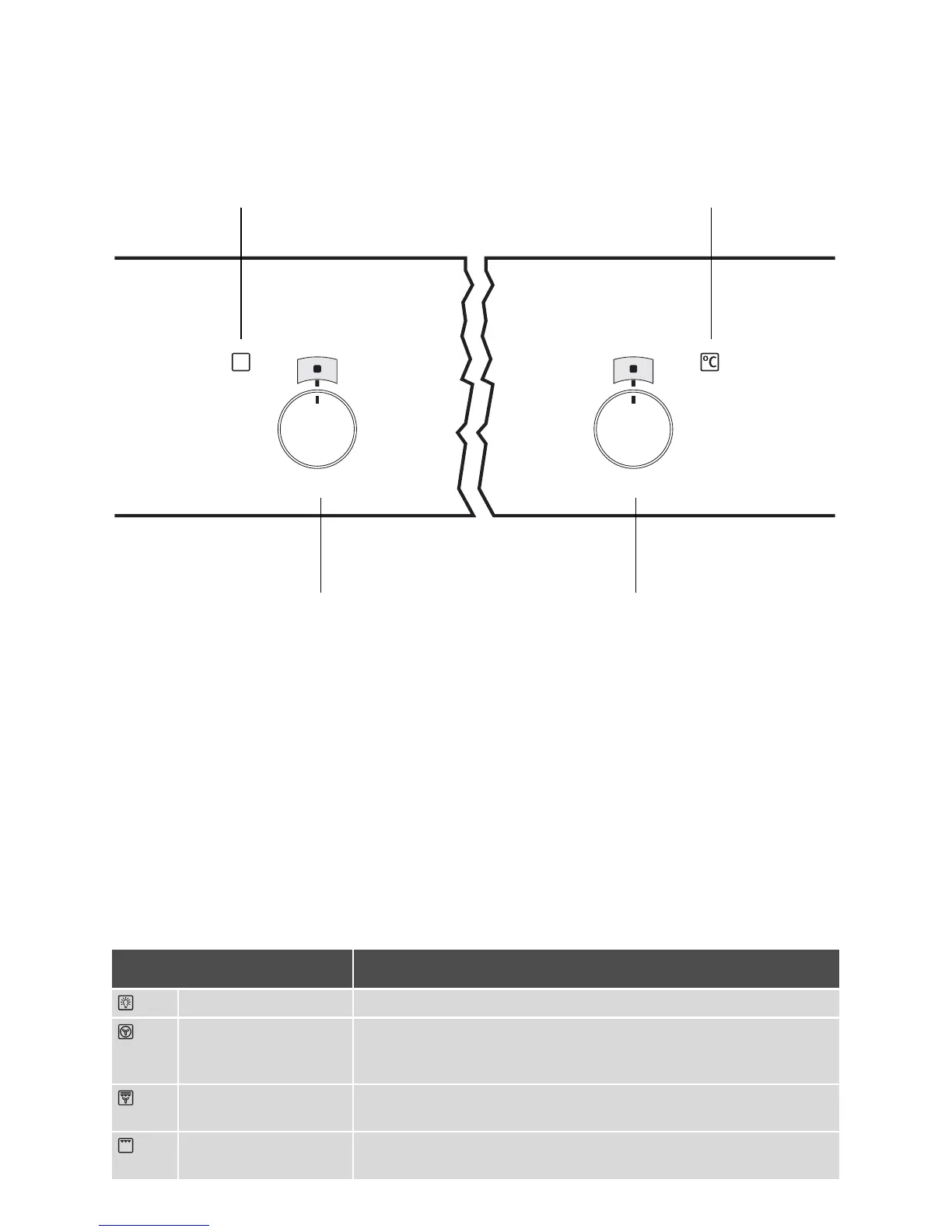
Switching the Oven On and Off
1. Turn the oven functions control knob to
the desired function.
2. Turn the temperature control knob to the
desired temperature.
The power indicator is lit while the oven is on.
The temperature power indicator is lit while
the oven is heating up.
3. To turn the oven off, turn the oven func-
tions and temperature control knob
back to the Off position.
3 Cooling fan
The fan switches on automatically in or-
der to keep the appliance’s surfaces
cool. When the oven is switched off, the
fan continues to run to cool the appli-
ance down, then switches itself off auto-
matically.
Oven Functions
The oven has the following functions:
Temperature Pilot Light
Temperature selector
Oven power indicator
Oven Functions
Oven function Use
Light
With this function you can
light up
the oven interior, e.g. for cleaning.
Convection with ring
heating element
For
baking
on
up to three oven shelves
at the same time.
Set the oven temperatures 20-40 °C lower than when using Conven-
tional.
Convection grilling
For
roasting
larger joints of meat or poultry on one oven shelf.
The function is also suitable for
browning
and
gratinbaking
.
Grill
For
grilling
flat food items arranged in the
middle of the grill
and for
toasting
.







 To Next Page