This document is a user manual for the Electrolux EZB3400AOX oven, providing essential information for its operation, maintenance, and energy efficiency.
Function Description
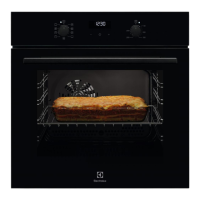
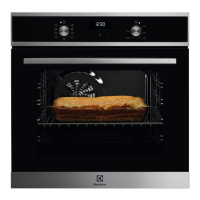
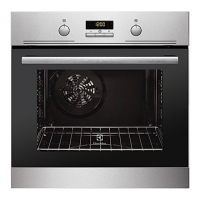
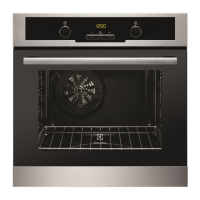
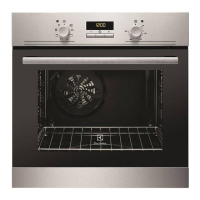
The Electrolux EZB3400AOX is a built-in electric oven designed for various cooking functions. It features a control panel with knobs and sensor fields for setting heating functions, temperature, and clock functions. The oven offers a range of cooking modes suitable for different culinary needs, including traditional baking, grilling, roasting, and specialized functions like Moist Fan Baking for energy efficiency.
The general overview of the oven highlights key components:
- Control panel: The main interface for operating the oven.
- Power lamp / symbol: Indicates when the oven is powered on.
- Knob for the heating functions: Used to select different cooking modes.
- Display: Shows time and other settings.
- Control knob (for the temperature): Adjusts the oven's temperature.
- Temperature indicator / symbol: Displays the current temperature.
- Air vents for the cooling fan: Ensures proper ventilation and cooling.
- Heating element: Provides the heat for cooking.
- Lamp: Illuminates the oven interior.
- Fan: Circulates air for even heat distribution.
- Shelf support, removable: Allows for easy cleaning and adjustment of shelf positions.
- Shelf positions: Multiple levels for placing dishes.
The control panel includes sensor fields/buttons for:
- Setting the time.
- Setting a clock function.
- Adjusting the time.
The display shows clock functions and a timer, indicating A. Clock functions and B. Timer.
The oven offers the following heating functions:
- 0: Oven is off.
- Oven light: Illuminates the oven interior.
- Even baking, tenderness, drying: A versatile function for various baking needs.
- Energy saving: Optimized for reduced energy consumption.
- Preserving food: For food preservation.
- Defrosting: Thaws frozen food.
- Toasting, grilling: For browning and crisping.
- Roasting meat, making gratin, browning: Ideal for meat dishes and gratins.
- Traditional baking, crispiness, crust gloss: For classic baking results with a good crust.
The "Moist Fan Baking" function is specifically designed to comply with energy efficiency class and ecodesign requirements (EU 65/2014 and EU 66/2014, tests according to EN 60350-1). This function requires the oven door to be closed during cooking to ensure optimal energy efficiency.
Important Technical Specifications
- Model identification: EZB3400AOX 944064908
- Energy Efficiency Index: 94.9
- Energy efficiency class: A
- Energy consumption with a standard load, conventional mode: 0.83 kWh/cycle
- Energy consumption with a standard load, fan-forced mode: 0.75 kWh/cycle
- Number of cavities: 1
- Heat source: Electricity
- Volume: 57 liters
- Type of oven: Built-In Oven
- Mass: 28.6 kg
These specifications are provided according to EU Regulations 65/2014 and 66/2014, STB 2478-2017 (Appendix G), STB 2477-2017 (Annexes A and B) for the Republic of Belarus, and 568/32020 for Ukraine. The energy efficiency class is not applicable for Russia. The performance measurements adhere to EN 60350-1.
Usage Features
Before First Use:
- Set the clock: Use the
+ and - buttons to set the hour and minutes, then confirm.
- Clean the oven: Remove all accessories and removable shelf supports. Clean the oven and accessories with a soft cloth, warm water, and a mild detergent.
- Preheat the empty oven:
- Set the maximum temperature for a specific function (e.g.,
Even baking) for 1 hour.
- Set the maximum temperature for another function (e.g.,
Traditional baking) for 15 minutes.
- Set the maximum temperature for a third function (e.g.,
Toasting, grilling) for 15 minutes.
- After preheating, turn off the oven, let it cool, and then place accessories and shelf supports back inside. This process helps to burn off any manufacturing residues and odors.
Daily Use:
- Setting a heating function: Turn the knob for heating functions to select the desired mode, then turn the control knob to set the temperature. After cooking, turn both knobs to the off position.
Energy Saving Tips:
- Use metal cookware: Improves energy saving.
- Avoid preheating: If possible, do not preheat the oven before cooking.
- Minimize breaks: Keep cooking breaks short when preparing multiple dishes.
- Use fan functions: Utilize fan-assisted cooking functions to save energy.
- Residual heat: For cooking durations longer than 30 minutes, reduce the oven temperature 3-10 minutes before the end of cooking to utilize residual heat.
- Warm up other dishes: Use residual heat to warm other dishes.
- Keep food warm: Choose the lowest possible temperature setting to keep a meal warm using residual heat.
- Moist Fan Baking: This function is specifically designed for energy-efficient cooking.
- Keep oven door closed: Ensure the oven door is closed during operation and avoid opening it too often.
- Clean door gasket: Keep the door gasket clean and properly fixed to maintain efficiency.
Maintenance Features
Notes on Cleaning:
- Front of the oven: Clean with a soft cloth, warm water, and a mild detergent. Regularly check the door gasket.
- Metal surfaces: Use a cleaning solution designed for metal surfaces.
- Stains: Clean with a mild detergent.
- Cavity: Clean the oven cavity after each use to prevent fat accumulation, which can cause fire.
- Moisture condensation: Moisture may condense in the oven or on the door glass panels. To reduce this, let the oven work for 10 minutes before cooking. Do not store food in the oven for more than 20 minutes. Dry the cavity with a soft cloth after each use.
- Accessories: Clean all accessories after each use with warm water and a mild detergent. Do not clean accessories in a dishwasher. Avoid using abrasive cleaners or sharp-edged objects on non-stick accessories.
Troubleshooting:
- Oven does not heat up: Check if the fuse is blown.
- Damaged door gasket: Do not use the oven; contact an Authorized Service Centre.
- Display shows "12.00": Indicates a power cut; set the time of day.
- Lamp does not work: The lamp is burnt out.
For issues not covered in the troubleshooting table, contact an Authorized Service Centre. The necessary service data (Model, Product number, Serial number) can be found on the rating plate, located on the front frame of the oven cavity. This plate should not be removed.
Environmental Concerns:
- Recycling: Recycle packaging materials. Dispose of electrical and electronic appliances at local recycling facilities or contact municipal offices, as they are marked with the symbol for separate waste collection.

 Need help?
 General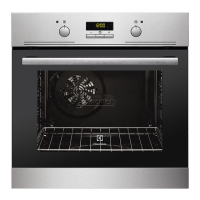


 To Next Page