19
SETTING SURFACE CONTROLS
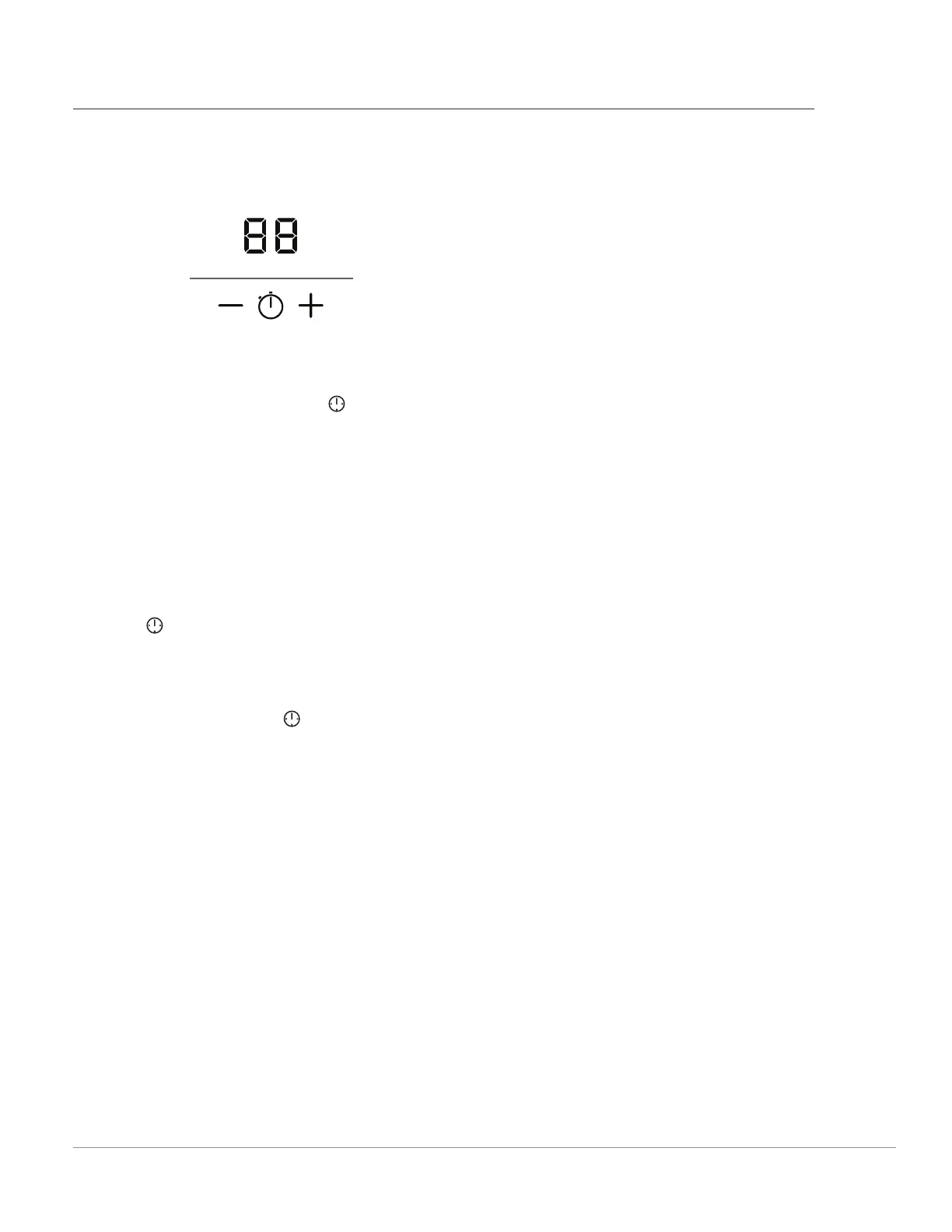
Setting the Timer (36” Model Only)
The cooktop has a timer function to remind you
when food has been cooking for a specifi ed
amount of time.
Timer
ON/OFF
Figure 21: Cooktop Timer
To set the timer:
1. Press the Timer On/O key (
) to activate
the timer. The countdown timer and the + and
- keys will become visible. The timer will show
00.
2. Press + and - to set the desired number of min-
utes. You can press and hold the + or - key to
change the number of minutes faster.
The timer will start counting down a few seconds
after you have fi nished setting it, when the spec-
ifi ed time has elapsed, the timer will fl ash, and a
tone will sound. Press the +, the -, or the Timer On/
O key (
) to stop the signal.
At any time, you can adjust the remaining time
with the + and - keys.
At any time, you can deactivate the timer by press-
ing the Timer On/O key ( ).
Important: When the timer stops or the tone
sounds, the cooking zones will continue to operate.
The timer does not a ect the cooking zone set-
tings in any way.





 To Next Page