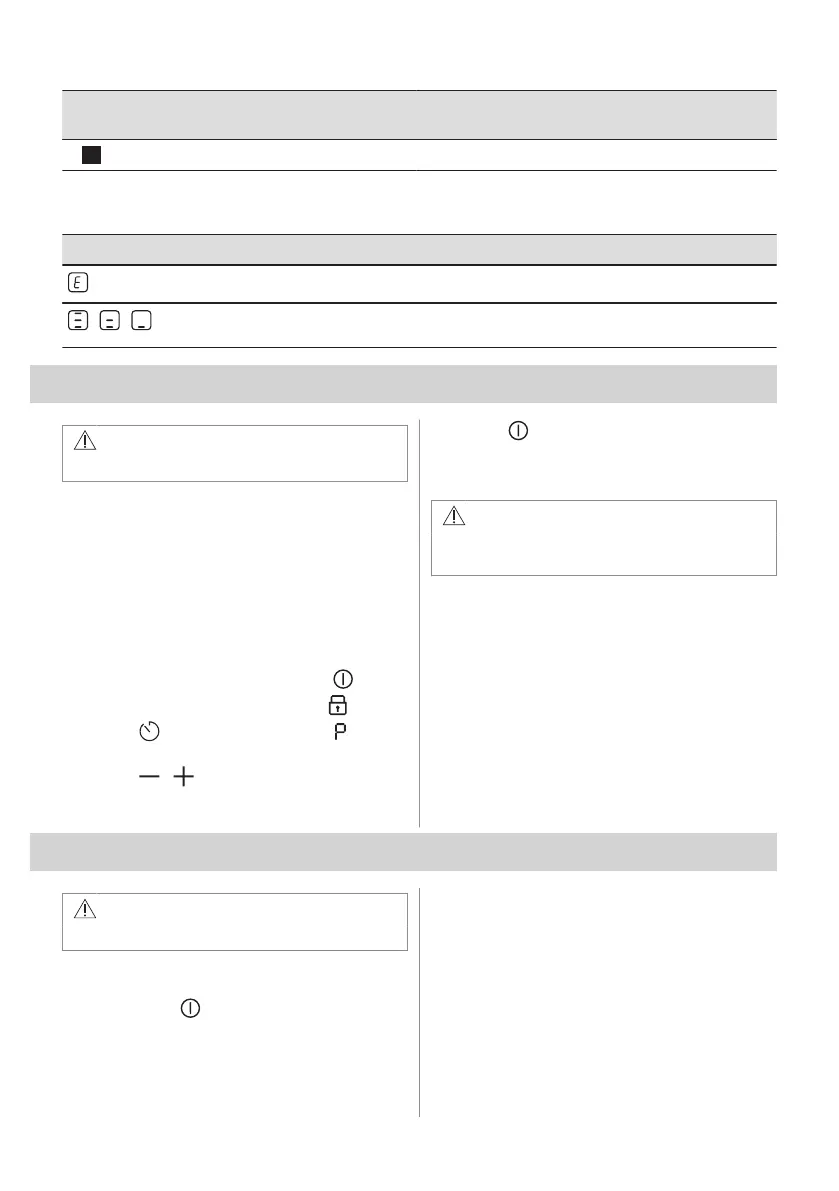
Sensor
field
Function Description
15
- Hob control bar To set a heat setting.
4.4 Display indicators
Indicator Description
+ digit
There is a malfunction.
/ /
OptiHeat Control (3 step Residual heat indicator): continue cooking / keep warm / resid‐
ual heat.
5. BEFORE FIRST USE
WARNING!
Refer to Safety chapters.
5.1 Power limitation
Power limitation defines how much power is
used by the hob in total, within the limits of
the house installation fuses.
The hob is set to its highest possible power
level by default.
To decrease or increase the power level:
1. Enter the menu: press and hold for 3
seconds. Then, press and hold .
2. Press
on the front timer until
appears.
3. Press / on the front timer to set the
power level.
4. Press to exit.
Power levels
Refer to “Technical data” chapter.
CAUTION!
Make sure that the selected power fits
the house installation fuses.
• P72 — 7200 W
• P15 — 1500 W
• P20 — 2000 W
• P25 — 2500 W
• P30 — 3000 W
• P35 — 3500 W
• P40 — 4000 W
• P45 — 4500 W
• P50 — 5000 W
• P60 — 6000 W
6. DAILY USE
WARNING!
Refer to Safety chapters.
6.1 Activating and deactivating
Press and hold to activate or deactivate
the hob.
6.2 Pot detection
This feature indicates the presence of
cookware on the hob and deactivates the
cooking zones if no cookware is detected
during a cooking session.
If you put cookware on a cooking zone before
you select a heat setting, the indicator above
0 on the control bar appears.
ENGLISH 13



 To Next Page