5. BEFORE FIRST USE
WARNING!
Refer to Safety chapters.
5.1 Initial Cleaning
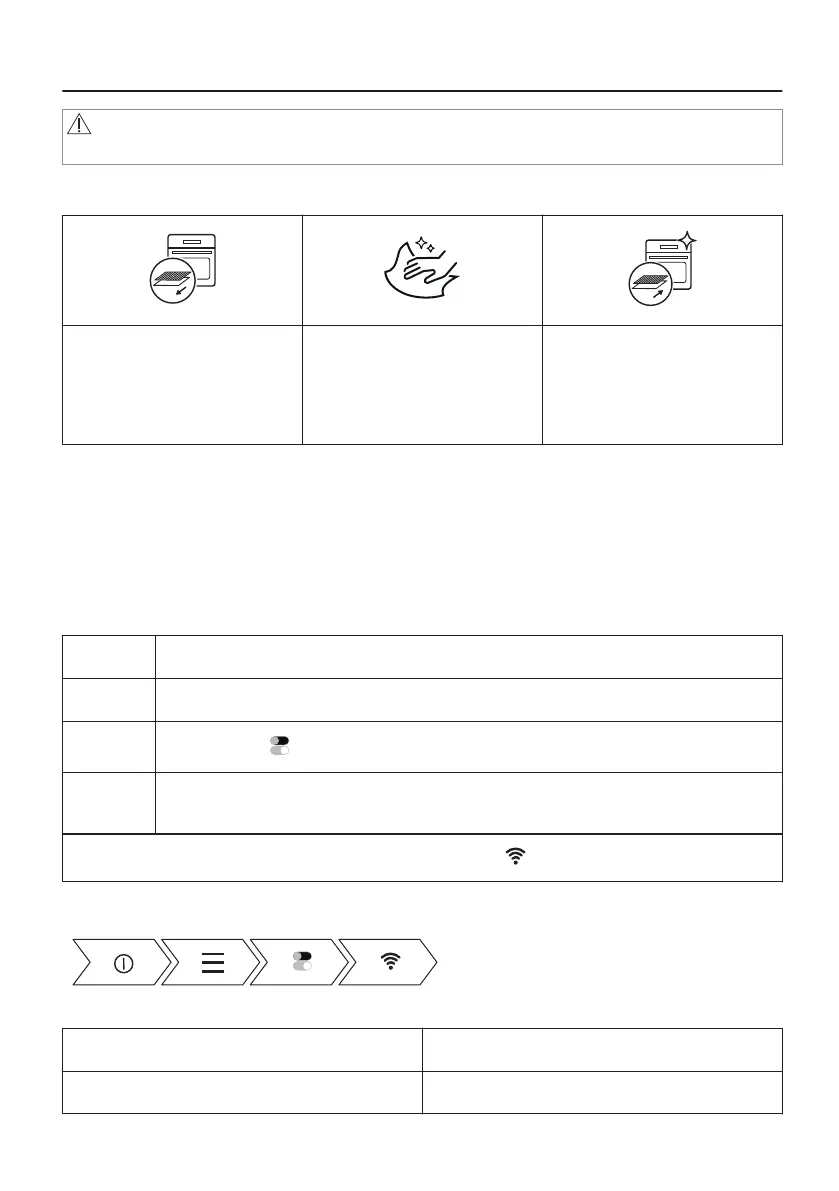
Step 1
Remove all accessories and
removable shelf supports from
the oven.
Step 2
Clean the oven and the ac‐
cessories before the first use.
Refer to "Care and cleaning"
chapter.
Step 3
Put the accessories and the
removable shelf supports
back to their initial position.
5.2 First Connection
The display shows welcome message after the first connection.
You have to set: Language, Display brightness, Buzzer volume, Time of day.
5.3 Wireless connection
To connect the oven you need:
• Wireless network with the Internet connection.
Step 1 Turn on the oven.
Step 2 Press Menu / Settings / Connections.
Step 3
Slide or press to turn on Wi-Fi.
Step 4 Choose wireless network with the Internet connection. The oven wireless module will
start within 90 seconds.
To configure the wireless connection at any other time press on the display.
Take a shortcut!
Frequency 2412 - 2472 MHz
Protocol IEEE 802.11b DSSS/802.11g/n OFDM
16/56




 To Next Page