4. HOW TO TURN OVEN ON AND OFF
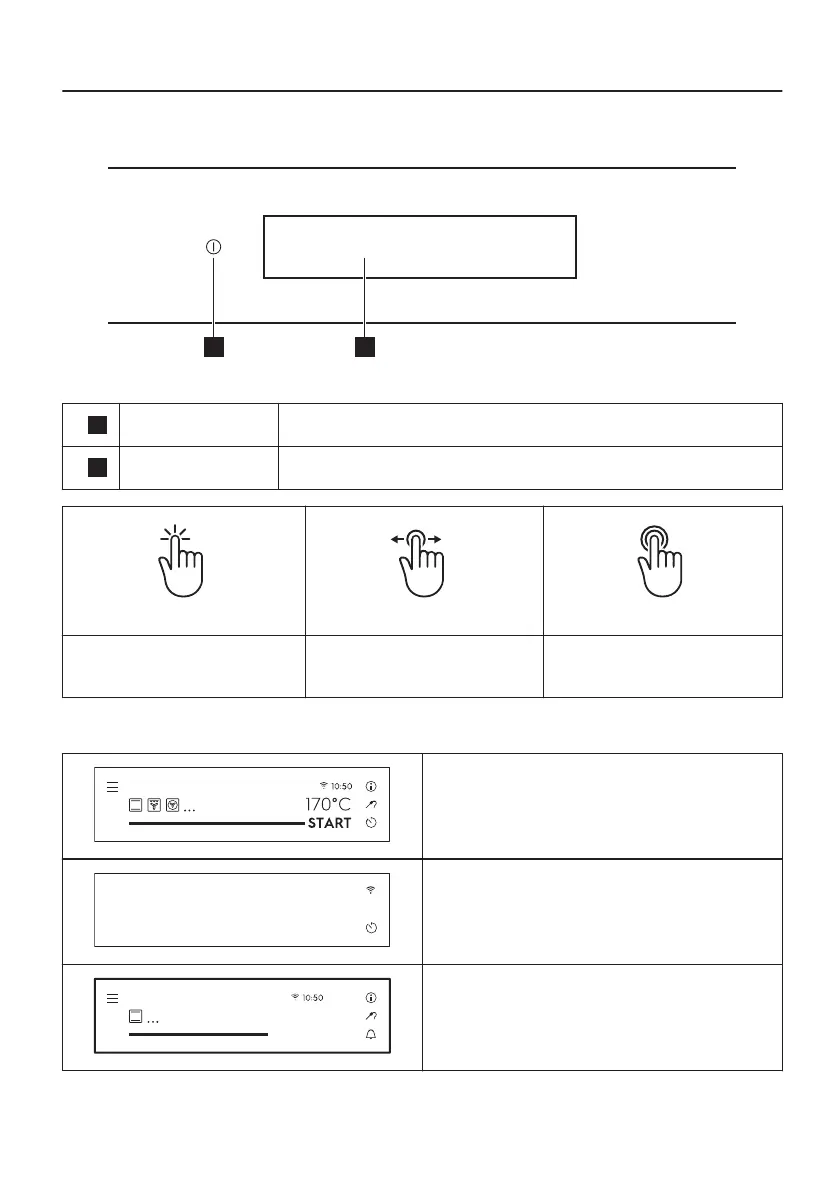
4.1 Control panel
1
ON / OFF Press and hold to turn the oven on and off.
2
Display Shows the current settings of the oven.
Press Move
Press and hold
Touch the surface with finger‐
tip.
Slide fingertip over the sur‐
face.
Touch the surface for 3 sec‐
onds.
4.2 Display
After turning on, the display shows the main
screen with heating functions and the default
temperature.
If you do not use the oven for 2 minutes, the
display goes to standby.
STOP
170°C
3m1s
Conventional cooking
When you cook, the display shows the set
functions and other available options.
13/52





 To Next Page