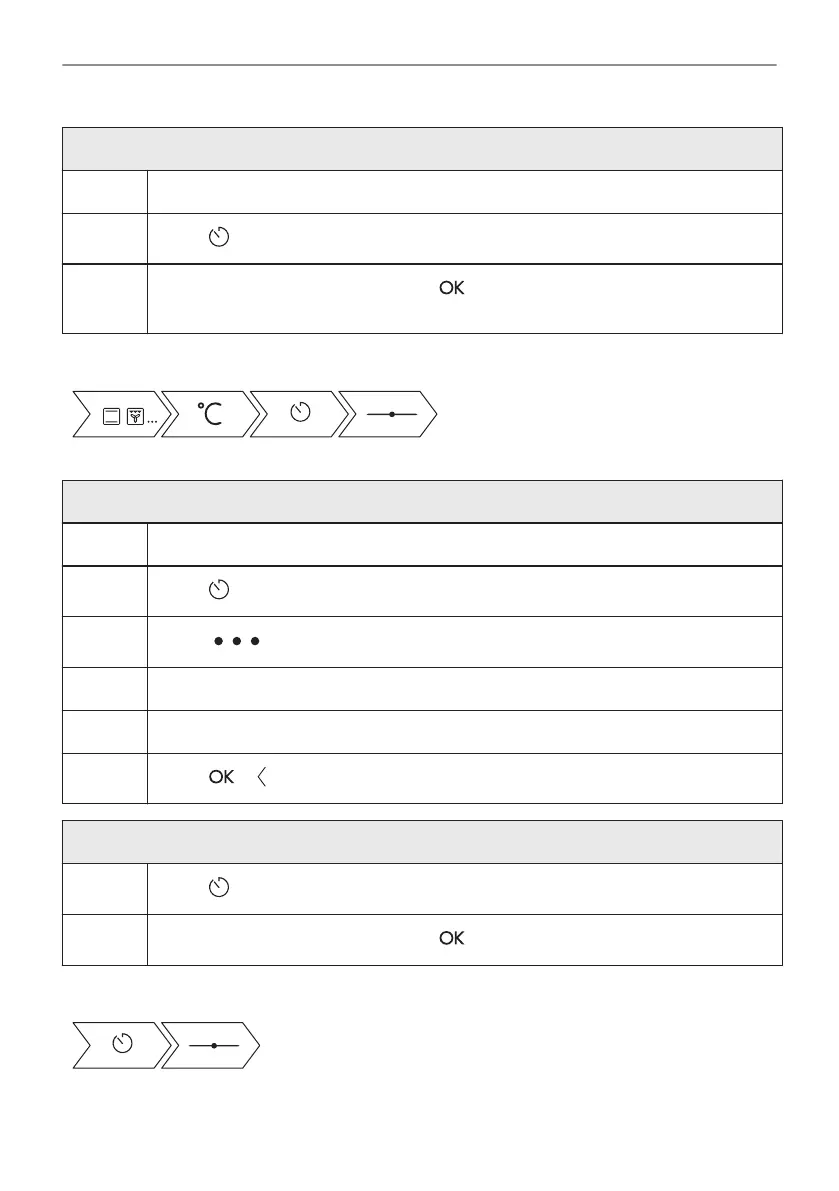
How to set cooking time
Step 1 Choose a heating function and set the temperature.
Step 2
Press: .
Step 3
Slide and press to set the clock. Press: .
Timer starts counting down immediately.
Take a shortcut!
How to choose cooking start / end option
Step 1 Choose a heating function and set the temperature.
Step 2
Press: .
Step 3
Press: .
Step 4 Press: Start criteria / End action.
Step 5 Choose the preferred: Start criteria / End action.
Step 6
Press: or .
How to delay start and end of cooking
Step 1
Press: .
Step 2
Slide and press to set the clock. Press: .
Take a shortcut!
24/52
CLOCK FUNCTIONS





 To Next Page