EasyManua.ls Logo

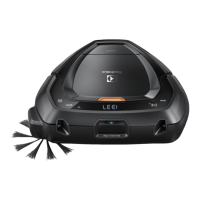
Electrolux PUREi9 - User Manual

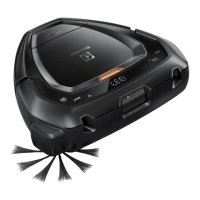
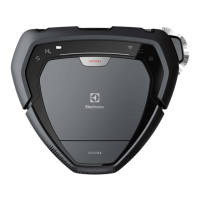
Electrolux PUREi9
16 pages
Print Icon
To Next Page IconTo Next Page
Loading...
NOTICE
MARQUE: ELECTROLUX
REFERENCE: PURE I9
CODIC: 4347900

Other manuals for Electrolux PUREi9

Questions and Answers

  • D
    Denise Walsh MDAug 17, 2025
    What to do if there is no charging indication on my Electrolux PUREi9 Vacuum Cleaner?
    • T
      theresa38Aug 17, 2025
      If your Electrolux Vacuum Cleaner isn't displaying any charging indication, ensure the power cable is correctly connected to the power outlet. Also, verify that the charging plates on both the robot and the charging base are making proper contact. Check the power outlet and cable for any damage.
  • C
    Cindy ButlerAug 20, 2025
    Why am I having battery related problems with my Electrolux PUREi9?
    • B
      Bryan JonesAug 20, 2025
      If you're experiencing battery-related problems with your Electrolux Vacuum Cleaner, ensure you are using the original Electrolux Charging base. If a replacement is needed, use Electrolux Charging base (ANC: 406000071). Also, malfunctioning batteries should be replaced. If the product temperature is too high, let the robot paused outside the charging station for 6 hours. Ensure the batteries are properly connected to the robot.
  • J
    John TaylorAug 23, 2025
    What to do if there is no charge indication on Electrolux PUREi9 Vacuum Cleaner?
    • J
      John LaneAug 23, 2025
      If there is no charge indication on your Electrolux Vacuum Cleaner, the power cord and adapter might not be properly assembled or connected to the mains. Connect the adapter connector to the Charging base and the power cable to the mains. Ensure the Charging plates on the robot and the Charging base are connected, and check that the plug and cable are not damaged.
  • D
    Dale MartinAug 26, 2025
    Why is my Electrolux PUREi9 not moving or cleaning correctly?
    • V
      vangwillieAug 26, 2025
      If your Electrolux Vacuum Cleaner is not moving or cleaning properly, make sure the bumper can move freely and remove any debris blocking it. Also, check the right caster wheel for obstructions. Clean and remove any tangled wires. If needed, replace the roller brush or side brush if they are damaged.
  • V
    Veronica HamiltonAug 28, 2025
    How to fix a software problem on my Electrolux PUREi9 Vacuum Cleaner?
    • J
      Joanna MyersAug 28, 2025
      If your Electrolux Vacuum Cleaner software isn't working correctly, please update the robot's software. If the software update failed, try performing the software update again.
  • J
    jeffrey75Aug 31, 2025
    How to fix Electrolux Vacuum Cleaner when nothing is displayed?
    • J
      Jacob MooreAug 31, 2025
      If nothing is displayed on your Electrolux Vacuum Cleaner, it is likely that the battery is empty. Recharge the battery.
  • J
    Jennifer RossSep 2, 2025
    Why is my Electrolux Vacuum Cleaner robot not moving or cleaning properly?
    • K
      Kevin DominguezSep 2, 2025
      If your Electrolux Vacuum Cleaner robot isn't moving or cleaning properly, several factors could be at play. The bumper might be stuck, so ensure it moves freely and remove any obstructions. The right wheel could also be stuck; check and clean it, removing any entangled threads. If the 3D Vision System is blocked or dusty, clean it to ensure a clear view. Also, the dust container might be full or blocked, so empty and clean it. Finally, if the robot is on a slippery surface, move it to a new location.
  • T
    Travis GarzaSep 5, 2025
    Why is the wrong time displayed on my Electrolux PUREi9 Vacuum Cleaner?
    • T
      tsloanSep 6, 2025
      If the wrong time is displayed on your Electrolux Vacuum Cleaner, it's likely that the robot has not received the updated time from the WiFi network. Ensure the robot is connected to the WiFi network and wait until it receives the correct time. If the time does not update within 24 hours, redo the onboarding procedure.
  • M
    meganharperSep 8, 2025
    Why is the time not displayed on my Electrolux PUREi9?
    • D
      derek23Sep 8, 2025
      If the time is not displayed on your Electrolux Vacuum Cleaner, it means that the current time is not set. When the robot is connected to WiFi the time will automatically set.
  • K
    Kayla HartSep 12, 2025
    Why do the batteries drain quickly on my Electrolux PUREi9?
    • C
      Caitlyn JacksonSep 12, 2025
      If your Electrolux Vacuum Cleaner batteries are draining quickly, it may be that the batteries have reached the end of their lifespan. Replace both batteries.

Summary

Safety Precautions

General Safety Instructions

Covers safety for children, environment, maintenance, and general usage guidelines.

Prohibited Usage and Operational Warnings

Lists conditions where the robot should not be used and operational warnings.

Usage, Charging, and Storage Recommendations

Operating, Charging, and Storage Conditions

Specifies environmental conditions for operation, charging, and storage.

Battery Lifespan and Performance Tips

Advice on how to maintain battery health and performance.

Robot Vacuum Cleaner Overview

How to Use the Robot Vacuum Cleaner

Robot Installation Guide

Steps for placing the charging base and side brush, then the robot.

Battery and Charging Status Indicators

Explains different battery indicator lights and charging times.

Battery Maintenance and Storage Advice

Advice on charging habits and long-term storage for battery health.

Connecting to the PUREi9 App

Robot Operation and Navigation

Component Care and Troubleshooting

Error Handling and Display Codes

Information on error codes displayed and how to resolve them.

Troubleshooting Common Issues

Robot Not Displaying or Starting

Solutions for when the robot shows no display or fails to start.

Movement and Cleaning Problems

Troubleshooting steps for issues like blocked parts or poor cleaning.

Charging and Battery Related Issues

Solutions for problems related to charging, battery life, and temperature.

Electrolux PUREi9 Specifications

General IconGeneral
Battery LifeUp to 60 minutes
ConnectivityWi-Fi
App ControlYes
Auto RechargeYes
TypeRobot Vacuum Cleaner
Battery TypeLithium-ion
Navigation3D Vision System
Voice ControlAmazon Alexa, Google Assistant
Virtual BoundariesVia App
Multi-Surface CleaningYes
Filter TypeHEPA filter

Related product manuals