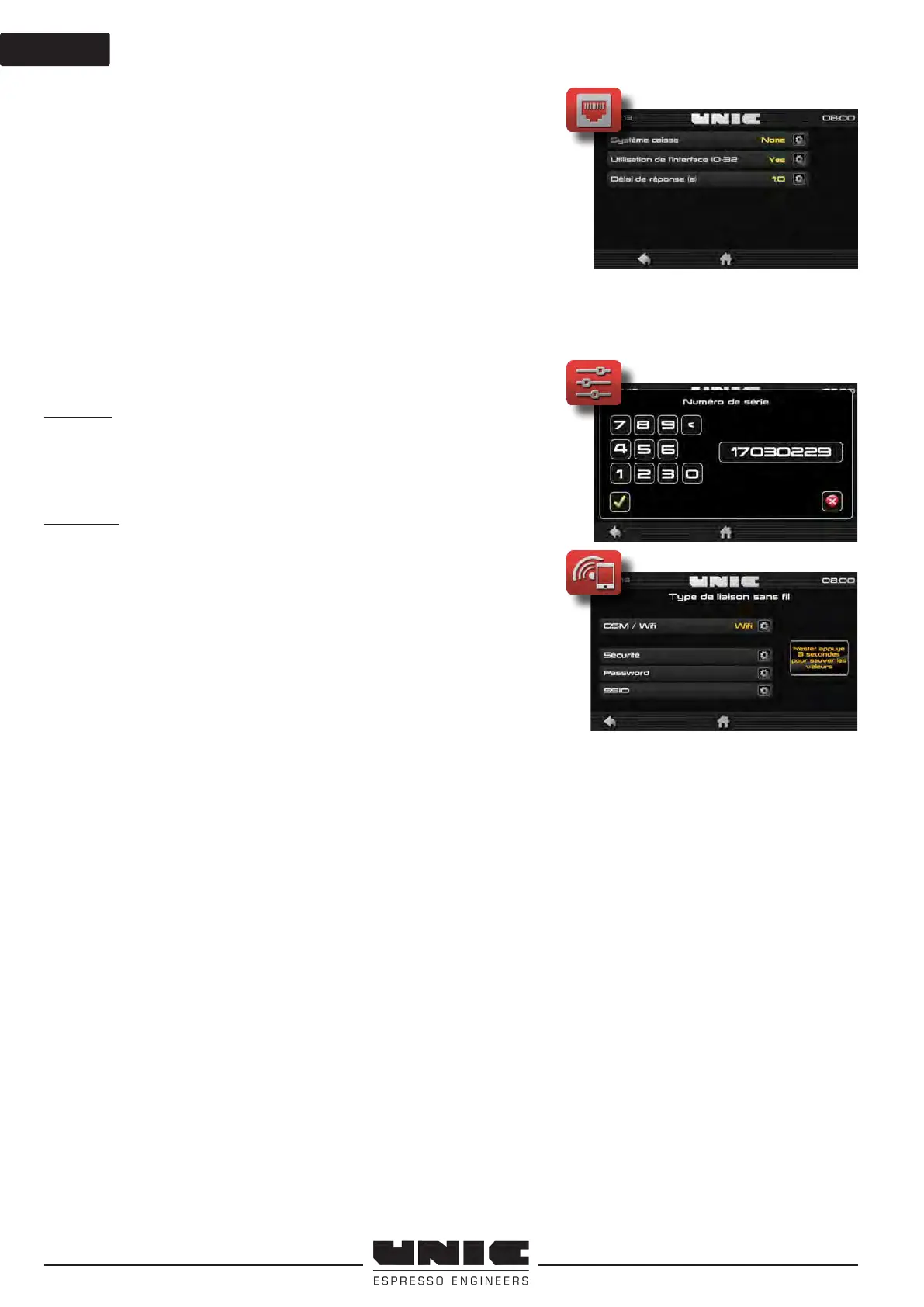
Protocol type: EXE / MDB
Permits selection of the type of computer connection:
- Credit / Debit
- Debit / Credit
- RS 232
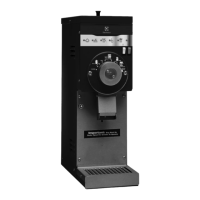
1st step : to go in parameter > CIM > serial number, congure the
serial number of the machine (S/N)
The S/N allows the identication of the machine on the UNIC
interface IOT it is unique.
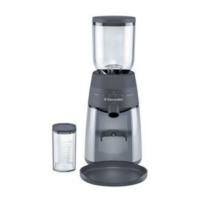
2nd step : to go in other parameter > Connectivity
-GSM (no settings required)
-Wi :
choose the security related to your wi network WEP
/ WPA / WPA2
SSID : wi connection name (access point name, router, box)
the word the point wi acces
Very important, fully respect the syntax: tiny uppercase characters.
Diagnostic :
1. Turn o and restart the machine.
2. To wait some minutes, the LED turn green = internet connection
is OK.
Green Led = ok connection with the Server
Orange Led = no connection with the server
Red Led = Problem communication with the machine
You can check the note «TANGO3 système de paiement de caisse» for a complete
conguration.


 To Next Page