12
User manual
6 Programmes
Warning
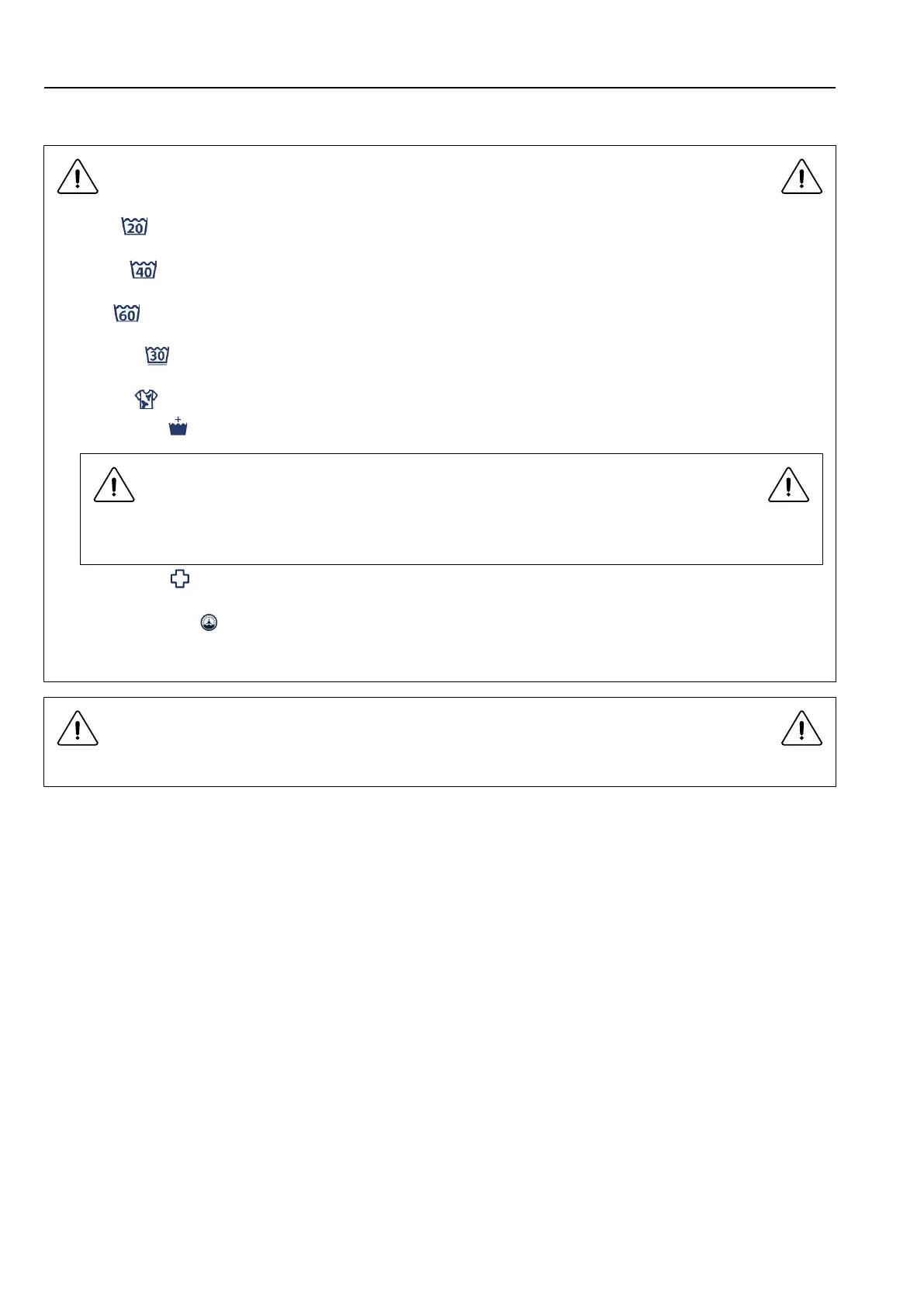
1. Cold ( ): It is cold water washing,no heating. Default program time is 35 minutes. Max. extracting speed is
1050rpm.
2. Warm (
):The washing temperature is about 40°, Default program time is about 35 minutes, not including
heating time. When heating, display “HEAT”. Max. extracting speed is 1050rpm .
3. Hot (
): The washing temperature is about 60°.Default program time is about 35 minutes, not including
heating time. When heating, display “HEAT”. Max. extracting speed is 1050rpm.
4. Delicate (
): The washing temperature is 30°.Default program time is about 35 minutes, not including heat-
ing time. When heating, display “HEAT”. The maximum spin speed is 700rpm.
5. Heavy (
): Add washing time by 5 minutes.
6. Extra Rinse (
): Add one rinse progress.
Heavy or Extra Rinse is available for cold, warm or hot water program and not available for delicate
program.
7. Disinfection (
): Press the Hot+ Delicate buttons together for 4 seconds to be selected. This program can
disinfect by high temperature.
8. Drum self clean (
): After the whole machine is powered on, hold the COLD and WARM button for 4 sec-
onds at the same time, and only the COLD and WARM indicator light will flash. Press the Start button to Start.
This procedure can clean the inner drum.
The prewash program is disabled by default. You need to enable it in service mode.
The opening steps are as follows:
1. Press the service switch inside the money box once, all the lights are flashing.
2. Press The Start button once, Heavy and Extra Rinse flash and the screen shows "SE".
3. Press Heavy and Extra Rinse once, the screen displays 00, and then press Heavy and Extra Rinse as "-" and "+"
respectively.
4. Press Extra Rinse until the screen displays 80, and press Start, the screen displays “P2of” (does not open pre-
wash function). Press Heavy or Extra Rinse once, “P2of” change to “P2on”, and then pre-wash function of COLD
program is opened.
5. Press the Start button to exit the prewash function setting switch, and press the service switch once to exit the
service mode.
The corresponding service code of the prewashing function is as follows:
1.80 Configure the COLD prewash function, by default, “P2oF” (does not open pre-wash function), can set “P2oN”
(open pre-wash function)
2.81 Configure the WARM prewash function, by default, “P2oF” (does not open pre-wash function), can set “P2oN”
(open pre-wash function)
3.82 Configure the HOT prewash function, by default, “P2oF” (does not open pre-wash function), can set “P2oN”
(open pre-wash function)
4.83 Configure the DELICATE prewash function, by default, “P2oF” (does not open pre-wash function), can set
“P2oN” (open pre-wash function)










 To Next Page