14
In the PRESS Programming Mode the following functions may be set:
High Fuel Pressure Alarm - A high pressure alarm may be programmed to blink the H/L Pressure Warning
LED when the fuel pressure exceeds your programmed set point. Pushing any button or switch will stop the
blinking but the H/L Pressure Warning LED will stay on.
This limit is intended as a warning. It should be
set to the highest acceptable pressure for your aircraft (see your Flight Manual). In the PRESS Display
Mode a bar in the upper left corner of the display will be shown when this limit has been violated. Program-
ming this alarm to 000 disables the alarm.
Low Fuel Pressure Alarm - A low pressure alarm may be programmed to blink the H/L Pressure Warning
LED when the fuel pressure drops below your programmed set point. Pushing any button or switch will stop
the blinking but the H/L Pressure Warning LED will stay on.
This limit is intended as a warning. It should
be set to the lowest acceptable pressure for your aircraft (see your Flight Manual). In the PRESS Display
Mode a bar will be shown in the low left corner of the display when this limit has been violated. Programming
this alarm to 000 disables the alarm.
If the Pressure Mode is not going to be used, program the High and Low Pressure Alarms to "00.0". This will
cause the display to show "OFF" when the Pressure Display Mode is selected.
To program the High and Low Fuel Pressure Alarms, perform the following steps:
A. Select the PRESS Display Mode.
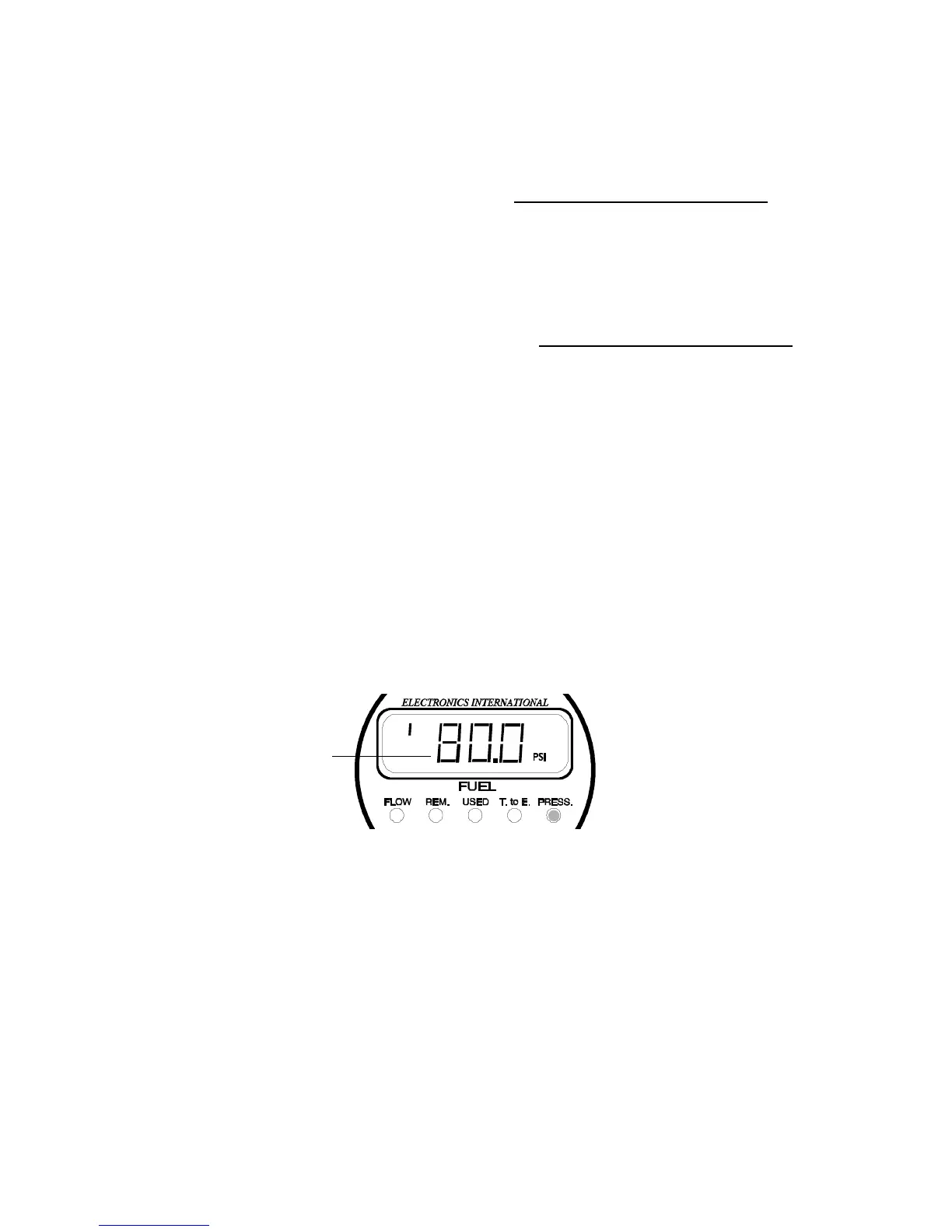
B. Momentarily push both Prg Buttons. The display will show a PSI annunciator in the right corner
of the display and a bar will appear in the upper left corner of the display. Also, the left digit will be
blinking. You are ready to program the High Fuel Pressure Alarm.
C. Set the High and Low Fuel Pressure Alarms using the following procedure:
Blinking Digit
a) Select a Digit - The Right and Left Prg Buttons move the blinking digit to the right or to the
left.
b) Advance a Digits Count - Moving the Mode Select Switch to the right will increase the blinking
digits count by one. After the blinking digit reaches 9 it will reset to 0.
c) Change Functions - Each time the Mode Select Switch is pushed to the left, the display will
switch between programming the High Fuel Pressure Alarm (shown with a bar in the upper left
corner of the display) and the Low Fuel Pressure Alarm (shown with a bar in the lower left corner
of the display).
d) To Exit - To exit the PRESS Programming Mode, momentarily push both Prg Buttons at the


 To Next Page