9"
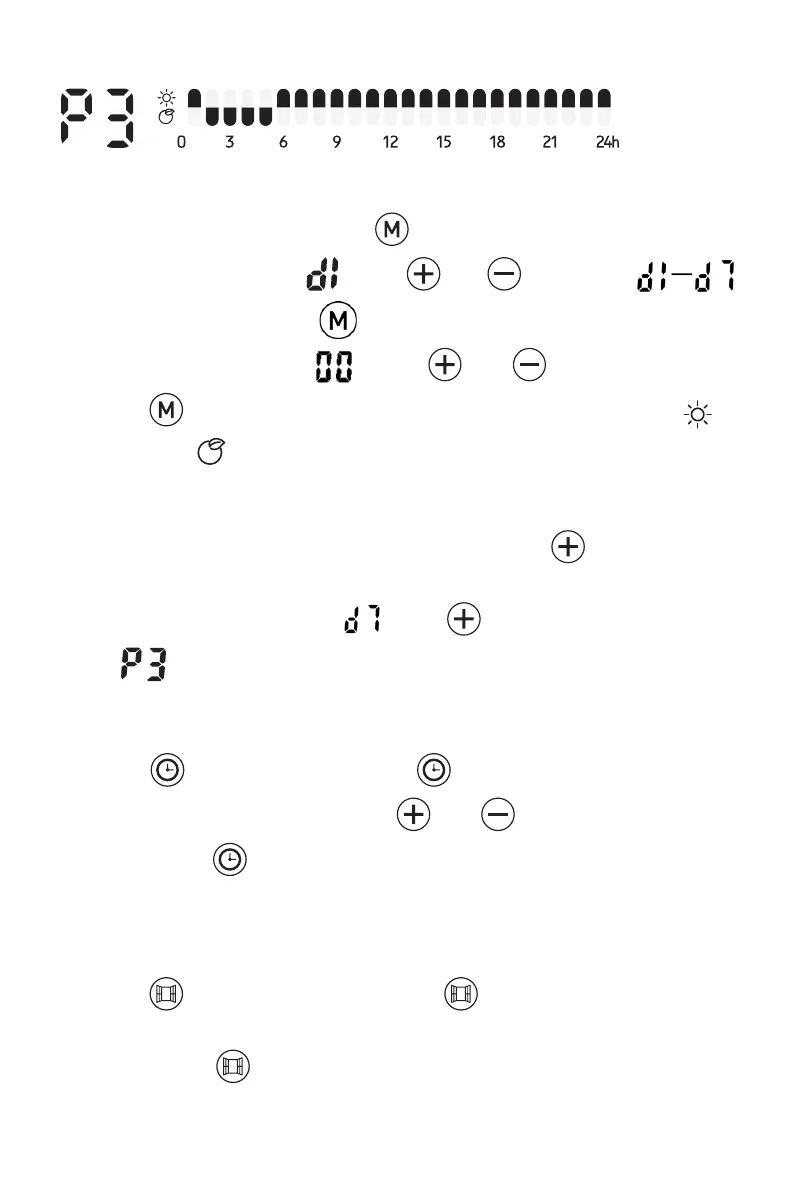
P3:(Saturday-Sunday) Adjustable program
- P3 adjustable program setting
1. When under P3 mode, press over 3 secs to enter day setting.
2. The screen displays , press and to set from
(Monday-Sunday). Press to confirm and enter hour setting
3. The screen displays , press and to set from 00-24).
Press to choose heating mode for every hour (Comfort mode or
ECO mode )
4. Repeat the operation until you have completed the schedule of every
hour and every day.
Note: After setting heating mode for hour 23, press to come back to
day setting.
Note: when screen displays , press finish all setting with display
of .
TIMER OFF FUNCTION
- Press once, the indicator light is on. And the screen display
“OH” and keeps flashing. press and to set timer from 0-24
hours. Press again to confirm setting. The heater will then turn off
after the set amount of time has passed.
-
OPEN WINDOW FUNCTION
- Press once and the indicator light will come on. If the radiator
detects a window is open, the open window function is activated and the
indicator light keeps flashing, the radiator will stop heating.



 To Next Page