ENTER PIN
14
TEST GSM
ERROR PIN
ON OFF
15
RELAY TEST
LOCK
12
13
This constant can be set if CONST12 = YES. It specifi es the possibility
of connecting a GSM module for control by means of a mobile phone.
Enter the PIN code of the SIM card inserted in the GST1 or GST2
module.
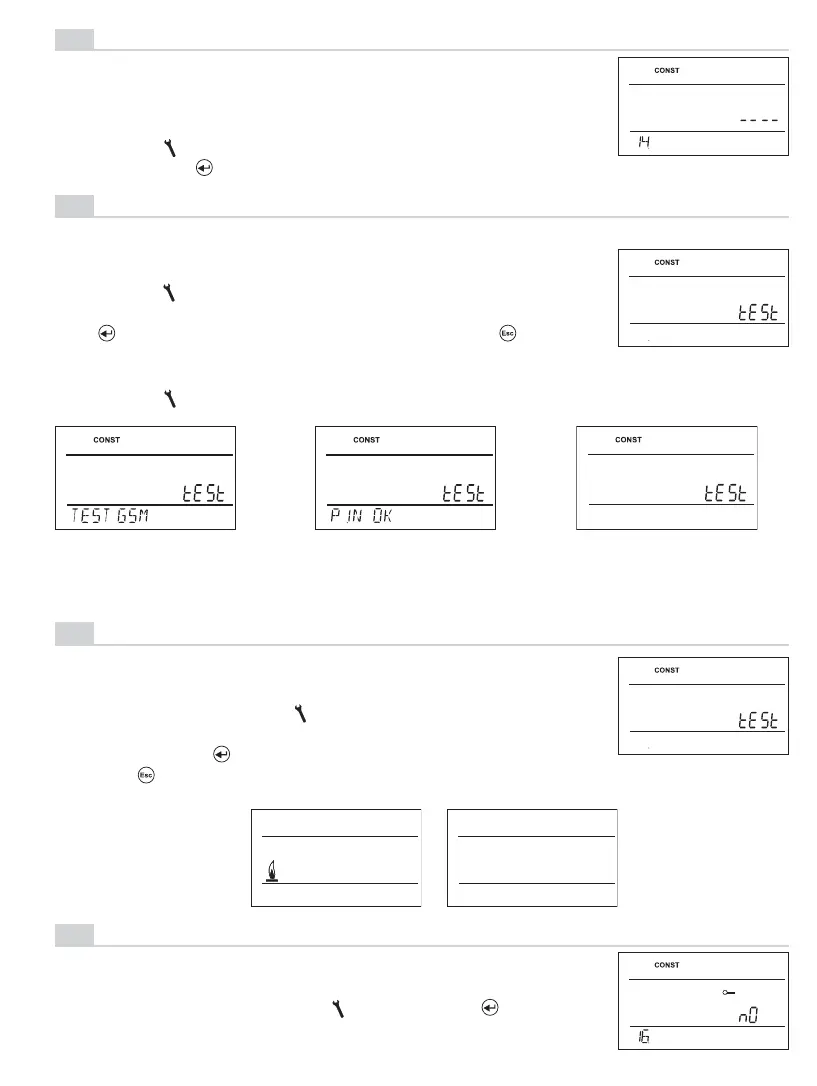
PIN CODE SETTING
Turning the “
“ button, enter 4 digits stepwise; confi rm each
setting with the “
“ button.
14
After setting the PIN code of the SIM card inserted in the
thermostat is performed to test the GSM module and PIN
validation.
GSM TEST
Turning the “ “ button to start test of GSM module and chec-
king of PIN code.
The“ “ button displays the next constant,; pushing “ “ you
return to the main menu.
One of the following messages appears on the thermostat after connecting GSM module
and turning “ “ button:
Checking the GSM
module.
Modul is connected and
PIN is entered correctly.
Wrong PIN, reset PT32
and connect module again.
Testing the correct connection the thermostat to boiler
(this function is identical with the TEST mode in the main menu).
Start the test by turning the “ “ button. The output relay is
switched on/off several times (the ON/OFF messages appear
on the LCD). The “ “ button displays the next constant;
pushing “ “ you return to the main menu.
RELAY TEST
15
KEY LOCK
Used for locking control elements as a protection against unde-
sirable intervention by a stranger.
16
Choose YES/NO by turning the “ “ and confi rm “ “.
(factory setting of NO)



 To Next Page