KEYCOdE
SERVICE dAY
20
VERSION
19
PASSWORd
13
20
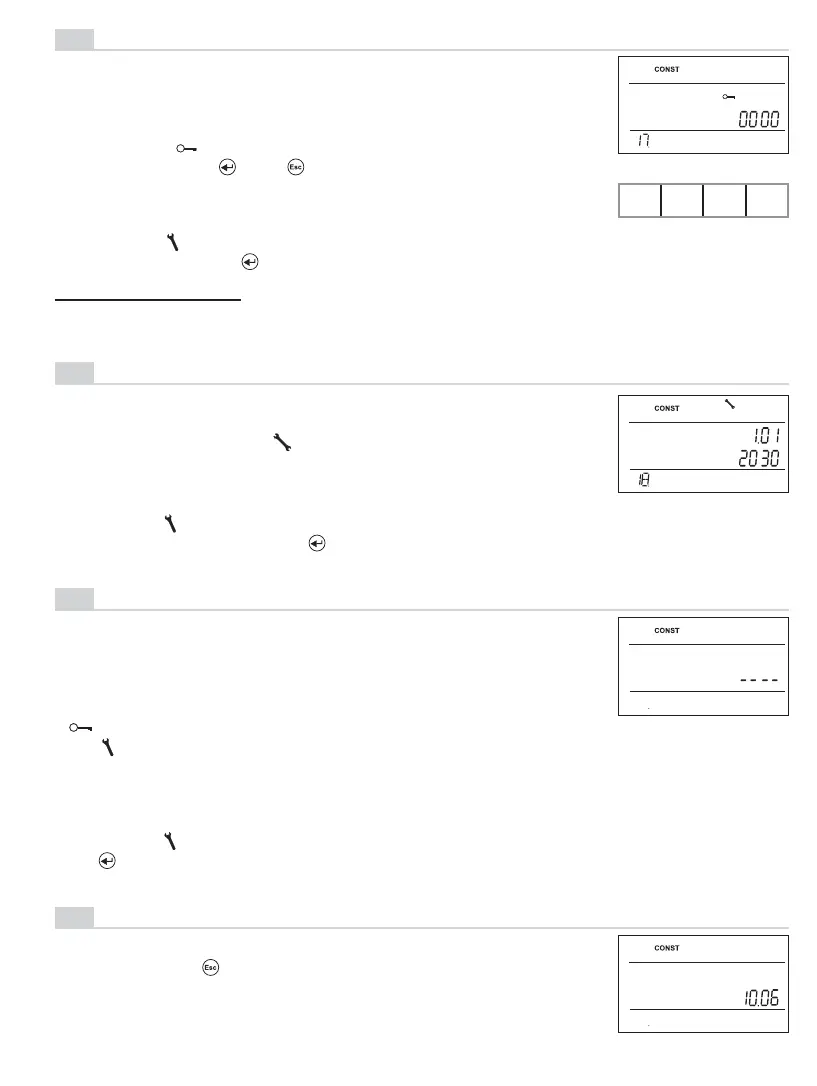
VERSION (factory setting restoration)
Firmware version, for information only.
If you push the “ “ button long (for approx. 3 s), the RESET
text appears shortly on the LCD, and the thermostat restores its
factory settings!
KEY CODE
This constant can be set if CONST16 = YES. It enters a code
used for enabling control elements.
A 4-digit combination is set (range from 0 to 9).
The keys are locked within 1 minute (after opening the basic
screen). The “ “ symbol appears on the LCD.
After you push the “
“ or “ “ button, the LCD asks you to en-
ter the key code; after entering the correct code, you can make
any modifi cations (control elements are functional again).
17
BOILER OVERHAUL NOTIFICATION
Set the date on which you want to be reminded of the prescribed
boiler service. On the desired date, the “MAINTENCE NECES-
SARY” message and the “ “ symbol appear in the LCD bottom
line (the message can be cancelled by entering the next boiler
overhaul date!).
18
Turning the “ “ button, enter 4 digits stepwise, and confi rm
each setting with the “ “ button.
RECOMMENDATION: - Note the key code in the table
- You can cancel the code by the NO option in CONST16 or by
restoring the factory setting of the thermostat (see CONST 20).
YOUR CODE
Turning the “ “ button, enter the day, month and year stepwise;
confi rm each setting with the “ “ button.
(factory set to 01/01/2030)
19
PASSWORD
(not set by default)
It is used for locking the constants related to the given control
settings. Suitable for service technicians.
After a numerical code has been entered, the user
cannot change constants No. 4, 5, 6 and 10.
If you open the CONST mode and browse the constants, the
“ ” symbol appears next to the constants locked; if you turn
the “ “ button, the password is required! Unless you enter
the password, the constants remain locked. To try to unlock
them again, you must exit the CONST mode and browse up the
constant locked again.
Turning the “ “ button, gradually enter four digits and confi rm each setting with
the “ “.


 To Next Page
 Loading...