MTX 4900
Operation
18
5.1.3.2 Exchanging electrode caps
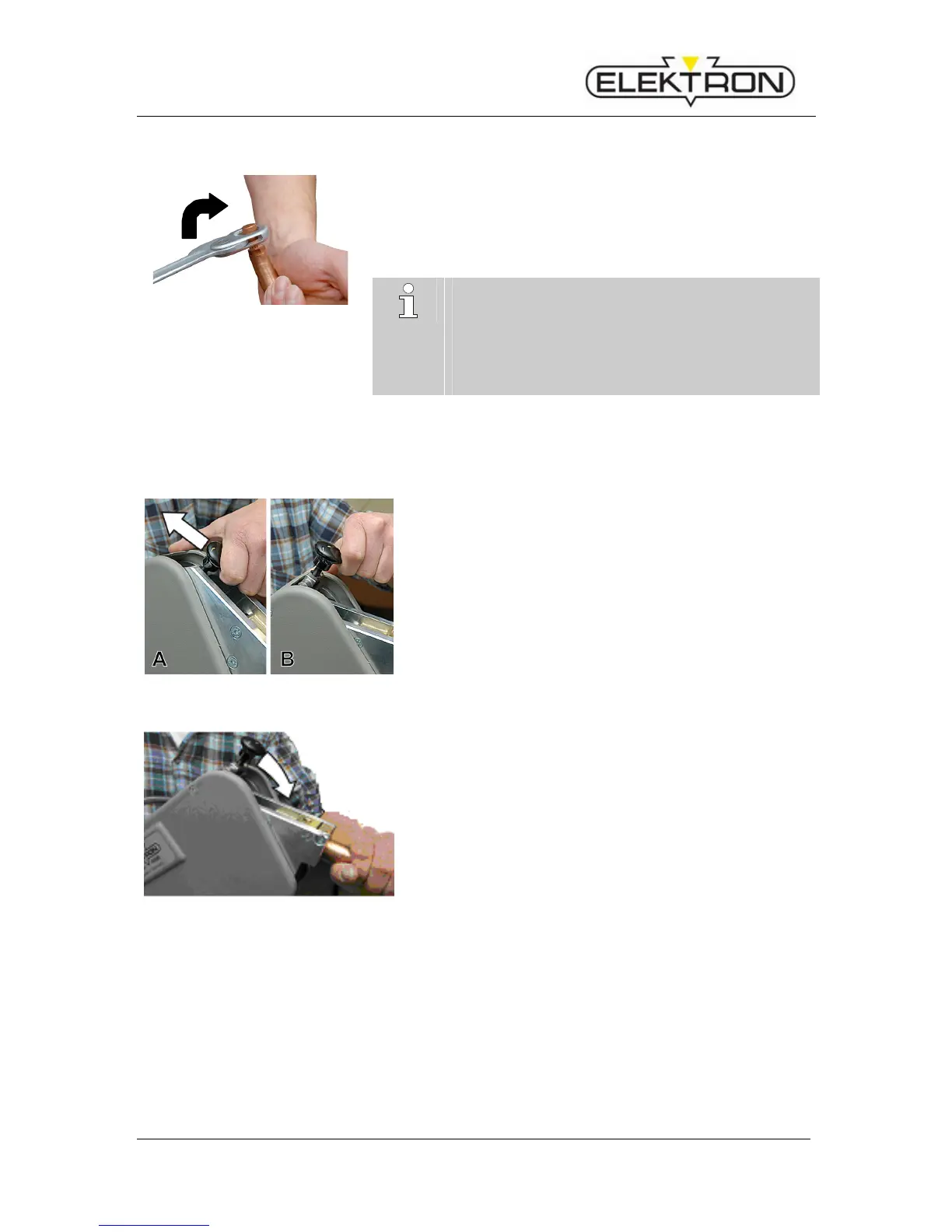
Fig. 8: Replacement of the electrode
caps
1. Loosen the electrode caps using the electrode cap wrench or an
equivalent tool (Fig. 8).
2. Turn in clockwise direction, otherwise the cone will be loosened.
3. Push new electrode caps onto the electrode head and press into posi-
tion.
A good condition of the electrode caps is important for
good welding results.
Particularly when welding HSS plates and coated
plates, the electrode caps have to be milled or replaced
after 50 welding operations at the latest (milling tool,
see accessory catalogue).
5.1.3.3 Deploying and locking the electrode arm
Deploying the electrode arm
Fig. 9: Unlocking the arm
1. Switch the locking device of the electrode arm from posi-
tion "locked" (9/A) to position "open" (9/B) as shown in the
picture.
Locking the electrode arm
Fig. 10: Locking the arm
2. Push the electrode arm without much force into the lock-
ing device until you feel and hear it engage (10).



 To Next Page