5.4 Welding settings with the MI-100control
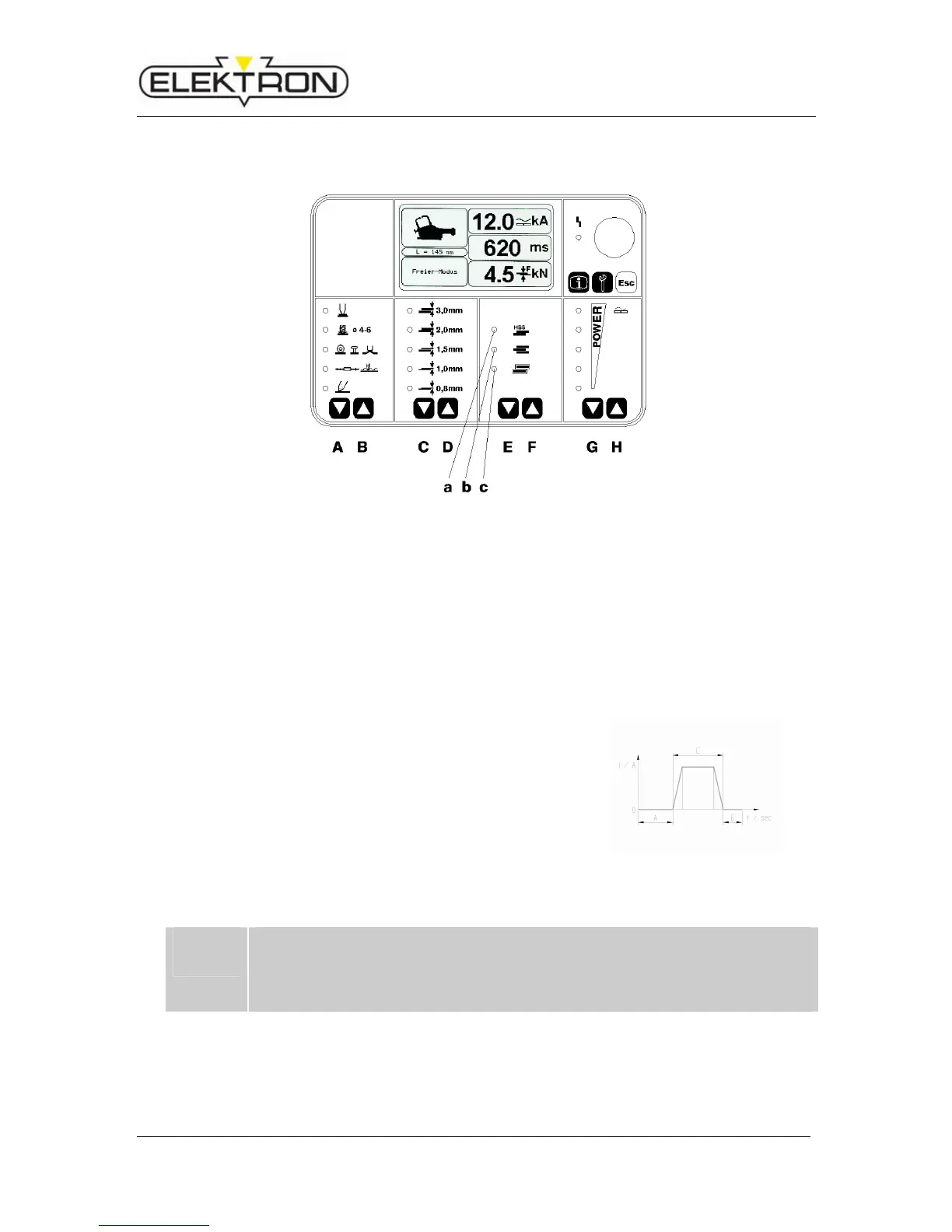
Fig. 13: Selection of welding operation
i
If you stop pushing the release button (Fig. 1) before the welding starts, the welding
will be stopped as well. If you keep pressing the release button, the post-pressing
time will be prolonged.
Note: Aborting the welding is not possible.
Select the welding operation with the buttons EF, e.g.
a - HSS plates
)
b - 3-layer plate joint ) see Fig. 13
c - Galvanised plates )
Several options can be selected at the same time.
During welding, hold the trigger knob of the pliers depressed until the welding process is terminat-
ed automatically.
Example of a welding programme sequence (see Fig. 14):
A – Prepressing 1 sec.
C – Welding time, depending on setting
A – Post-pressing 1 sec.
Fig. 14: Welding programme
sequence



 To Next Page