12
En
CUSTOMIZING TV SETTINGS
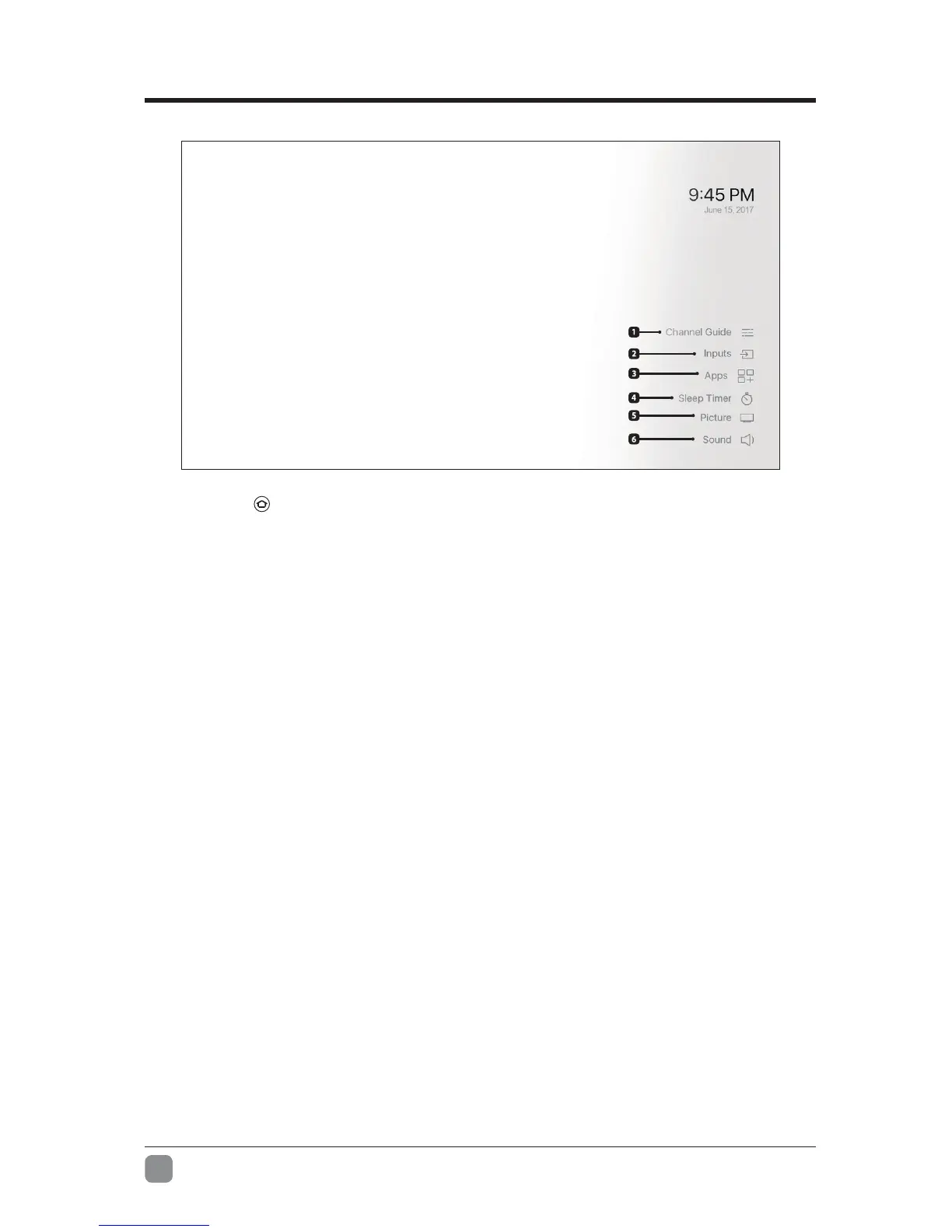
Channel Guide
Access to the channel guide only appears if you’ve connected an antenna and performed a
channelscan.ToinitiateachannelscangotoSettings→Inputs→Antenna
.
Inputs
Navigate to the input selection screen.
Apps
Navigate to your apps & games library.
Sleep Timer
Sets a timer to automatically turn off the TV in the selected number of minutes.
Picture
Adjust picture settings for the current input, or Fire TV experience and apps.
Sound
Adjust the sound settings for the selected input, or Fire TV experience and apps.
Add Bluetooth Remotes, Game Controllers, Headphones, Keyboards and Mice You can add
compatiblebluetoothgamecontrollers,headphones,keyboardsand mice inSettings→Controllers&
Bluetooth Devices.
Software Updates
When your Element Fire TV Edition is connected to the internet via a Wi-Fi or Ethernet connection it will
automaticallycheckforanddownloadupdatesin the background.Youwillbenotiedwhenanupdateis
readytoinstallwhenyoupoweroffyourtelevision.TomanuallycheckforupdatesvisitSettings→Device
→About→CheckforSystemUpdate.
Additional information about your Element Fire TV Edition can be found at:
www.amazon.com/deviceservices/support
1.
2.
3.
4.
5.
6.
Additional TV Settings can be found by navigating to Settings on the Home Screen.
Press and hold for 3 seconds to access:


 To Next Page