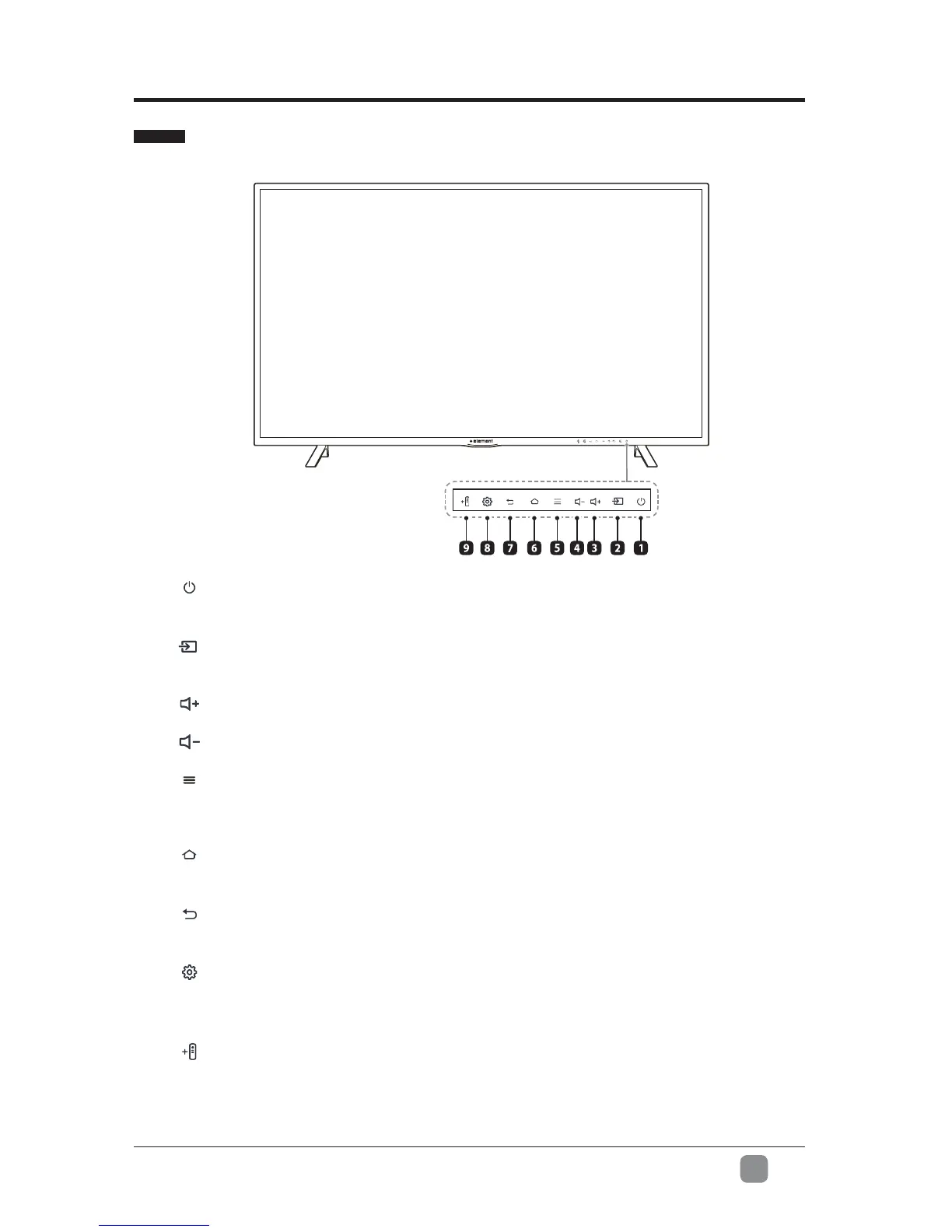
1. Power
Switch between On and Standby mode
2. Inputs
Navigates to the Inputs menu
3. Volume up
4. Volume down
5. Menu
Access additional features when you see this icon on screen. For example, when
adjusting the volume press the menu key to Mute the TV volume
6. Home
Navigates to the Element Fire TV Edition Home screen
7. Back
Navigates to the previous screen or closes the current window
8. Quick Settings
Access the quick settings menu to adjust TV audio/video settings, set a
sleep timer and more
9. Add Compatible Bluetooth Remotes
Pair a new compatible remote with your TV
5
En
PREPARATION
Front View


 To Next Page