26
Chapter 3 Using the TV
Chapter 3
USING THE FEATURES
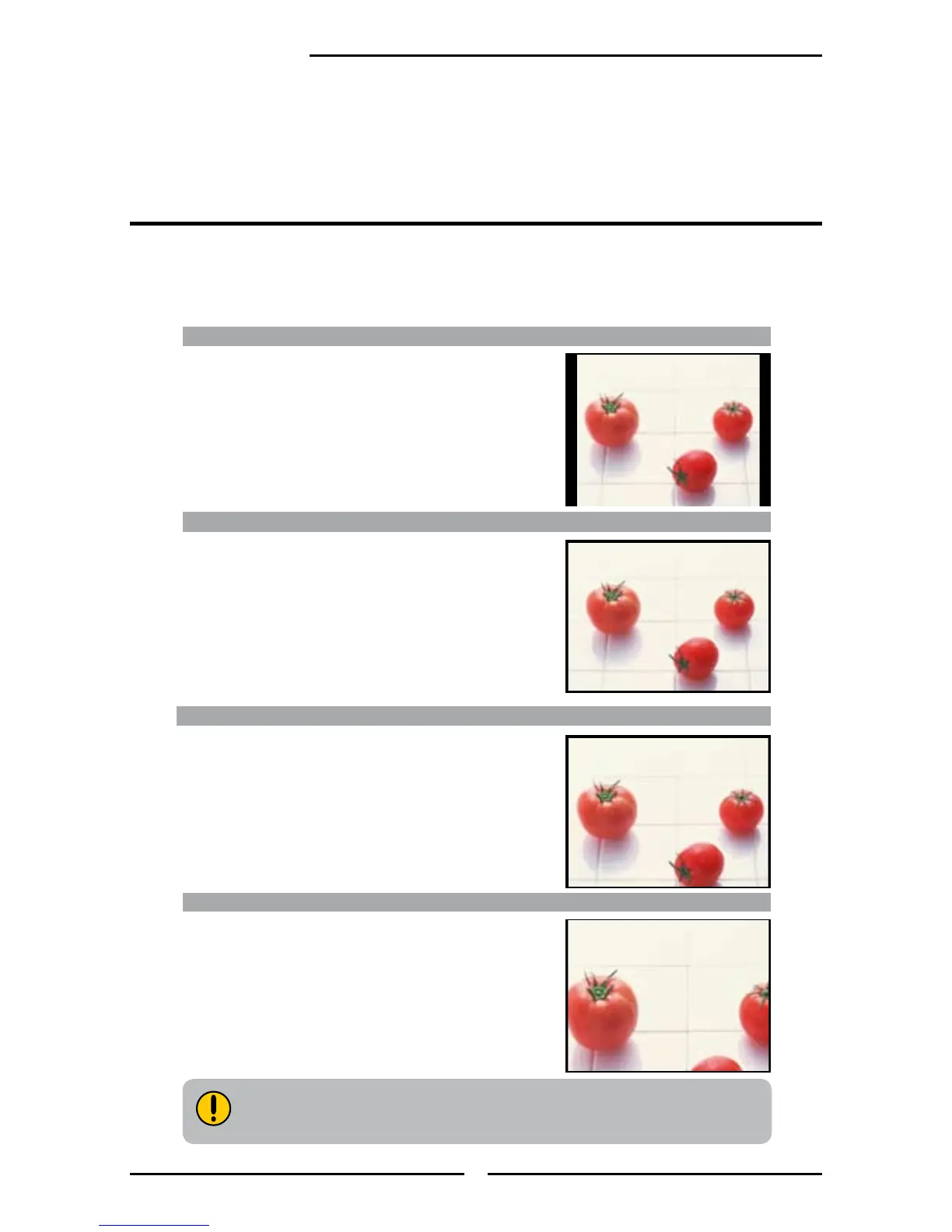
Wide Screen function allows viewing of 4:3/16:9 images in wide screen mode, cycling through the
following wide screen settings. Press the P-Size button repeatedly to select the screen format you
want.
Wide Screen Viewing
WIDE
Stretches the image vertically and horizontally to ll
the screen at 1:1.85 aspect ratio
NORMAL
Displays at 4:3 aspect ratio
ZOOM
Stretches the image vertically and horizontally to
ll the screen at 1:2.35 aspect ratio
FULL
Stretches the image vertically and horizontally to
keeps the image size consistent in the center of the
screen and stretches the sides
WIDE and ZOOM are not available when you are watching 720p, 1080i,
1080p, VGA, or DVI source.



 To Next Page