32
Chapter 3 Using the TV
Press the button to turn the TV on.
Press the MENU button on the remote control to display the Main menu, and use the
◄► buttons to select AUDIO.
Use the ▲▼buttons to highlight an individual AUDIO option, use the ◄► buttons to
change the setting, and press the MENU button to exit the menu
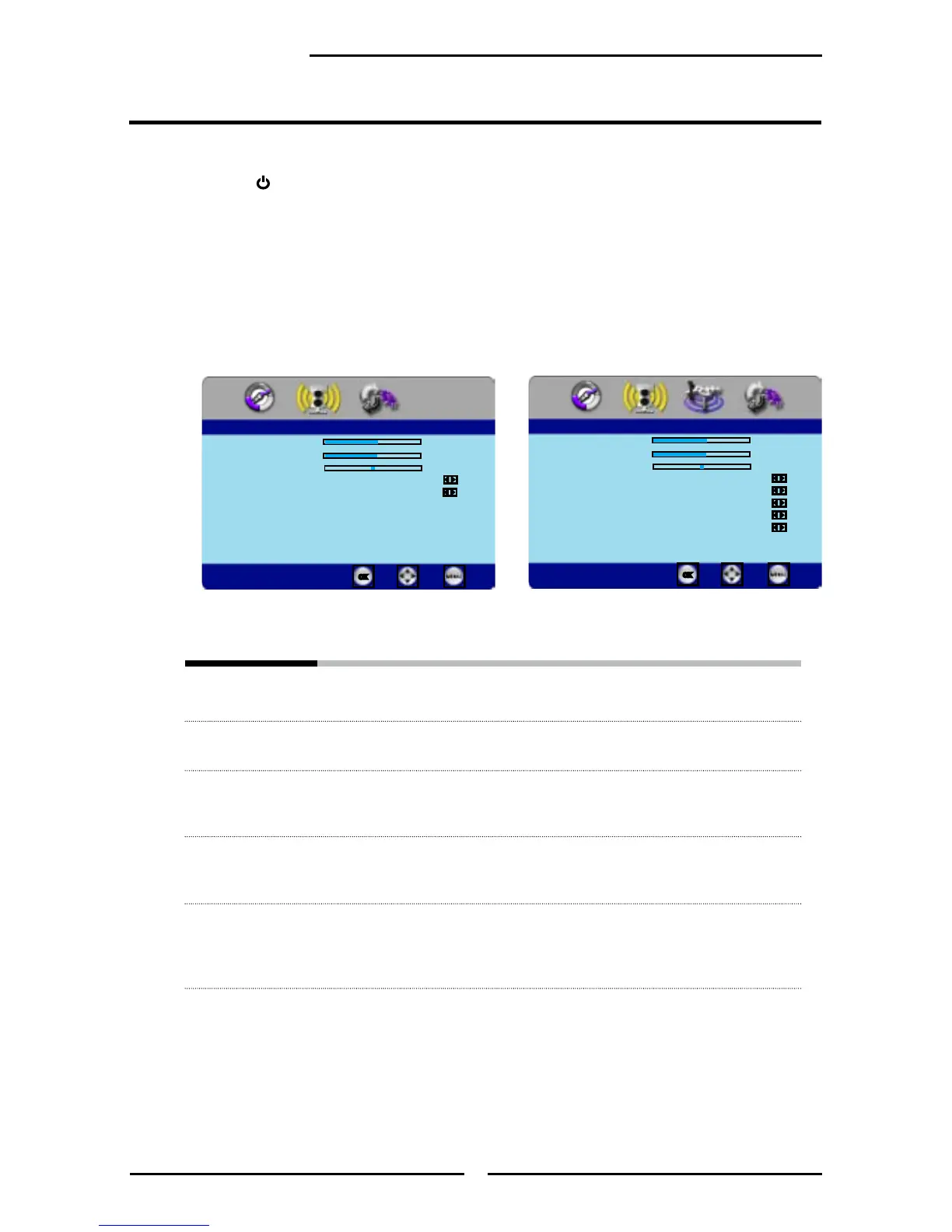
The AUDIO menu includes the following options:
Bass Controls the relative intensity of lower-pitched sounds
Treble Controls the relative intensity of higher pitched sounds
Balance Adjusts the relative volume of the speakers in a multiple speaker system
Sound Effect Allows selection of an audio-enhancement technique from the following
options: Surround/Live/Dance/Techno/Classic/Soft/Rock/POP/Off
Speaker ▪ On: Select to turn on the TV speakers.
▪ OFF: Select to turn off the TV speakers and listen to the TV’s sound
through the external audio receiver and speakers
Customizing the AUDIO Settings
▪ If the signal source is VIDEO/YPbPr/HDMI/VGA,
the AUDIO MENU appears as:
▪ If the signal source is TV, the AUDIO MENU
appears as:
Bass 50
Treble 50
Balance 0
Sound Effect Surround
Speaker On
Audio
Enter Select
Exit
Bass 50
Treble 50
Balance 0
Sound Effect Surround
MTS Stereo
SPDIF Type Dolby Digital
Audio Language English
Speaker On
Audio
Enter Select
Exit



 To Next Page