ENGLISH
39
Chapter 3 Using the TV
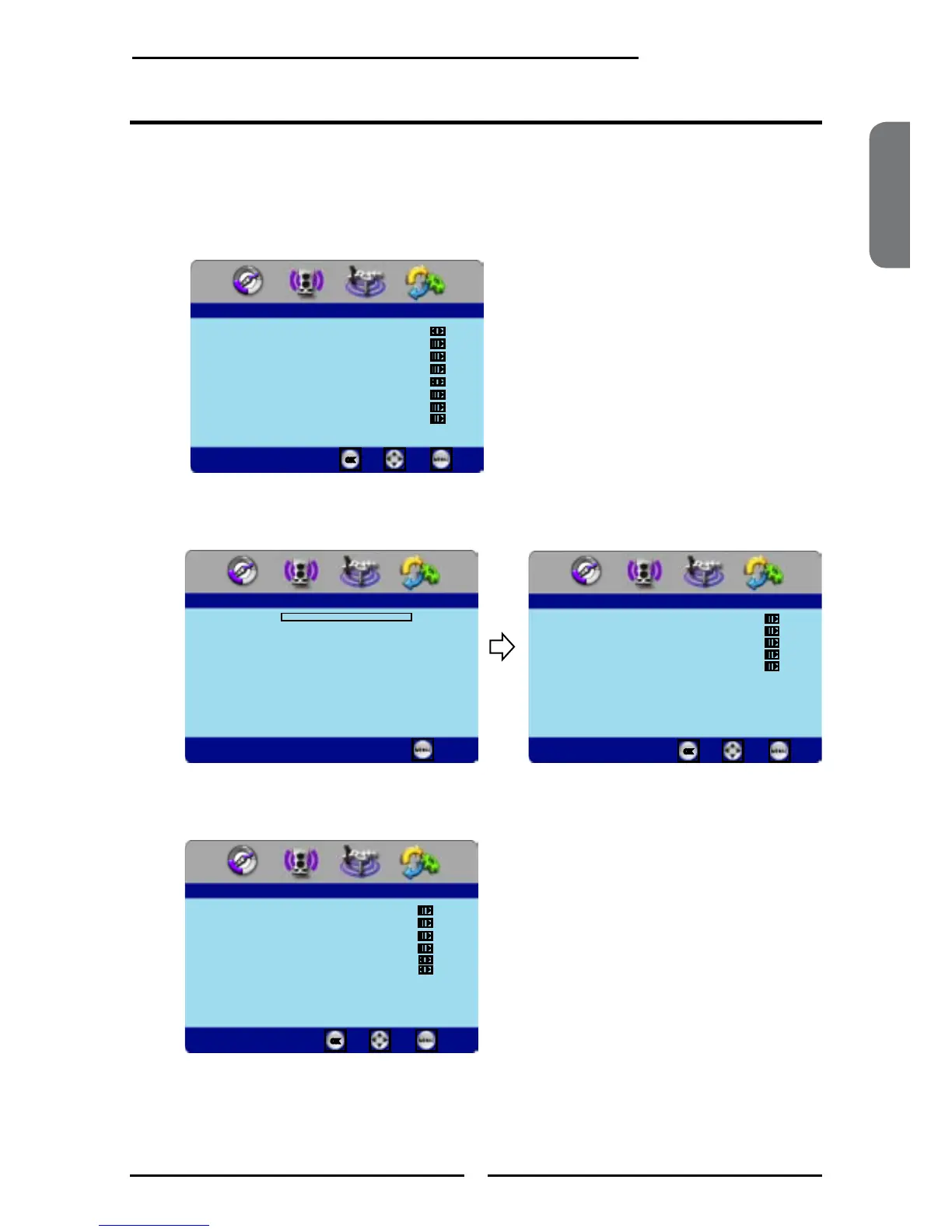
Press the MENU button on the remote control to display the Main menu, and use the
◄► buttons to select SETUP.
Use the ▼ button to highlight Parental, and press the OK button.
Using the Program Block Settings
To use the Parental function, you must enter a four-digit password. The factory
password is 0000.
Use the ▼ button to select Program Block, and press OK to display the Program
Block menu.
SETUP
OSD Language English
Time Setup
Closed Caption
Parental
Gamma Middle
Input Edit
Back Light
Reset Default
Enter Select
Exit
Parental
Back
Password ****
Parental
Program Block
Channel Block
Input Block
Open V-Chip
Change Password
Enter Select
Back
Parental Block
U.S.TV Ratings
U.S. Movie Ratings
Canadian English Ratings
Canadian French Ratings
Block MPAA Unrated NO
Block TV Unrated NO
Enter Select
Back



 To Next Page