AC IN
RS232
HEADPHONEVIDEO
S-VIDEO
IN1
IN2
IN1
IN2
IN3
IN4
L
R
L
R
OUT
LR
VIDEO
HDMI 2
HDMI 1
VGA
AUDIO IN
VGA
PB /CB
PR /CR
Y
R
COMPONENT 1
COMPONENT 2
OPTICAL ANT 75
PB /CB
PR /CR
Y
L/MONO
R
L/MONO
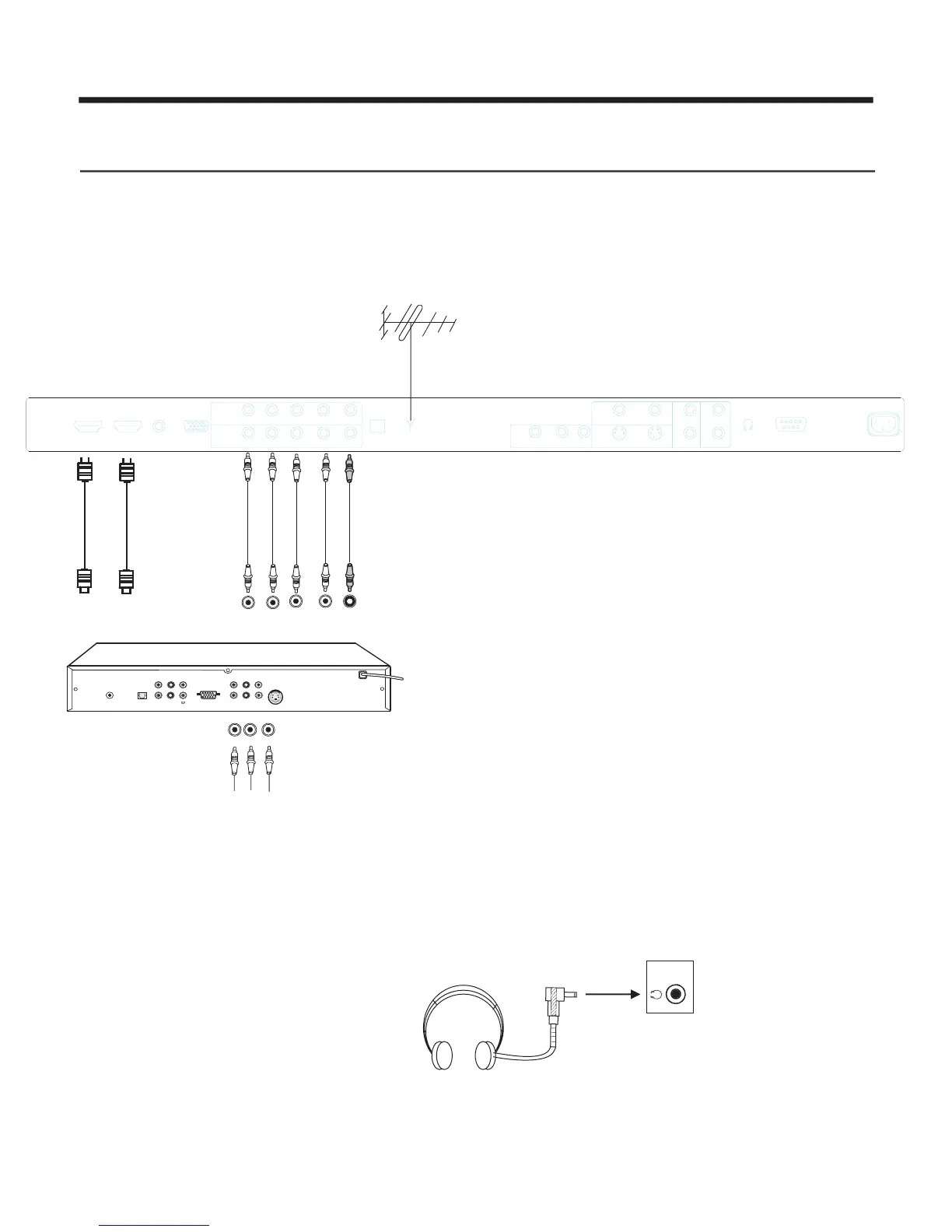
Preparation for Using Your New TV
Caution: Do not plug the TV in until you have finished connecting all of your equipment.
Connecting your TV
To enjoy its multimedia features, you can connect your TV to A/V equipment such as VCD, DVD, STB, Satellite
receiver, Camcorder, Audio amplifier etc., and select signal input sources using your remote control. Connect the
devices as shown below.
Connecting to A/V equipment
-6-
1
Y
L
e
White
S-VIDEO
P
R
CV
PB
Y
VGA
S.L
CENTER
LEFT
ANT
RIGHT
S/PDIF
SLBWOOFER
Right
Red
ft
Y
Y
C
B
B
B
CR
R
R
P
P
P
P
HDTV Set Top Box
HDMI
NOTE: 1) Headphones are not included.
2) There will be no audio output from the
TV speakers when a
headphone mini-plug is connected
into the headphone jack.
Headphone
HEADPHONE OUTPUT
HDMI


 To Next Page