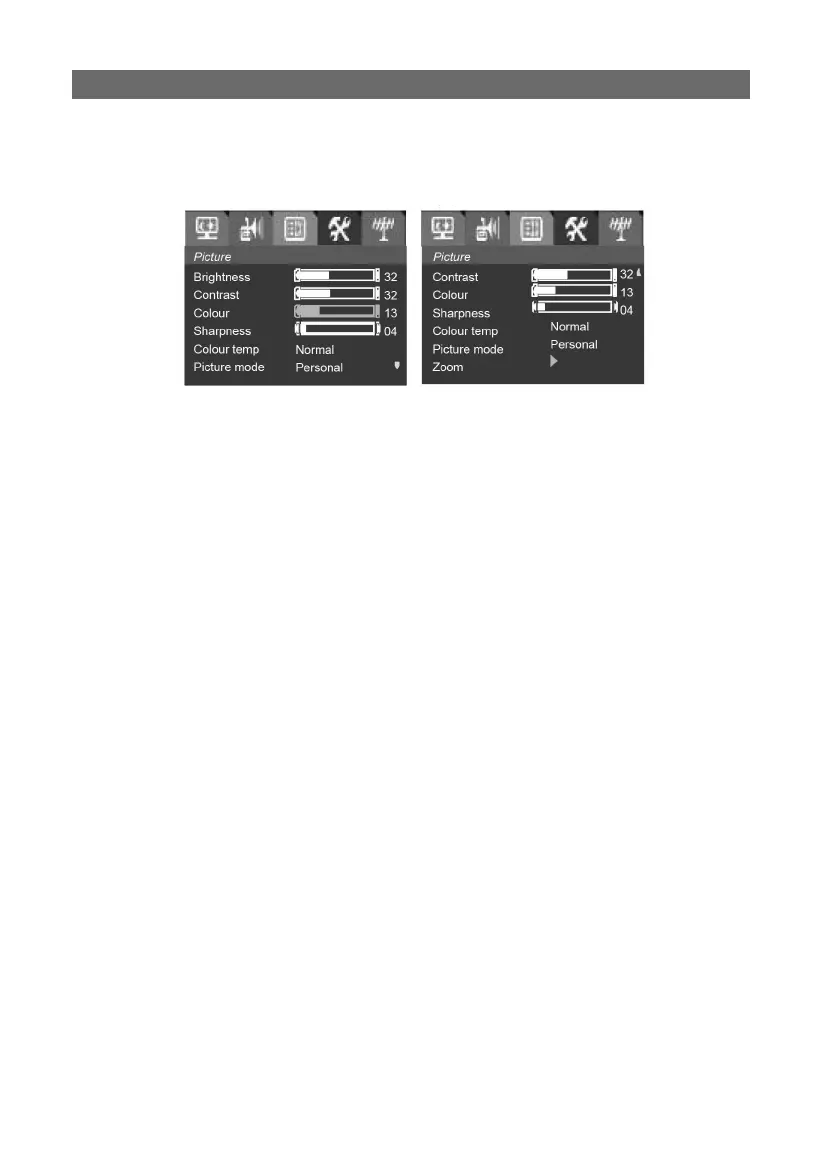
Picture adjustmentPicture adjustment
Press the MENU button to enter the main menu, then use the VOL ◀/▶
button to select the Picture item:
1. Press the PROG ▲/▼ button to select Brightness, press the VOL ▶
button to increase the brightness value and the VOL ◀ button to de-
crease it.
2. Use the same way to adjust the contrast, colour, sharpness, colour
temp.
3. Hue only can be adjusted under the NTSC colour system.
4. Colour temp: only has Normal/Warm/Cold status.
5. Picture mode: press VOL ◀/▶ button to choose picture mode which
you like (Personal-Mild-Normal-Dynamic-Personal).
6. Zoom: choose Auto-Normal-Expand-Compress.
Auto:Same as Normal.
Normal: Maintain aspect ratio for 4:3 transmission. Non 4:3 transmis-
sions do not use the screen height completely.
Expand: Aspect ratio correction by scaling-up by factor of 14/12 in the
vertical direction. 4:3 letterbox transmissions use the screen height
completely.
Compress: Aspect ratio correction by scaling-down by factor of 4:3 in
vertical direction.



 To Next Page