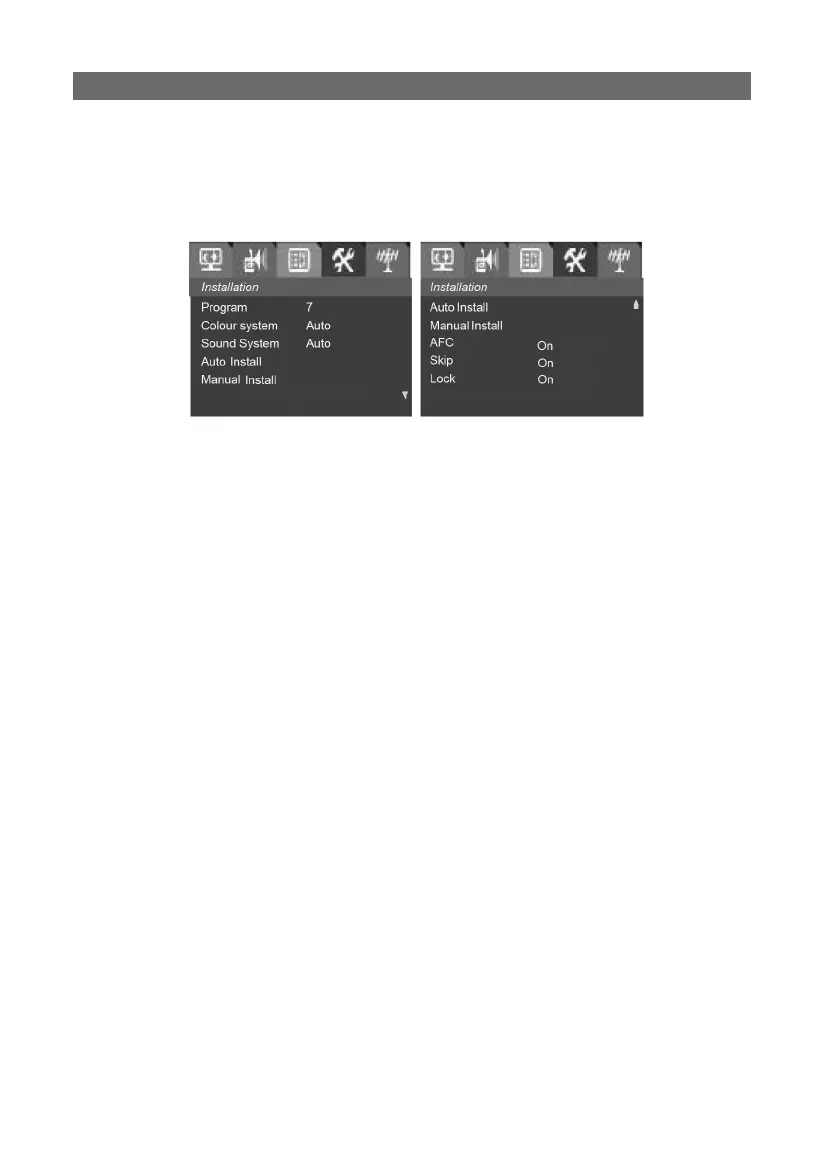
InstallationInstallation
Press the MENU button to enter the main menu. Then use the VOL ◀/▶
buttons to select the Installation item, (lf child lock is set to ON, it is
necessary to input the password to enter this menu)
1. Program1. Program
Select the Program item, use the VOL ◀/▶ buttons to adjust the pro-
gram number or use 0-9 numeric buttons lo select the program num-
ber directly.
2. Colour System2. Colour System
Select the Colour System item, press the VOL ◀/▶ buttons to select the
right colour system (PAL, SECAM).
3. Sound System3. Sound System
Select the Sound System item, press the VOL ◀/▶ buttons to select the
right sound standard (BG-I-DK)
4. Frequency4. Frequency
Displays the frequency of the current program. You can press 0-9
numeric buttons to put in your desired frequency, press the VOL ◀/▶
buttons to fi netune frequency, and the AFC for this program will be
set to OFF.
5. Auto Install5. Auto Install
Press PROG ▲/▼ button to select the Auto Install item, press the VOL
◀/▶ buttons, then the system will begin to Auto Install. It will begin
with the current program number and whole process of the searching
will be displayed on the screen, the programs being searched will be
memorised from low to high and it will stop at the program number
you begin to search. You can press the MENU button to stop auto In-
stall.
6. Manual Install 6. Manual Install
Press the VOL ◀/▶ buttons to start searching from higher frequency to
lower frequency or lower frequency to higher frequency till you fi nd the
program being searched, press the MENU button to stop searching.



 To Next Page