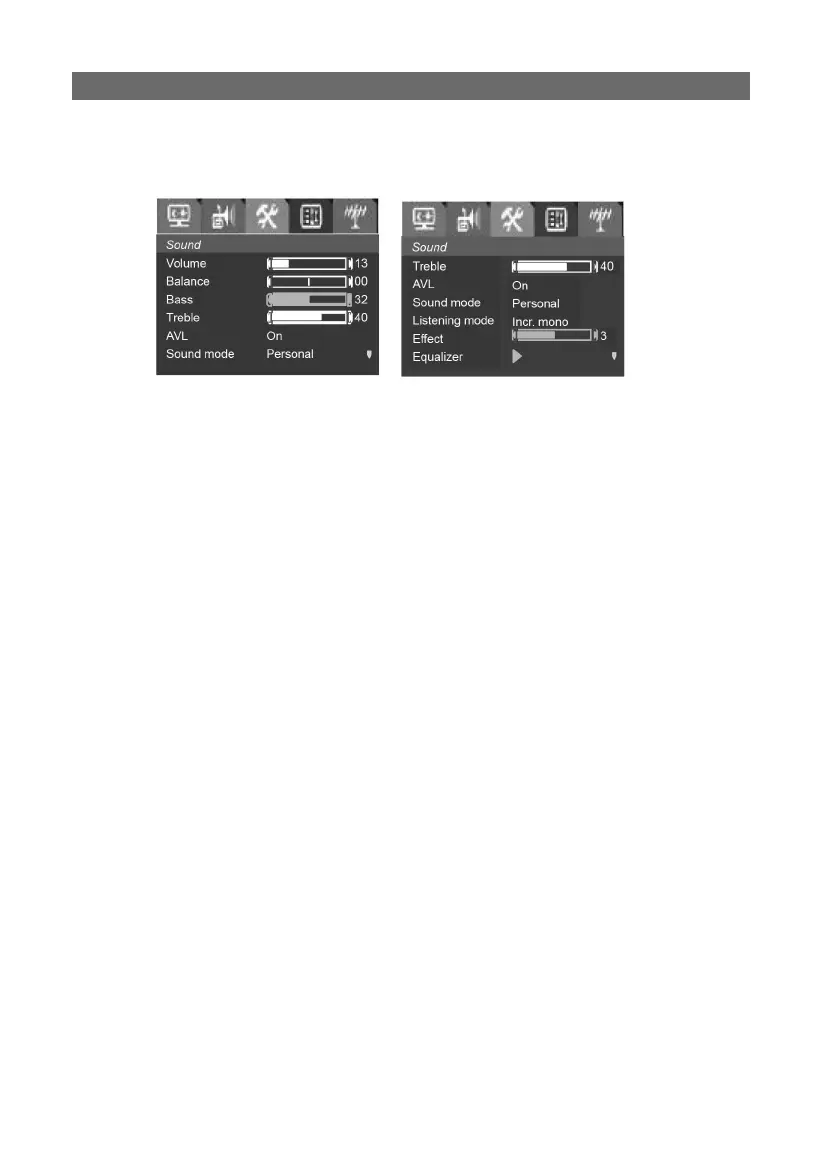
Sound adjustmentSound adjustment
Press MENU button to enter the main menu, then use VOL ◀/▶ button
to select Sound item:
1. Volume1. Volume
Press the VOL ▶ button to increase Volume.
Press the VOL ◀ button to decrease Volume.
2. Balance2. Balance
You can change the Balance value to adjust the relative volume of R/L
sound channel, 0 means that the right sound channel equalizes the
left sound channel. Select in order: Sound-balance, press VOL ◀/▶
button to adjust the value.
3. Bass 3. Bass
Press the VOL ▶ button to increase Bass.
Press VOL ◀ button to decrease Bass.
4. Treble4. Treble
Press the VOL ▶ button to increase Treble, press VOL ◀ button to de-
crease Treble.
5. AVL5. AVL
Press the VOL ◀/▶ button to toggle AVL On or Off
This is required to compensate variations in sound level during a
transmission (Commercials are normally louder than the rest of the
transmission).
6. Sound mode6. Sound mode
Press the VOL ◀/▶ button to toggle the sound mode in turn (Personal-
News-Music-Theatre-Personal).
7. Listening mode7. Listening mode
Press the VOL◀/▶ button to toggle the Listening mode (Normal-lncr.
Mono) or (Normal- IncrStereo)
Incr. Mono: Creates a pseudo stereo signal from a mono input signal.
IncrStereo: Gives the impression that the main channel speakers are
positioned at a greater distance (angle) than the actual speakers are.
The stereo image is expanded.



 To Next Page