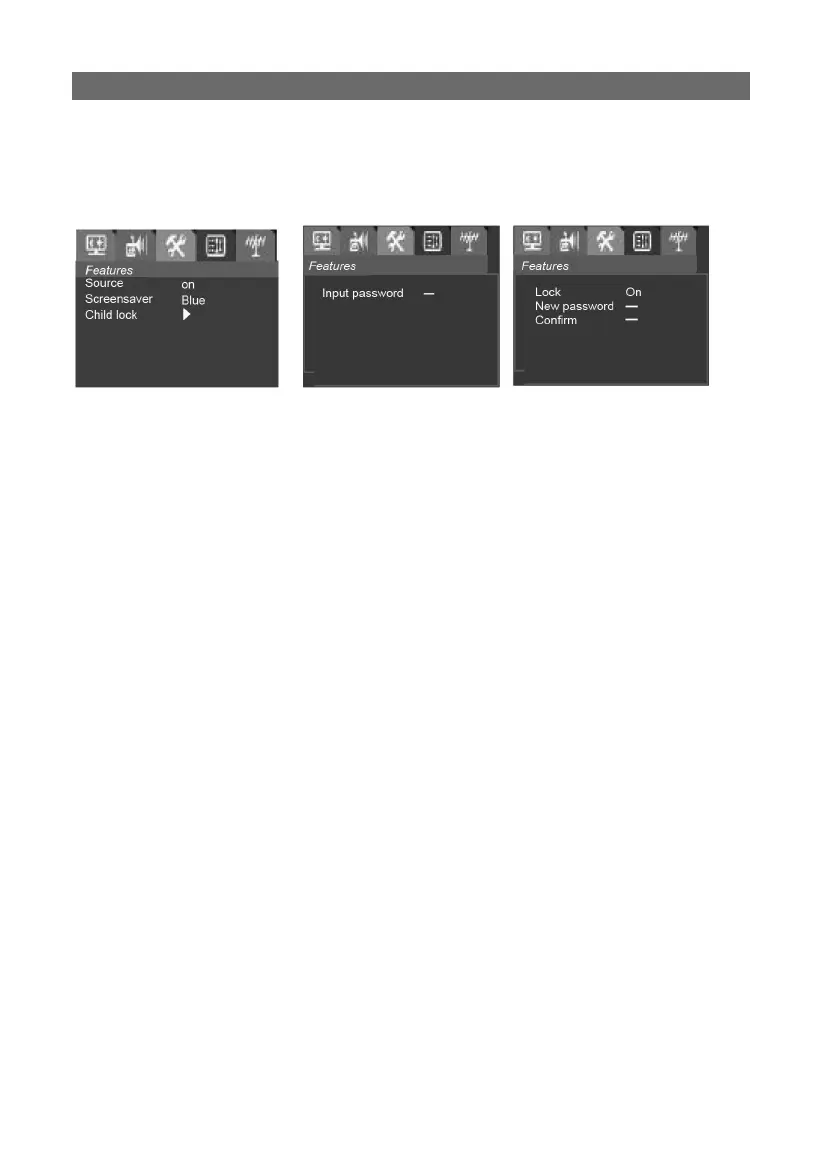
FeaturesFeatures
Press the MENU button to enter the main menu, then use the VOL ◀/▶
buttons to select the Features item, or press the white button:
1. Source1. Source
Press the VOL ◀/▶ button to Toggle Source OSD On or Off
On: after the program is changed, the program number will be dis-
played permanently.
Off: after the program is changed, the OSD will only display the pro-
gram number for 3 seconds.
2. Language2. Language
Press VOL ◀/▶ button to change the user interface language.
3. Screen Saver3. Screen Saver
Press VOL ◀/▶ button to change the user interface language (OFF-
BLUE-OFF).
4. Child lock4. Child lock
Select Child lock, press VOL ◀/▶ to enter the submenu, the Input
password menu will display and you will need to input the password to
enter the next submenu.
Then you can set this function on or off and change the password. If
this function is set to on, the password must be put in when you switch
to the locked channel.
Change password: Input four digits as your password in the New pass-
word item, and the cursor will move to the Confi rm item automatically,
input the new password again to confi rm. If the password you input to
confi rm is the same as the one you put in the fi rst time, it will exit to
the previous menu. If the password you input after the Confi rm item
is not the password you input for New password, the cursor will return
to New password item, and you need to set it again.
The factory password is 0000 and the default password is 1980.



 To Next Page