27
Transpose
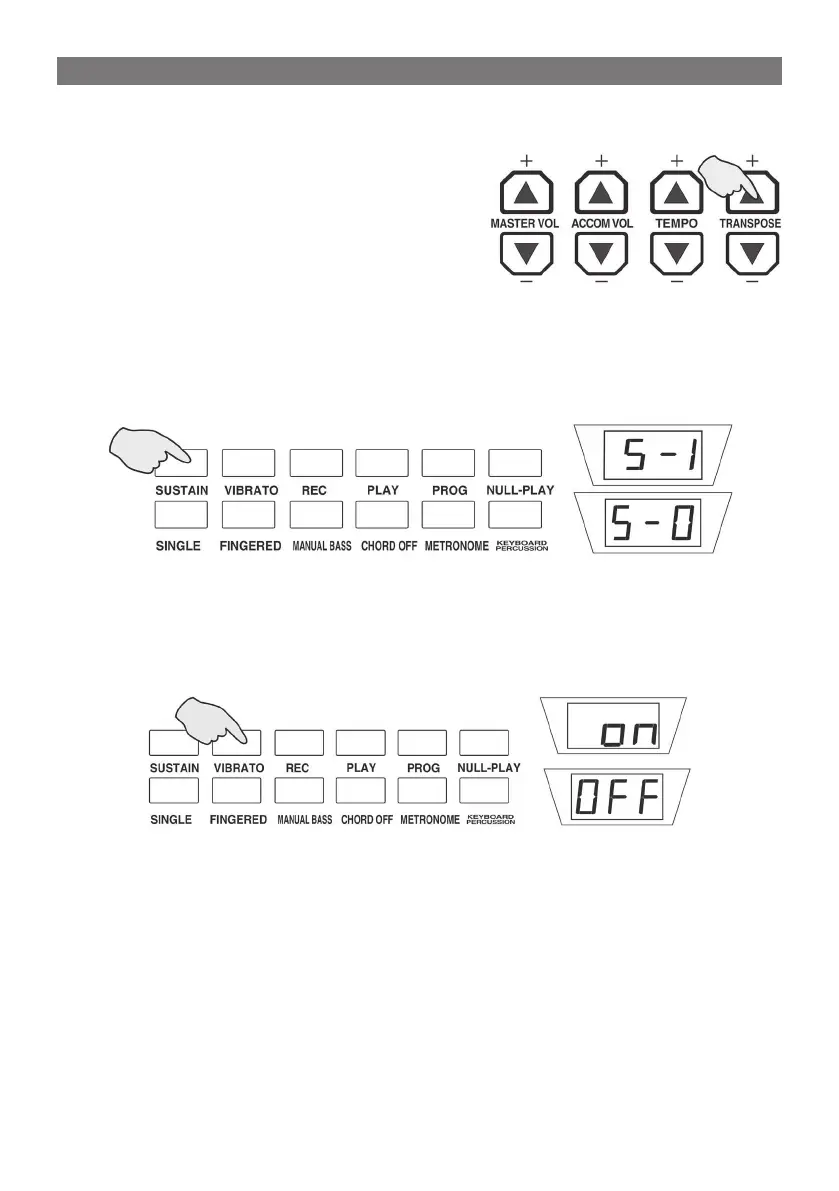
Press “Transpose” [+] or [-] button to process the keyboard by trans-
posing and the current data is displaying
on LED window. The range of transpose
may be adjust from”-12” to “12” . Press
the [+] / [-] button at the same time, the
keyboard will return to normal with the
preset value “00”.
Sustain Function
Press [SUSTAIN] button with the digital screen displays “S-1” , and the
sustain function in on, now perform keyboard will emerge the sustain
effect.
Press the button again, the screen displays “S-0” ,the function is off.
Vibrato Function
Press [VIBRATO] button with the digital screen displays “on”, and the
vibrato function in on, now perform keyboard will emerge the vibrato
effect.
Press the button again, the screen displays “OFF” ,the function is off.
EFFECT CONTROL



 To Next Page