Identification of parts
25
Control panels
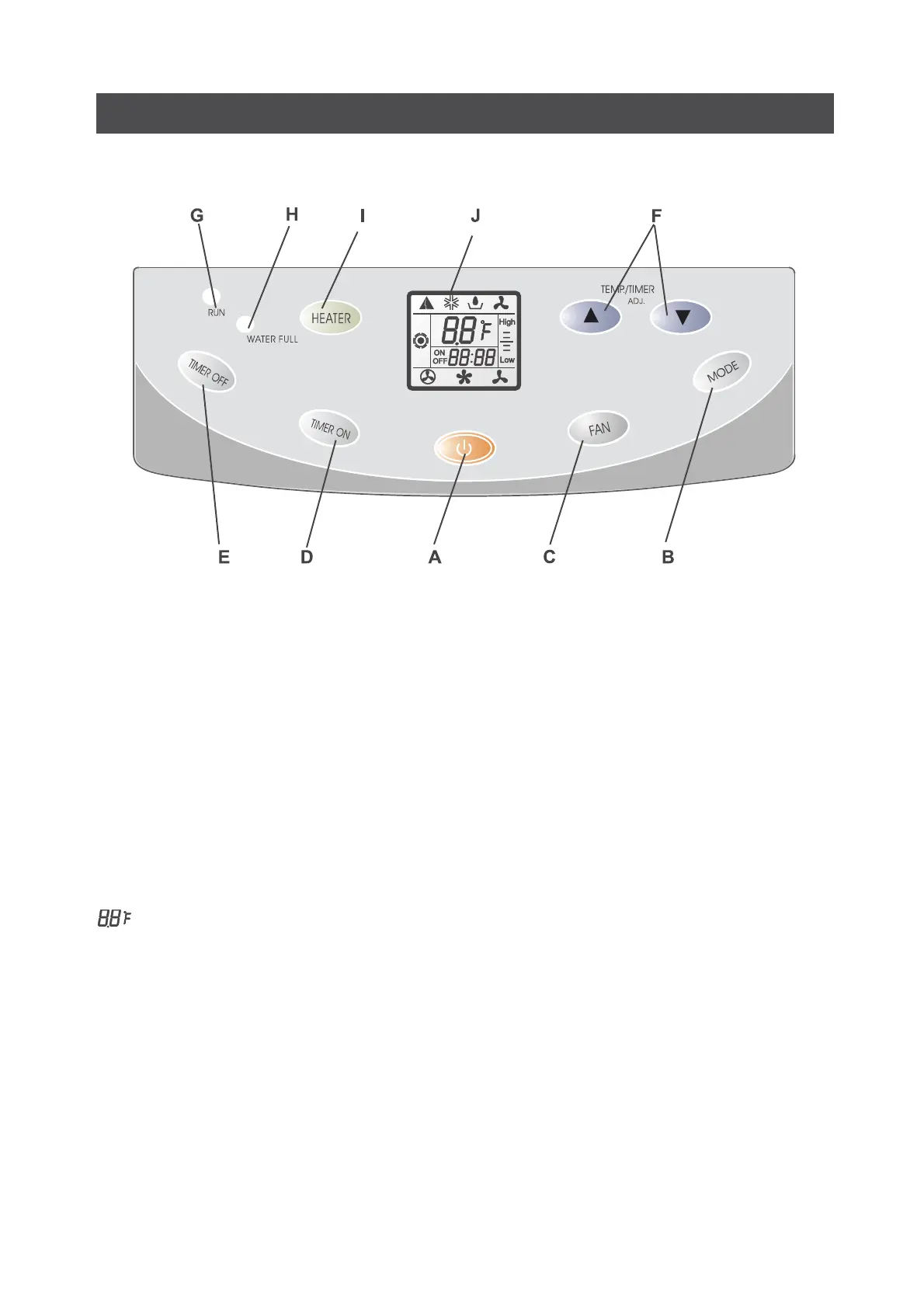
A. ON/OFF button: to start or stop the appliance
B. MODE button: to select the operation mode
C. FAN button: to select fan speed
D. TIMER ON button: to set or cancel the timer on operation
E. TIMER OFF button: to set or cancel the timer off operation
F. TEMP./TIMER setting button: to adjust the real time or set time
G. RUN indicator(green): it lights all the time when the appliance is running
H. WATER FULL indicator(red): it lights when water is full
I. Electrical heater button(Not available for cooling only model ): to heating the room
J. LCD display: It is exactly the same as LCD display on remote controller except temperature dis
play.
Display room temperature
Display set temperature with flashing


 To Next Page