Operation instructions
30
SMART mode
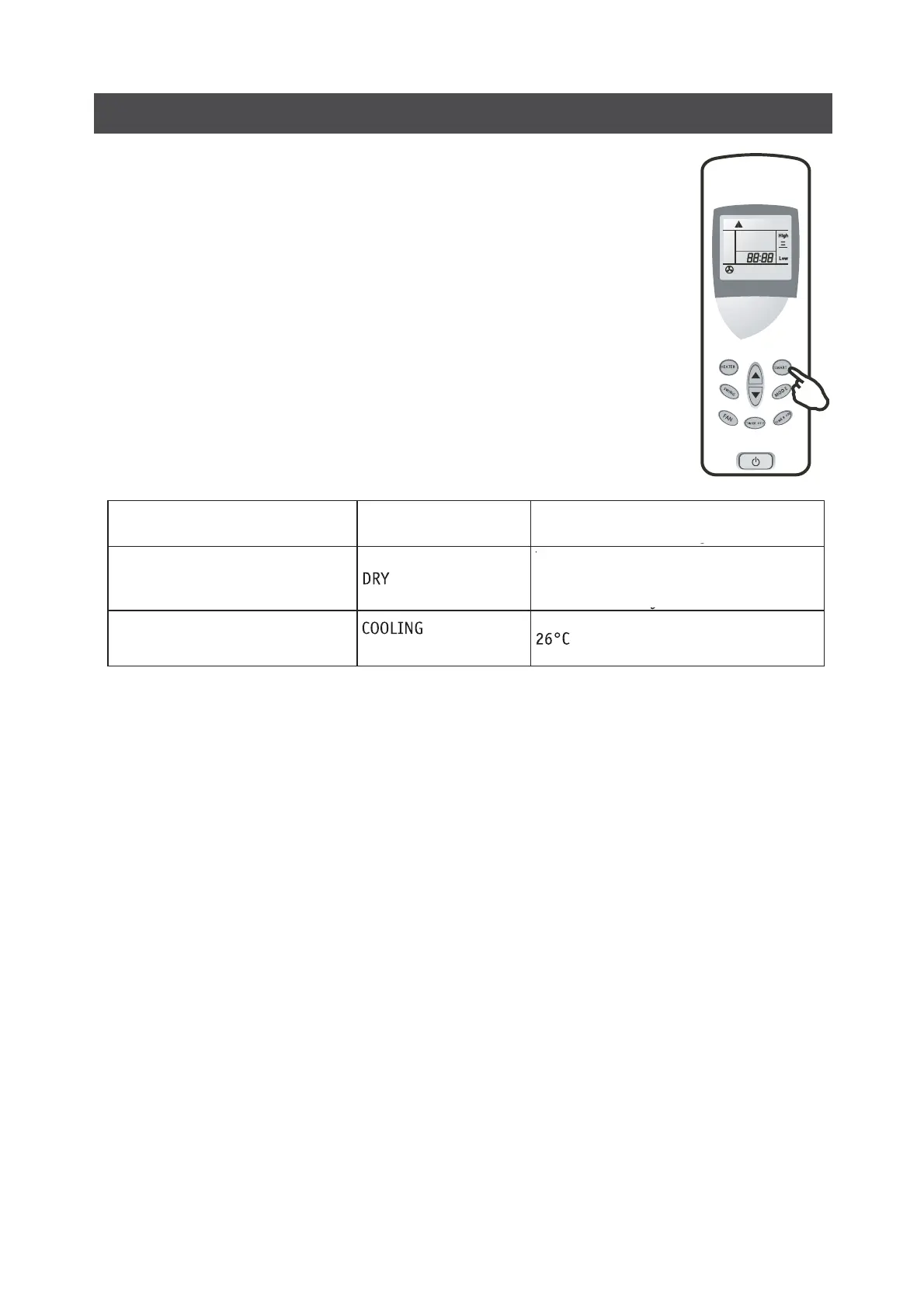
Press the SMART button, the unit enters smart mode(fuzzy logic operation)
directly whether the unit is on or off. In this mode, temperature and fan speed
are automatically set based on the actual room temperature.
Press the FAN button in smart mode, if the appliance is in cooling mode, fan
speed changes in turns: AutoHighLow; if the appliance is in dry mode, the
LCD displays as figure on the right, but in fact, there is Autospeed only.
Operation mode and temperature are determined by indoor temperature
Cooling only models
SMART button is in effective in SUPER mode
Note: Temperature, airflow and direction are controlled automatically in SMART mode. However, a
decrease or rise of up to 1°С (2°F) can be set with the remote controller or control panel if you still
feel uncomfortable.
Indoor temperature
Operation mode
Target temperature
26°C (79°F) or below
Room temperature decrease 1.5°C
after operate for 3 minutes
Over 26°C (79°F)


 To Next Page