EasyManua.ls Logo

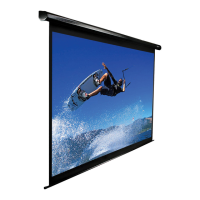
Elite Screens Spectrum Series - User Manual

Elite Screens Spectrum Series
12 pages
Print Icon
To Next Page IconTo Next Page
Loading...
Ez-Electric Screen
Spectrum/Vmax(Plus)
Series
Ver.
1
.5
Users Guide
*Also available in Black casing

Other manuals for Elite Screens Spectrum Series

Question and Answer IconNeed help?

Do you have a question about the Elite Screens Spectrum Series and is the answer not in the manual?

Summary

Important Safety and Warning Precautions

Warning

Accessories for Spectrum and VMAX2

IMPORTANT SAFETY INSTRUCTIONS

PRE-INSTALLATION

Prepare the screen for installation by carefully unpacking and handling it on a clean surface.

INSTALLATION 1

INSTALLATION 2

Optional Accessories: L-Brackets for Wall & Ceiling

OPERATION

12-V Trigger

Details on the 12-Volt Trigger accessory and its connection for VMAX2 and Spectrum Screens.

FAQS

Warranty Policy -Electric Screens

REGISTER YOUR ELITE PRODUCT

Elite Screens Spectrum Series Specifications

General IconGeneral
Aspect Ratio16:9
Gain1.1
Viewing Angle160°
CasingAluminum
Black BorderYes
Installation TypeWall Mount
OperationElectric

Related product manuals