Defrost termination temperature
The maximum time of defrost
rt : Display cabinet temperature
It : Display start-defrost cabinet
temperature
St : Display temperature setting
value
dF : Display “dF”
Cabinet temperature upper limit
alarm value
Cabinet temperature lower limit
alarm value
Exclusion of temperature alarm
at startup
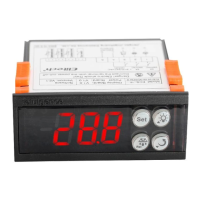
To display target set point
Press and release
immediately
Push the key for more
than 2 seconds
Save the set point and exit the
setting mode
In programming mode it selects a
parameter
To enter in programming mode
To return to room temperature
display
In programming mode it browses
the parameter codes or increases
the displayed value
Upload the data to copy card
Success of “uP” 、
Failure of "Er”
In programming mode it browses the
parameter codes or decreases the
displayed value



 To Next Page