EasyManua.ls Logo

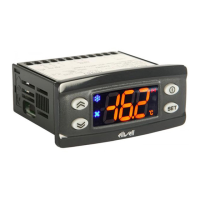
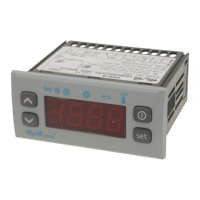
Eliwell EWPlus 961 - User Manual

Eliwell EWPlus 961
8 pages
Print Icon
To Next Page IconTo Next Page
Loading...
Reduced SET / Economy LED
Permanently on: Energy Saving active
Flashing: Reduced SET active
Quick flashing: access to level2 parameters
Off: otherwise
Fans LED
Permanently on: fans active
Off: otherwise
Compressor LED
Permanently on: compressor active
Flashing: a delay, a protection or a
locked start-up
Off: otherwise
Aux LED
Permanently on: Aux output active
Flashing: Deep Cooling cycle active
Off: Aux output not active
Defrost LED
Permanently on: defrost active
Flashing: manual or D.I. activation
Off: otherwise
HEAT mode LED
Permanently on: compressor in HEAT mode
Off: otherwise
(only EWPlus 961)
°C LED
Permanently on: °C setting (dro = 0)
Off: otherwise
NOTE:
If the instrument is set in the COOL mode, in order to use
it in the HEAT mode it is necessary to reprogramme the
instrument by using the properly programmed Copycard.
The same procedure should be followed to pass from the
HEAT mode to the COOL mode.
°F LED
Permanently on: °F setting (dro = 1)
Off: otherwise
Alarm LED
Permanently on: alarm active
Flashing: alarm acknowledged
Off: otherwise
NOT USED
(only EWPlus 961)
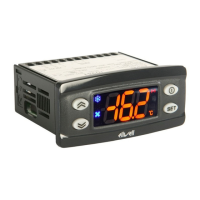
EWPlus 961/971/974
Electronic controllers for refrigeration units
NOTE:
When switched on, the device performs a Lamp Test; the
display and LEDs will flash for several seconds to check that
they all function correctly.
USER INTERFACE
UP
Press and release
Scroll menu items
Increases values
Press for at least 5 sec
Activates the Manual Defrost function
DOWN
Press and release
Scroll menu items
Decrease values
Press for at least 5 sec
Function can be configured by the user
((see parameter H32)
STAND-BY (ESC)
Press and release
Returns to the previous menu level
Confirms parameter value
Press for at least 5 sec
Attiva la funzione Stand-by (OFF)
(quando non sono all’interno dei menu)
SET (ENTER)
Press and release
Displays alarms (if active)
Opens Machine Status menu
Press for at least 5 sec
Opens Programming menu
Confirm commands
KEYs
EN
MOUNTING - DIMENSIONS
The device is designed for panel mounting. Drill a 29x71 mm hole and insert the instrument; secure it with the special brackets
provided. Do not install the instrument in damp and/or dirty places; in fact, it is suitable for use in places with ordinary or normal levels
of pollution. Keep the area around the instrument cooling slots adequately ventilated.
74 mm
32 mm
29 mm
71 mm
70 mm
59 mm

Other manuals for Eliwell EWPlus 961

Question and Answer IconNeed help?

Do you have a question about the Eliwell EWPlus 961 and is the answer not in the manual?

Eliwell EWPlus 961 Specifications

General IconGeneral
ModelEWPlus 961
Input TypeNTC, PTC, Pt100, TC J, TC K, 0-10V, 0/4-20mA
Digital InputsUp to 2
TypeController
Temperature Range (NTC)-50 ÷ 110°C
Temperature Range (PTC)-50 ÷ 150°C
Operating Temperature-10°C to +55°C
Accuracy±0.5% FS
Resolution0.1°C
Serial CommunicationRS485
Control TypePID
Humidity20% to 90% RH (non-condensing)

Summary

MOUNTING AND DIMENSIONS

Installation and Ventilation

Provides instructions for panel mounting, drilling, securing, and ensuring adequate ventilation around cooling slots.

ELECTRICAL CONNECTIONS

PASSWORD PROTECTION

MENU ACCESS AND USAGE

PROGRAMMING MENU DETAILS

MANUAL DEFROST ACTIVATION

Initiating Manual Defrost

Explains how to manually start the defrost cycle by holding the key for 5 seconds.

DIAGNOSTICS AND ALARMS

Alarm Indication and Silencing

Describes how alarms are indicated (buzzer, icon) and how to silence the buzzer.

Specific Alarm Faults (E1, E2)

Details alarm codes E1 (Pb1 faulty) and E2 (Pb2 faulty) and their effects.

Alarm Faults (AH1, AL1, EA, OPd, Ad2)

Explains various alarm conditions like high/low temp, external, door, and defrost timeout.

Temperature Alarm Logic

Illustrates the logic for relative and absolute temperature alarms based on setpoint and differentials.

ELECTRICAL CONNECTION SAFETY

Pre-Connection Precautions

Emphasizes switching off the machine before electrical connections and safe wiring practices.

INSTALLER PARAMETERS - COMPRESSOR

Setpoint and Differential

Covers parameters like SEt, diF, HSE, LSE related to compressor setpoint and differentials.

Compressor Operation Modes

Details HC parameter for mode selection and Ont/OFt for faulty probe operation.

Compressor Activation Delays

Explains parameters dOn, dOF, dbi for compressor activation and deactivation delays.

Output Activation Delay

Covers parameter OdO for output activation delay after power-on or failure.

INSTALLER PARAMETERS - DEFROST

Defrost Type Selection

Details parameter dty for selecting electric, hot gas, or 'Free' defrost modes.

Defrost Interval and Count

Covers parameters dit and dCt for setting defrost frequency and counting methods.

Defrost Timing Parameters

Explains dOH (start delay) and dEt (timeout) for defrost cycle duration.

Defrost End Temperature & Mode

Details dS1 for defrost end temperature and dPO for enabling defrost mode.

INSTALLER PARAMETERS - ALARMS

Temperature Alarm Reference

Details Att parameter for absolute or relative temperature alarm values.

Alarm Differential

Covers AFd parameter for the alarm differential value.

INSTALLER PARAMETERS - TEMPERATURE ALARMS

High;Low Temperature Alarm Settings

Defines HAL parameter for maximum and LAL for minimum temperature alarm thresholds.

Alarm Exclusion & Delay Times

Covers PAO, dAO, OAO, tdo, TAO for alarm exclusion after power-on or defrost.

Defrost Timeout & External Alarm Settings

Details dAt for defrost timeout alarms and rLO for external alarm controller locking.

Related product manuals