ACCESSING AND USING THE MENUs
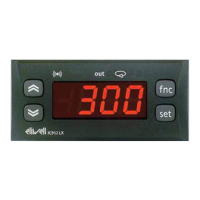
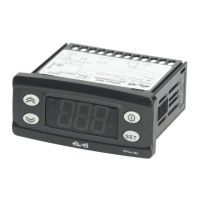
The resources are organized into 2 menus which are accessed as follows:
• ‘Machine Status’ menu: press and release the key.
• ‘Programming’ menu: hold down the key for 5 seconds.
Either do not press any keys for 15 seconds (timeout) or press the key once, to confirm the last value displayed and return to the previous
screen.
PASSWORD
Password ‘PA1’: used to access User parameters. The password is not enabled by default (PS1=0).
To enable it (PS1≠0): press and hold for longer than 5 seconds, scroll through the parameters using and until you see the label
PS1, press to display the value, modify it using and , then save it by pressing or . If enabled, it will be required in
order to access the User parameters.
Password ‘PA2’: used to access Installer parameters. The password is enabled by default (PS2=15).
To modify it (PS2≠15): press and hold for longer than 5 seconds, scroll through the parameters using and until you see the
label PA2, press , set the value to ‘15’ using and , then confirm using . Scroll through the folders until you find the label
diS and press to enter. Scroll through the parameters using and until you see the label PS2, press to display the value,
modify it using and , then save it by pressing or .
The visibility of ‘PA2’ is as follows:
1) PA1 and PA2 ≠ 0: Press and hold for longer than 5 seconds to display PA1 and PA2. It will then be possible to decide whether to
access the User parameters (PA1) or the Installer parameters (PA2).
2) Otherwise: The password PA2 is amongst the level1 parameters. If enabled, it will be required when accessing the Installer
parameters; to enter it, proceed as instructed for password PA1.
If the value entered is incorrect, the label PA1/PA2 will be displayed again and the procedure will need to be repeated.



 To Next Page