12/14
NOTES:
(1) See Duty Cycle diagram
(4) If relative values are present (par. Att=1) parameter HAL is set to positive values and the parameter LAL is set to negative values (-LAL)
(5) Refers exclusively to high and low temperature alarms
(6) Does not affect defrosting at set times like Every Day event (same defrost sequence for working days/holidays).
(7) The pair of values FAA and dEA represents the device network address and is indicated as “FF.DD” (where FF=FAA and DD=dEA).
(8) when changing from °C to °F or vice versa the set points, differentials, etc. are NOT converted (for example, “set=10 °C becomes set=10°F”)
(9) CAUTION: positive or negative values change polarity, Positive values: active input when contact is closed; Negative values: active input when contact is open.
(10) If the Fpr parameter is used, the data previously stored on the Copy Card will be permanently lost. This operation cannot be undone
* Value: to be compiled manually by user with any custom settings (if different from default settings)
** Level: indicates the visibility level of parameters accessed using a password (see relevant paragraph)
*** PA2 is visible at level 1 in the CnF folder whereas it can be modified at level 2 in the diS folder
(2) In the deF folder there are two folders: “dd” (daily defrost) and “Fd” (festive defrost); the first folder includes the parameters dE1...dE8 (start of daily defrost) and the
second folder includes the parameters F1...F8 (start of festive defrost). The two folders can only be seen if parameter dit=3 and RTC is declared present.
NOTE: Do not confuse the days d0...d6 related to the nAd folder with dE1...dE8 daily defrost
.
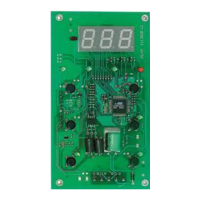
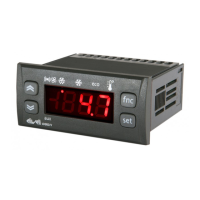
IWP 760 LX Fan Condenser
PAR. DESCRIPTION
RANGE DEFAULT U.M.
KEYBOARD LOCAL PARAMETERS
ECO Type of keyboard
0=master keyboard 1=slave keyboard
0/1
0
flag
adb Base address:
0/4
0
num
PLO label
PA3 Password (blocks access to the folder containing
the local keyboard parameters)
0...255
0
num
bE Buzzer enable
n=buzzer not enabled y=buzzer enabled
n/y
n
num
tab Parameter table index
0...999
0
num
reL Firmware release
0...999
0
num
toA tbA address timeout
0...250
1
min
LIC label
LI1 Broadcast communication
y=communicates with broadcast address base
board (there should be one base only)
n=communicates with the adb address base board
n/y
n
flag
tbA Temporary navigation base address.
-1...4
0
num
N. B. - BASE BOARD-KEYBOARD CON-
NECTION/PROGRAMMING
1 - The base unit/keyboard program-
ming/configuration cannot be carried
out if the devices are connected to the
LINK network. Therefore, the master
and slave devices must first
be config-
ured (with related keyboards) and then
connected to the LINK network.
2 - Flickering on the displays for each
keyboard indicates that the connected
units all have the same address: discon-
nect the LINK network and program
each unit as described above.
DISCLAIMER
This document is exclusive property of Eliwell Controls srl and cannot be reproduced and circulated unless expressly authorized by Eliwell Controls srl. Although Eliwell
Controls srl has taken all possible measures to guarantee the accuracy of this document, it declines any responsibility for any damage arising out of its use.
The same applies to any person or company involved in preparing and writing this manual. Eliwell Controls srl reserves the right to make any changes or improvements with-
out prior notice and at any time.
KEYBOARD LOCAL PARAMETER MENU DIAGRAM
Function folder - FnC label
dEF Defrost request
OSP Reduced set point
Function label active: OSP
Function label not active: SP
Aon Aux
Function label active: Aon
Function label not active: AoF
/
/
1
/
/
/
1
/
/
/
1
/
/
1
/
1
/
1
PAR. DESCRIPTION
RANGE DEFAULT LEVEL** M.U.
CUSTOM SETTINGS
DEFAULT - LEVEL
tAL Alarm silencing
/
/
1
/
/
1
rPA Pressure switch alarm reset
/
/
1
/
/
1
Fon Frame Heater
Function label active: Fon
Function label not active: FoF
/
/
1
/
/
1
non Enables/Disables night and day functions (nAd)
Function label active: non
Function label not active: noF
/
/
1
/
/
1


 To Next Page
 Loading...