8
LENGHT SETUP
MIN=255 MAX=000
PC CONNECTION
OFF *ON
TCK MIN TO PRINT
01 Tickets
LENGTH SETUP
To avoid counting errors in case of fraud
attempts by the users (tickets stopped
during the counting, tickets pulled back…),
the system measures the tickets length
and accept them as goods only if equal to
the sample one. The sample length has to
be saved during the machine installation
as the following procedure:
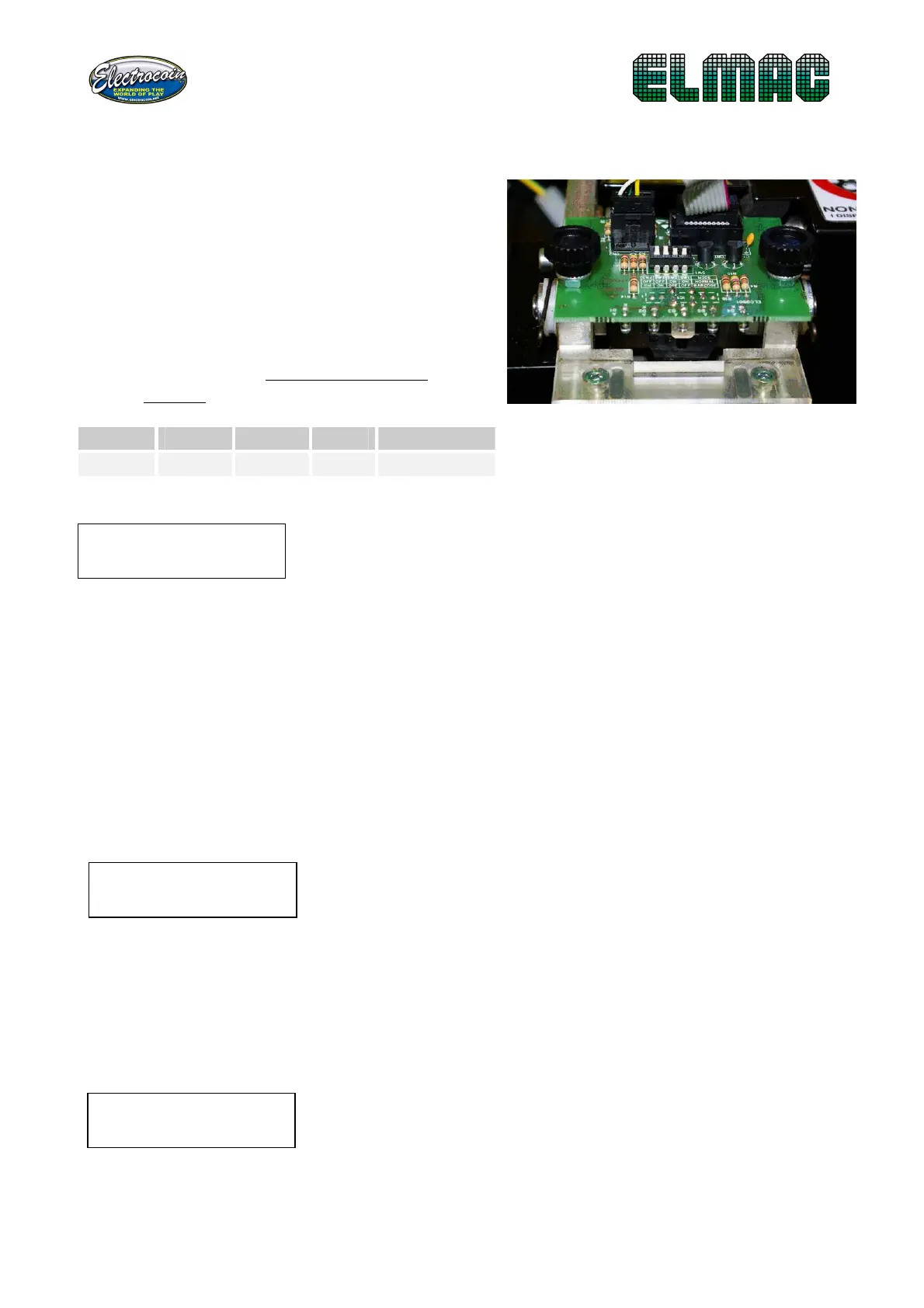
• Be sure that the switch on the
sensor are in NORMAL position
SW 1
SW 2
SW 3
SX 4
MODE
OFF OFF ON ON NORMAL
• Insert a row of tickets (the display will show the minimum and maximum
measure and will return automatically to the menu
at the end of the measurement).
The values change in function of tickets used and type of mechanic mounted,
but if they’re not included between 80 and 100, there probably is a malfunction
that requires a maintenance operation.
PC CONNECTION
This option allows you to specify the working mode. If the machine is
connected to the PC on which the WinMt program works, this option has to be
in ON mode (necessary connection). To work without the PC this voice has to
be programmed to OFF (blank connection). With the UP and DOWN buttons
you move the asterisk (*) and then press ENTER.
MINIMUM NUMBER OF TICKETS FOR PRINTING THE RECEIPT
This option allows you to set a minimum number of tickets that have to be
counted before that the customer can print the receipt, this is to avoid waste
of paper and to streamline reading receipts operations during prize
assignment.
With the UP e DOWN buttons you set the number
between 1 and 90, with ENTER you save it and exit to
the menu.


 To Next Page