BACK COVER
1. Dismantle the front panel.
2. Dismantle the extension table.
3. Dismantle the belt cover.
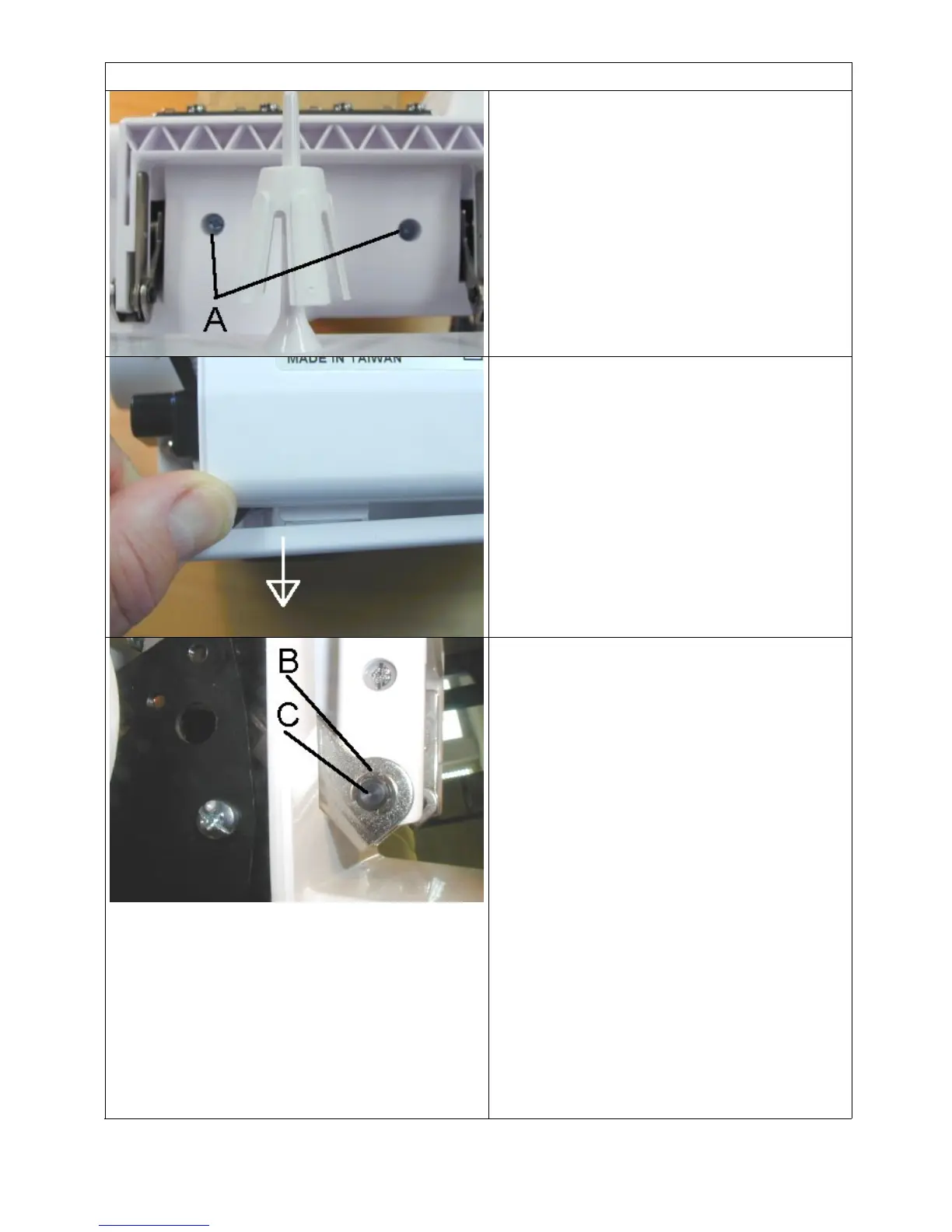
4. Unscrew the two screws A.
5. Push the base plate in direction of the
arrow to remove the back cover.
In this position, the back cover can be
moved sufficiently in order to make all
adjustments. If the back cover should be
replaced however, the handle must be
dismantled.
See next photo.
6. Remove the clip B left and right from
the handle.
7. Push out the two axles C to remove
the top of the handle.
8. Remove the back cover for changing.
4



 To Next Page