EasyManua.ls Logo

ELNA Creative Series - User Manual

ELNA Creative Series
88 pages
Print Icon
To Next Page IconTo Next Page
Loading...
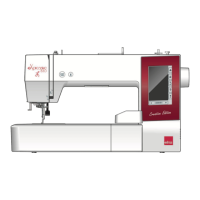
eXpressive 830L
Creative Edition
Instruction Book

Table of Contents

Question and Answer IconNeed help?

Do you have a question about the ELNA Creative Series and is the answer not in the manual?

Overview

The Elna eXpressive 830L Creative Edition is an advanced embroidery machine designed for household use, offering a wide range of features for creative embroidery projects.

Function Description

The eXpressive 830L is primarily an embroidery machine that allows users to create and customize various embroidery designs. It supports both built-in designs and designs imported via a USB flash drive. Key functionalities include:

  • Embroidery Design Selection and Editing: Users can select from a variety of built-in designs, monograms, and imported patterns. The machine offers an editing mode to combine, resize, rotate, mirror, and group patterns.
  • Monogramming: The machine supports monogramming with multiple font styles (Gothic, Script, Cheltenham, Cyrillic) and letter sizes (Large, Medium, Small). It also allows for 2-letter, 3-letter, border, and normal sew patterns, with options for horizontal or vertical orientation and arc layouts.
  • Appliqué and Stuffed Doll Designs: Special designs are available for appliqué projects, allowing users to attach appliqué pieces to background fabric and embroider simultaneously. Stuffed doll designs enable the creation of custom dolls using In-The-Hoop Designs.
  • Celebration Designs: The machine can be used to create flag garlands and other celebration-themed projects.
  • Thread Management: Features include automatic bobbin winding, a built-in needle threader, and thread cutting options for jump threads and color changes.
  • Hoop Management: The machine supports various embroidery hoop sizes (SQ14b, RE20b, SQ20b, RE36b) and provides guidance on attaching fabric to the hoop, including anti-slipping stickers for fine fabrics.
  • On-screen Help: A visual touch screen provides step-by-step instructions for essential operations like winding the bobbin, replacing the needle, threading the machine, and inserting the bobbin.
  • Customizable Settings: Users can adjust machine settings such as screen contrast, sound volume, dimensional units (inch/mm), standby timer, upper thread sensor, sewing light, quiet mode, and background color. Embroidery-specific settings include auto thread tension, low bobbin thread warning, maximum embroidery speed, one stitch stop, consecutive color grouping, hoop confirmation, hoop calibration, thread cutting options, and thread selection.
  • File Management: Designs can be saved to the machine's internal memory or a USB flash drive, with options for renaming, creating new folders, and deleting files. It supports various stitch data file formats like JEF, JEF+, JPX, and DST.

Important Technical Specifications

  • Embroidery Area: Supports various hoop sizes, including SQ14b (14 cm x 14 cm), RE20b (14 cm x 20 cm), SQ20b (20 cm x 20 cm), and RE36b (20 cm x 36 cm).
  • Needle Compatibility: Recommended for #11 to #14 needles, with thread sizes 50 to 90. Not suitable for thread size 30 or thicker.
  • Thread Tension: Features auto thread tension adjustment.
  • Sewing Speed: Maximum embroidery speed can be set up to 600 spm.
  • USB Port: Equipped with a USB port (type A) for importing designs and saving files. Supports FAT16 and FAT32 USB flash drive formats.
  • Power: Operates on electrical power, with specific power supply cord and wall outlet requirements.
  • Dimensions: The machine is designed to be portable, with a carrying handle.

Usage Features

  • Visual Touch Screen: A large, intuitive touch screen serves as the primary interface for selecting designs, editing patterns, and adjusting settings. It displays pattern information such as hoop size, design dimensions, sewing speed, tension setting, thread colors, required sewing time, and a preview window with a cross mark indicating the current sewing point.
  • Machine Operating Buttons: Includes a Start/Stop button (red when running, green when stopped) and a Thread Cutter button for automatic thread trimming.
  • Presser Foot Lifter: Allows for raising and lowering the presser foot, with an extra lifted position for thicker fabrics.
  • Lockout Key: Deactivates all buttons and keys for safety during threading, accessory changes, or maintenance.
  • Stabilizers: Emphasizes the importance of using appropriate stabilizers (tear-away, iron-on, cut-away, water soluble, heat-away, sticky type) for optimal embroidery quality, especially for dense designs or fine fabrics.
  • Hoop Confirmation: An optional feature that displays a confirmation message before opening the Ready to Sew window, ensuring the correct hoop is attached.
  • Resume Mode: If turned on, the machine can resume the last pattern sewn before power-off when turned on again.
  • Color Section Key: Allows viewing the complete design or partial images of each color section, and selecting specific sections to sew.
  • Trace Key: Enables tracing the pattern outline without stitching or with basting stitches to check the embroidery area.
  • Thread Color/Jog Key: Displays jog keys for fine adjustment of hoop position and shows the thread color list.
  • Adjust Key: Opens a manual setting window for adjusting auto thread tension and jump thread tail length.

Maintenance Features

  • Cleaning the Hook Area: Recommended monthly cleaning of the bobbin case and hook race using a lint brush and bobbin holder cleaner. The machine can display a caution message for cleaning if the option is enabled.
  • Cleaning the Thread Path: Instructions for cleaning lint and wax from the tension area and needle bar thread guide using paper and a lint brush.
  • Oiling the Machine: Detailed instructions for oiling specific parts of the machine, including the needle bar, presser bar, thread take-up lever, oil wick, lower shaft supporter (front and rear), Y-carriage, and X-carriage. Emphasizes using good quality sewing machine oil and removing excess oil to prevent fabric stains.
  • Troubleshooting Guide: Provides a comprehensive list of common problems, their causes, and solutions, such as noisy machine, thread breaks, needle breaks, skipped stitches, distorted patterns, and USB flash drive issues.
  • Touch Screen Calibration: Allows users to recalibrate the touch screen if it becomes unresponsive.
  • Reset All to Defaults: An option to reset all machine parameters to factory settings, except for language selection.
  • Memory Formatting: Provides instructions for formatting the internal memory or USB flash drive if they malfunction, with a warning against disconnecting power during the process.

ELNA Creative Series Specifications

General IconGeneral
BrandELNA
ModelCreative Series
CategorySewing Machine
LanguageEnglish

Related product manuals