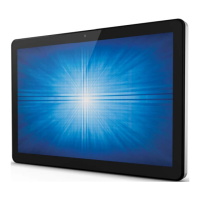
User Manual: X-Series Rev A AiO Touchcomputer
SW602213 Rev A, Page 3 of 51
Table of Contents
Read this first ......................................................................................................... 4
Chapter 1: Product Overview ................................................................................ 6
Product Description ............................................................................ 6
Precautions ........................................................................................ 6
X-Series Layout .................................................................................. 7
X-Series Expansion Module (optional accessory) Layout ................. 10
Chapter 2: Getting Started ................................................................................... 12
Unpacking the X-Series Touchcomputer .......................................... 12
Adjusting the X-Series Display Title .................................................. 13
Touchscreen Calibrating .................................................................. 14
Chapter 3: Operation ............................................................................................ 16
General Information.......................................................................... 16
Front OSD Control Buttons............................................................... 16
L.E.D. Functionality – POWER LED ................................................. 17
L.E.D. Functionality – Wireless LAN LED ......................................... 17
L.E.D. Functionality – Ethernet LAN LED ......................................... 18
Using the Input/output Panel ............................................................ 18
Setting Up the Operating System ..................................................... 19
Creating the Recovery Flash Drive ................................................... 22
Recovering the Operating System .................................................... 25
Chapter 4: Options and Upgrades....................................................................... 28
Adding Optional Upgrades ............................................................... 28
Optional Peripherals KITs ................................................................ 28
Chapter 5: Technical Support .............................................................................. 41
Solutions to Common Problems ....................................................... 41
Technical Assistance ........................................................................ 41
Chapter 6: Safety & Maintenance ........................................................................ 42
Safety ............................................................................................... 42
X-Series Power Adapter Support Notice ........................................... 43
X-Series Care and Handling ............................................................. 43
Waste Electrical & Electronic Equipment .......................................... 44
Chapter 7: Regulatory Information...................................................................... 45
Chapter 8: Warranty Information ......................................................................... 50


 To Next Page
 Loading...