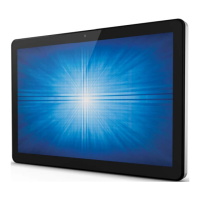
User Manual: X-Series Rev A AiO Touchcomputer
SW602213 Rev A, Page 9 of 51
8. Expansion Module (Optional)
The expansion module is an option kit for additional functions of X-Series. Pls reference the
Expansion Module section for function description in detail below.
9. Edge USB Port (Accessory KITs - connection)
The edge USB port is design for X-Series optional Accessory KITs; the accessory kits can be
mounted and fixed at the edge for additional function requirement.
10. Kensington Lock
Kensington Lock is a standard anti-theft device for X-Series to protect and keep the unit safe.
11. Power Connector (DC-IN)
Plug the DC cable of the AC/DC power adapter kit into the power connector to power up the
X-Series system.
12. +24V Power USB Port (X3 / X5 / X7 only)
The +24V Power USB Port spec is design for X3/X5/X7 configuration only. The maximum
power rating of the +24V Power USB would limit to 24V@2A specification.
13. Serial Port (RS-232)
The serial port is a standard native RS-232 interface for connection.
14. VGA Output (D-Sub)
The X-Series system has a VGA output (D-Sub) to support 2
nd
display monitor.
15. USB 3.0 Port
The X-Series system has a two standard Super Speed USB 3.0 ports at rear IO side.
16. USB Port Configuration
- Two USB 2.0 Ports for X2 / X3 system configuration only.
- Two USB 3.0 Ports for X5 / X7 system configuration only.
17. Ethernet LAN Port
The Ethernet LAN Port has gigabyte speed capability for network of the X-Series.
18. Serial Port (RJ-45)
The serial port is a native RS-232 specification for RJ-45 interface connection.



 To Next Page
 Loading...